

Paying Dues Online
This step-by-step guide walks members through the online dues payment process. Learn how to navigate to the member portal, access the payment section, accept terms and conditions, enter billing information, and complete your membership dues transaction securely.
Jan 07, 2026●
1
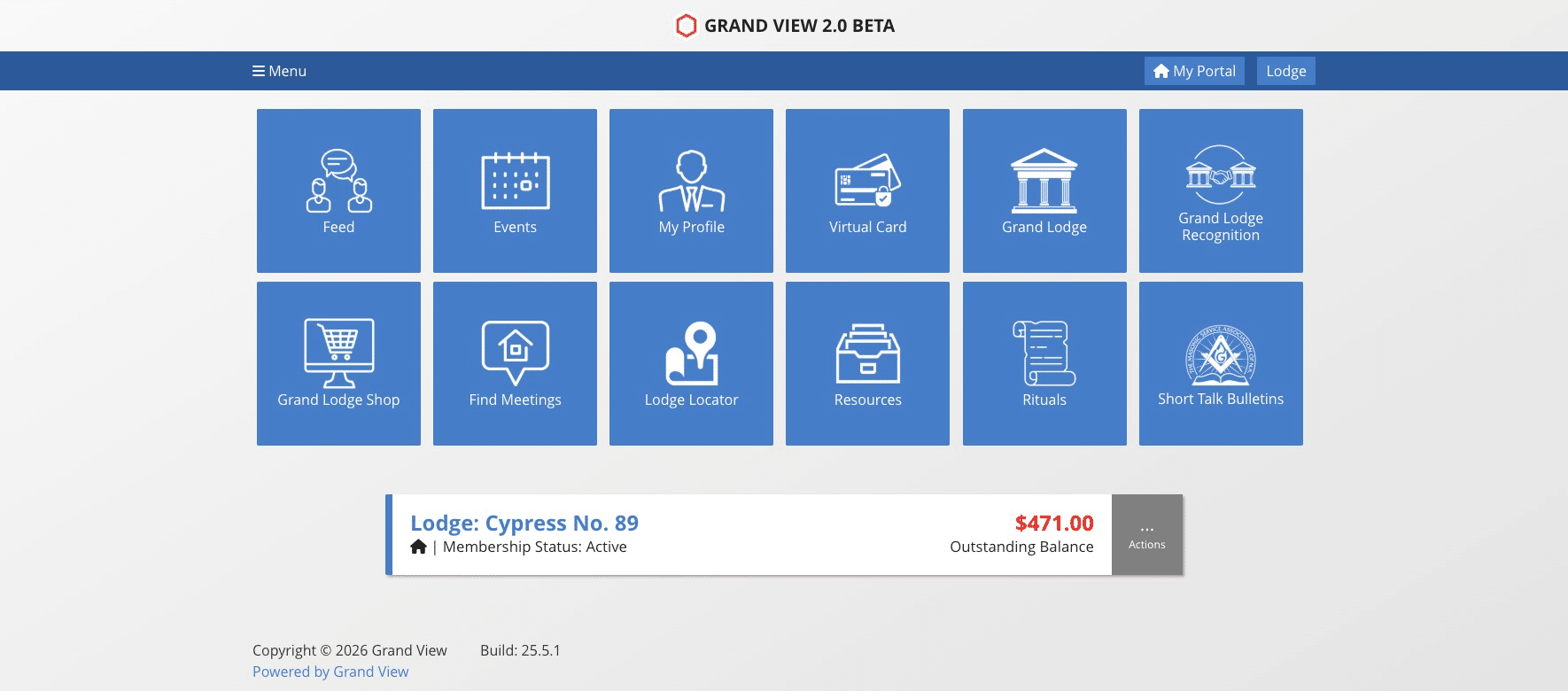
Navigate to your Member Portal
2
Click on "... Actions"

3
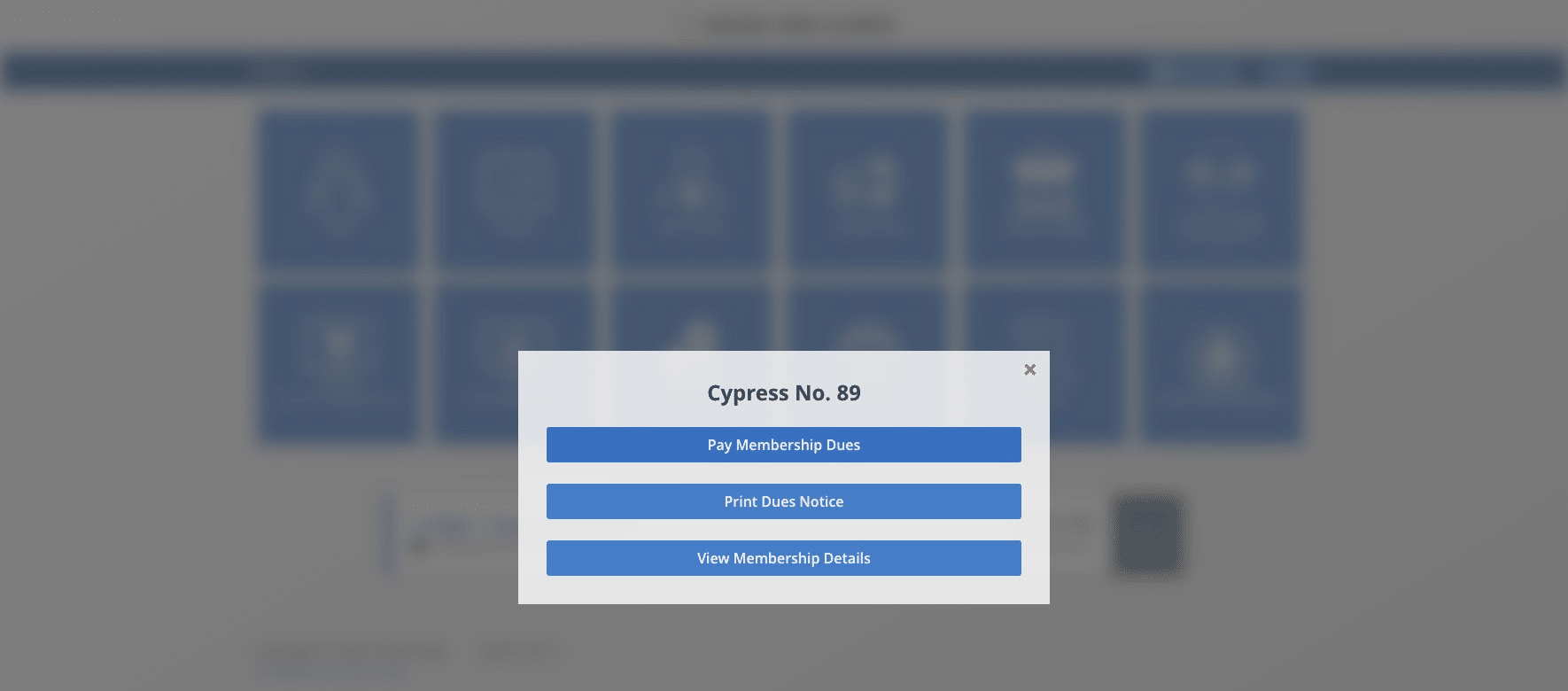
Click on "Pay Membership Dues"
4
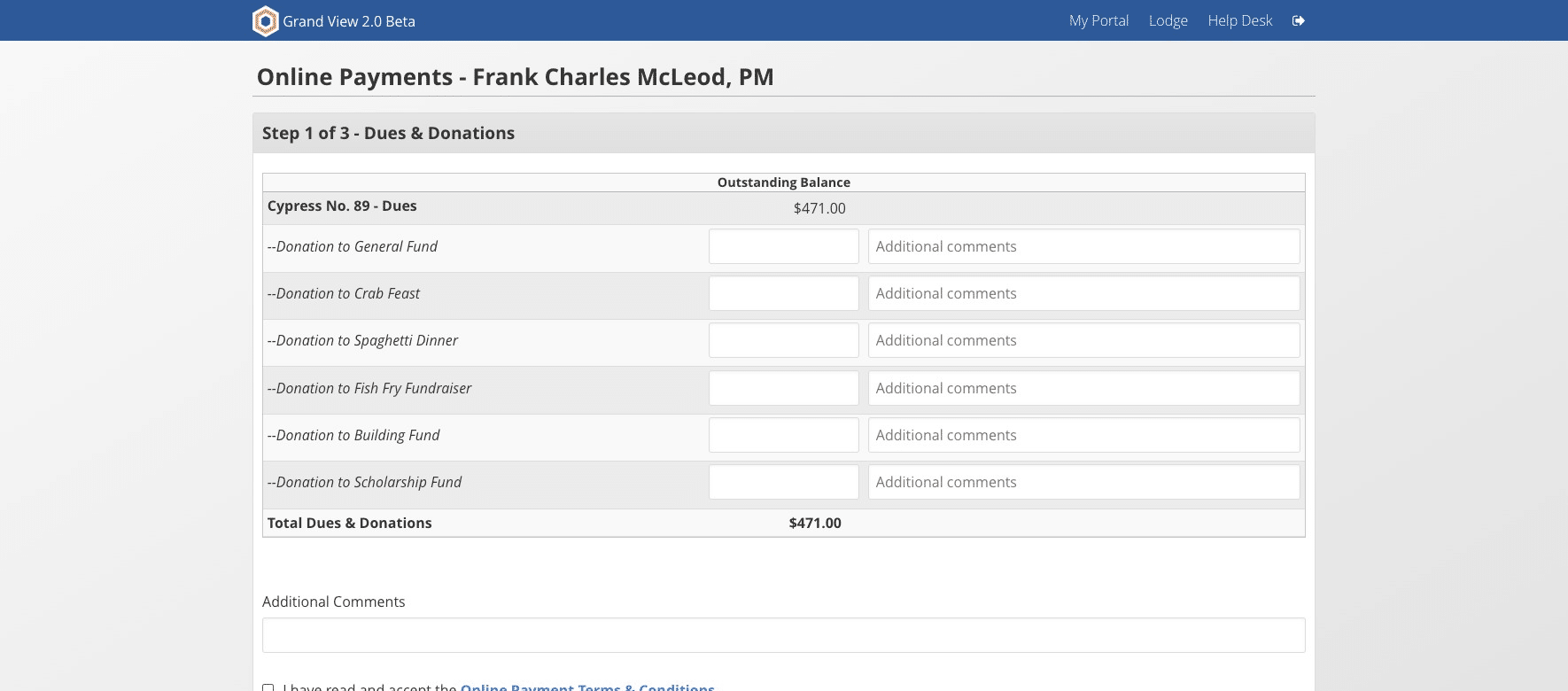
Check the box to accept terms and conditions and then click Continue to Payment
5
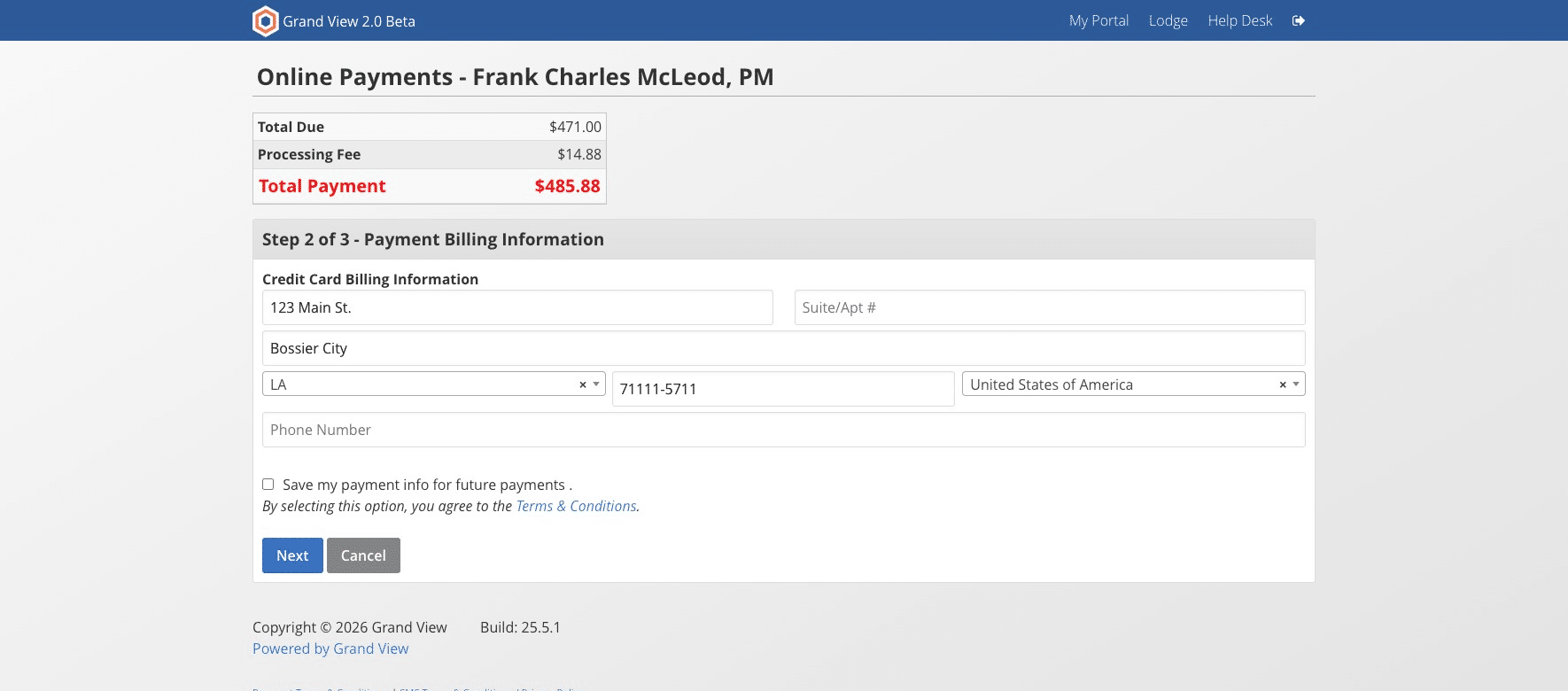
Click here
6
Follow the remaining prompts.