

Deleting a Potential Duplicate Member
Apr 04, 2025●
1
Navigate to the member record you wish to delete
When handling duplicate records, if the member has logged into Grand View, try to retain the record they have access to, if possible. If the accessed record is deleted, please contact Grand View Support to have their credentials reset.
2
Click on "Super Admin" on the left side menu.
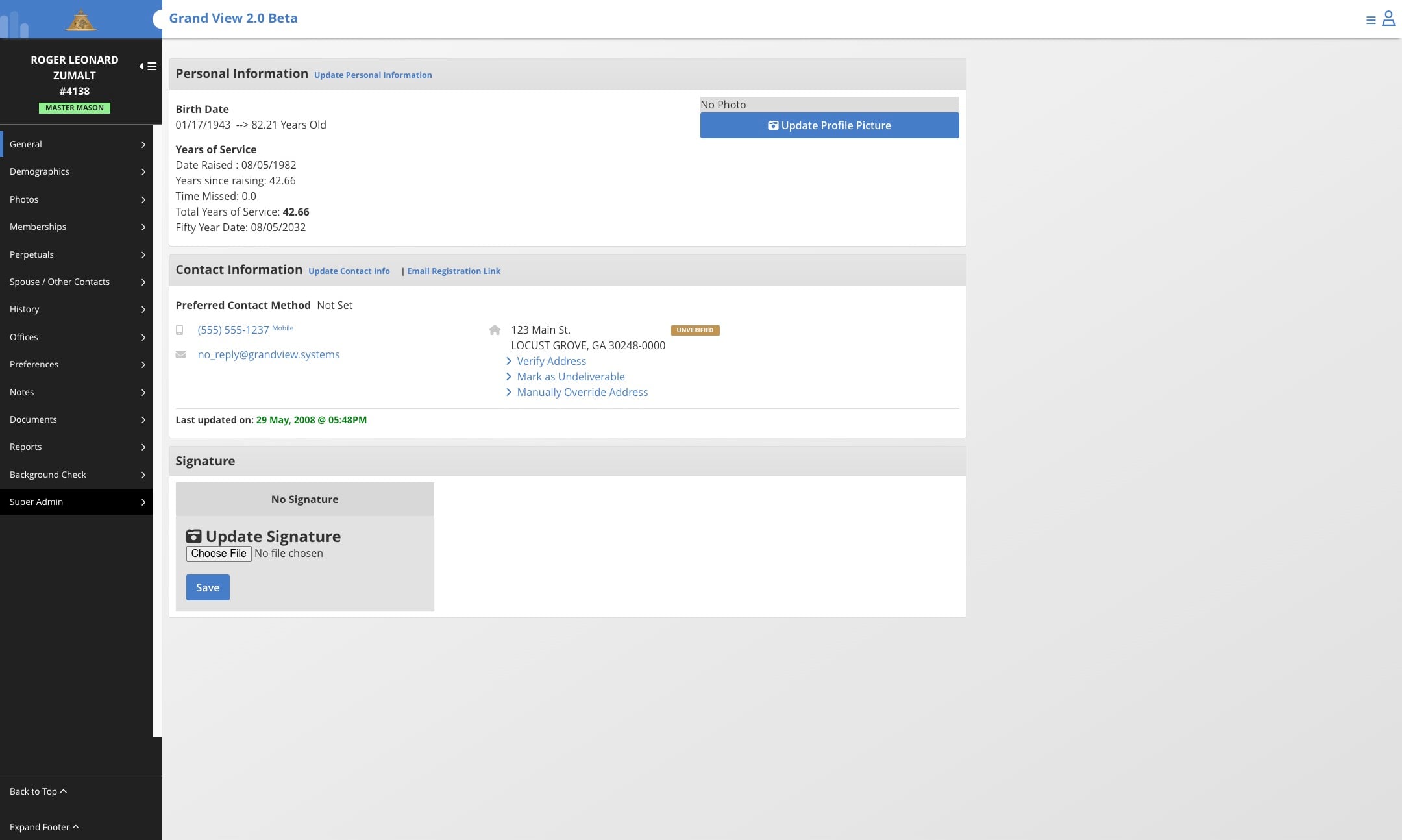
If the Super Admin button is not available for you please contact your Grand/Supreme administrators for assistance.
3
Click on "Member Status Override"
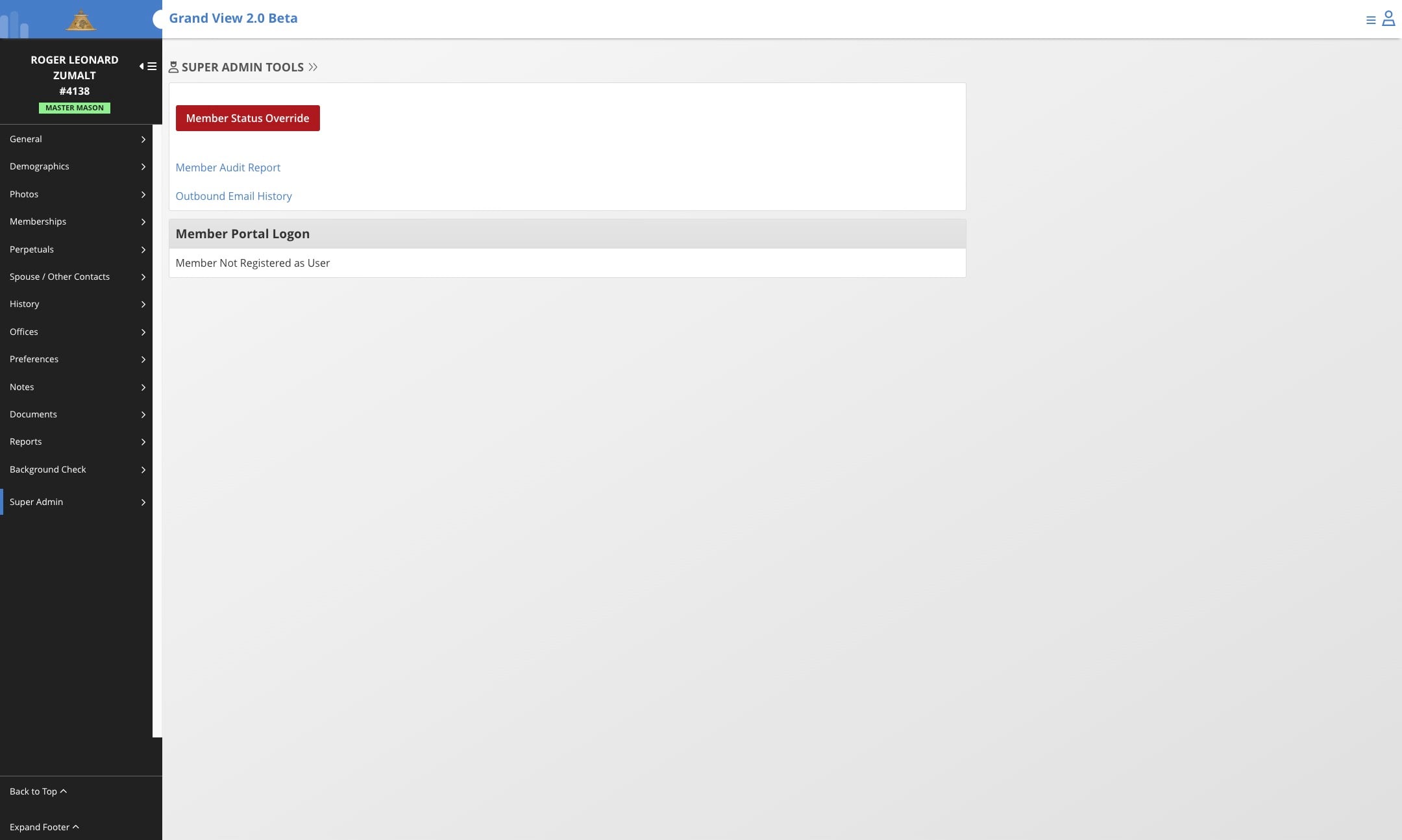
4
Click on the drop down menu and select "deleted"
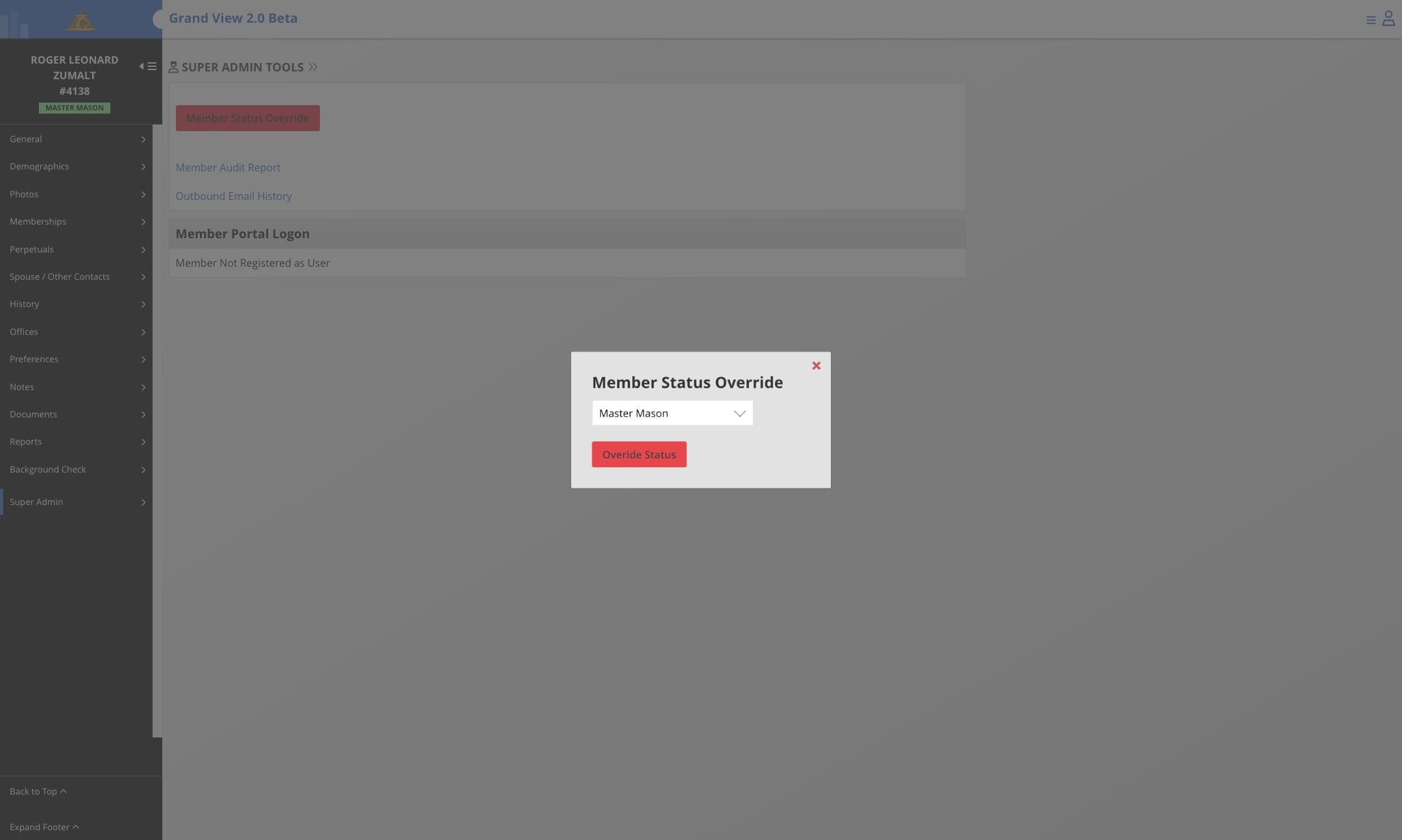
5
Click on "overide status"
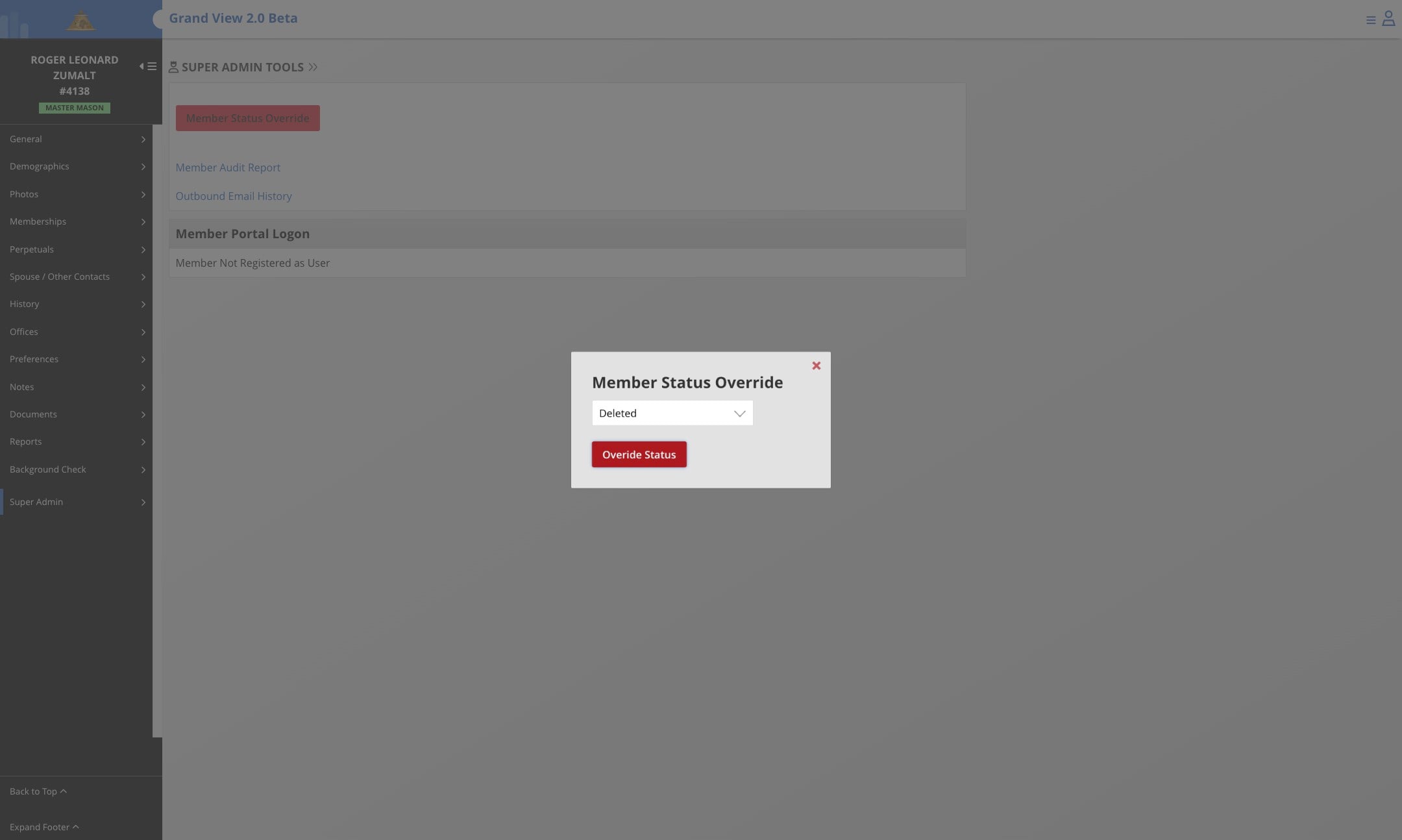
6
Done, member is now marked as deleted.
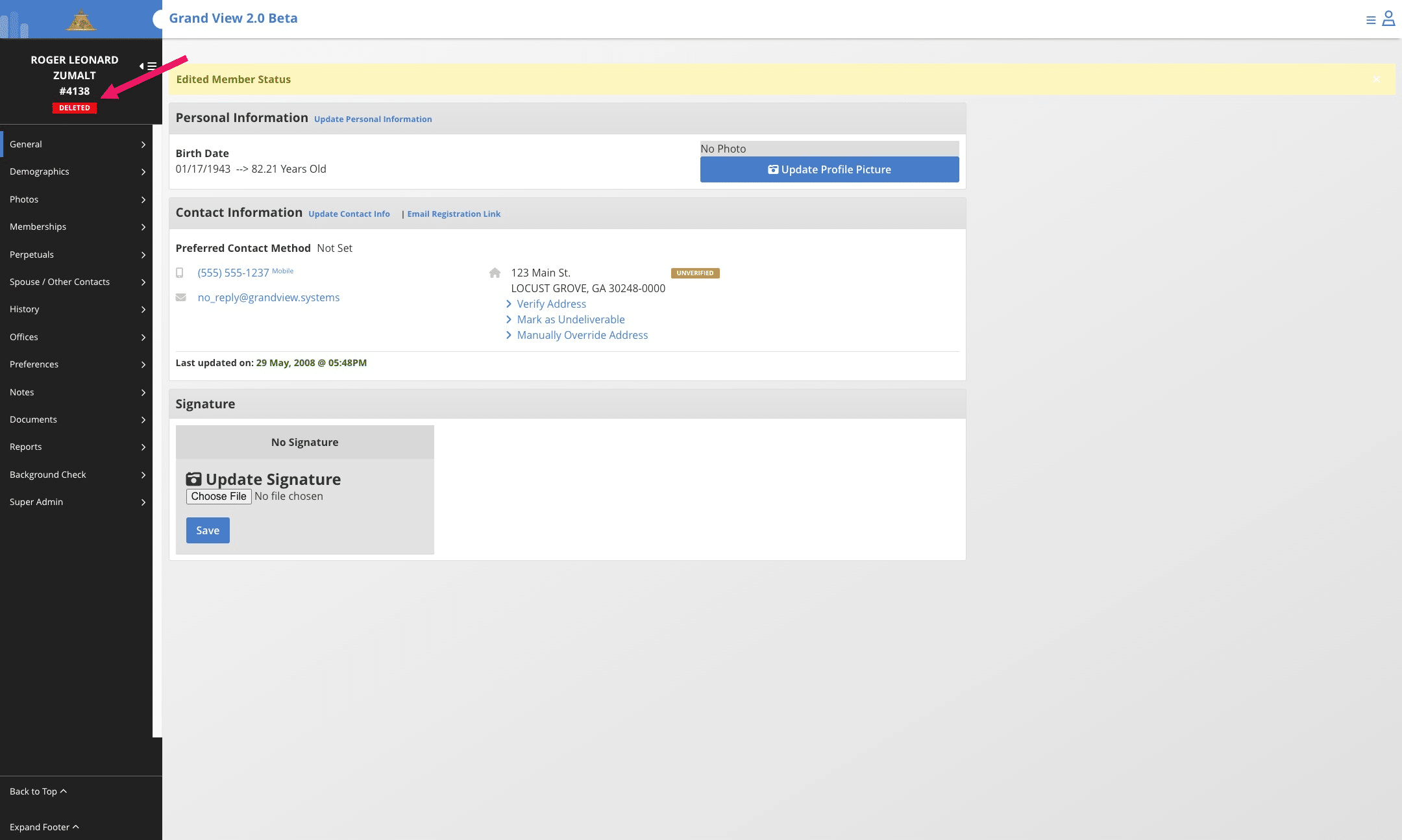
This process can be repeated to change members to other statuses.