OneSource Application - Member Process
Last Updated: November 2025 This interactive guide provides 18 step-by-step instructions for completing the OneSource member application process. It covers accessing the application via email, navigating the interface, completing required forms, signing acknowledgments, and printing confirmation documents.
1
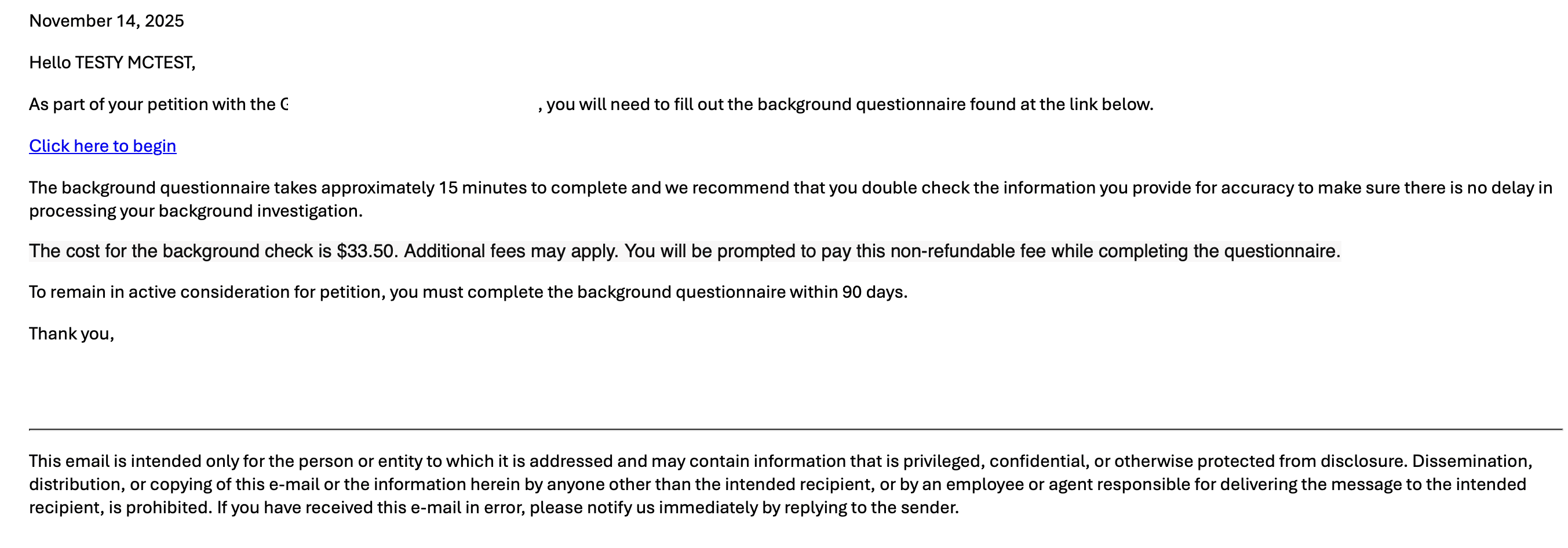
Click on the link provided in the email from OneSource
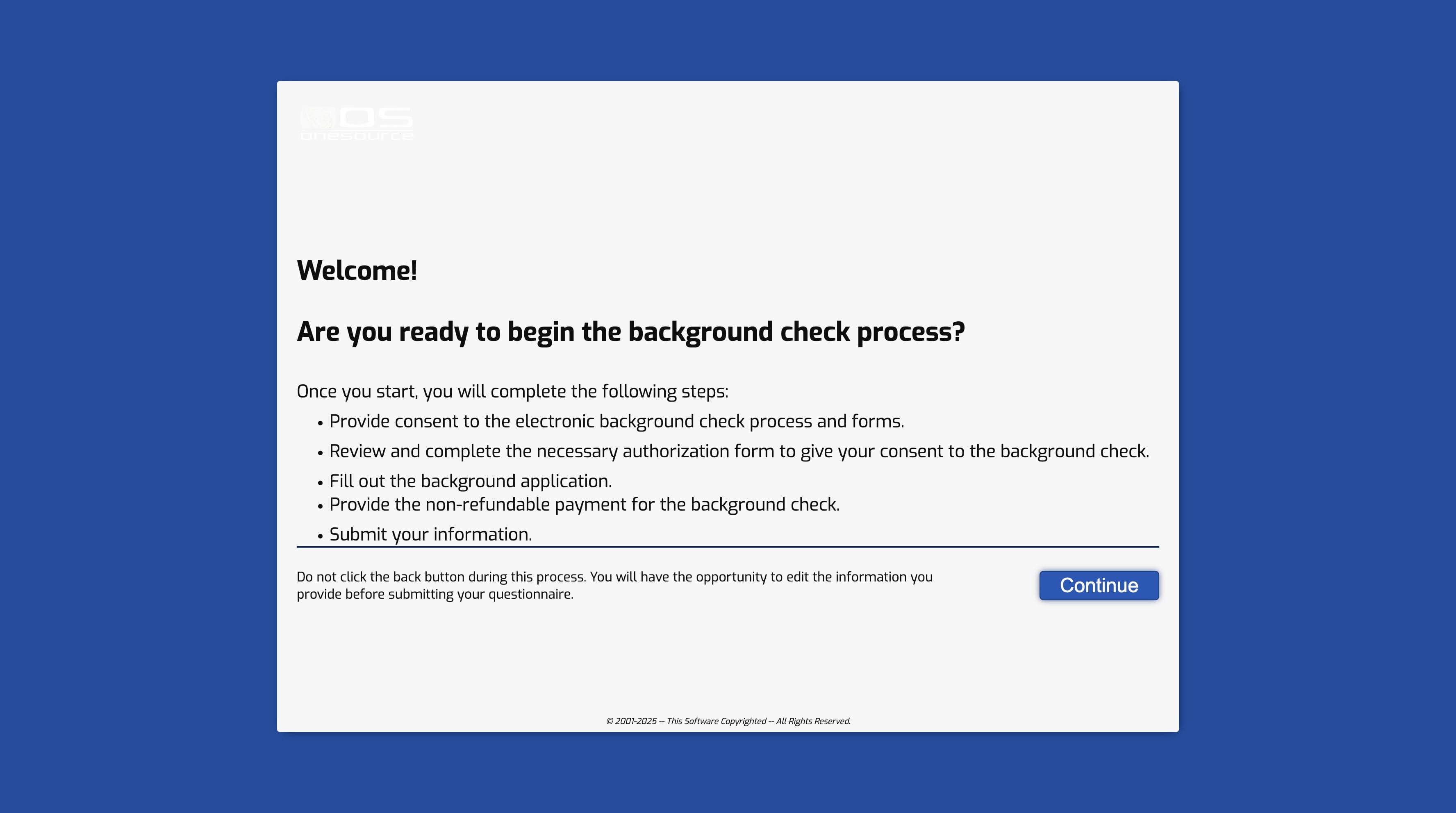
2
Click on "Continue"

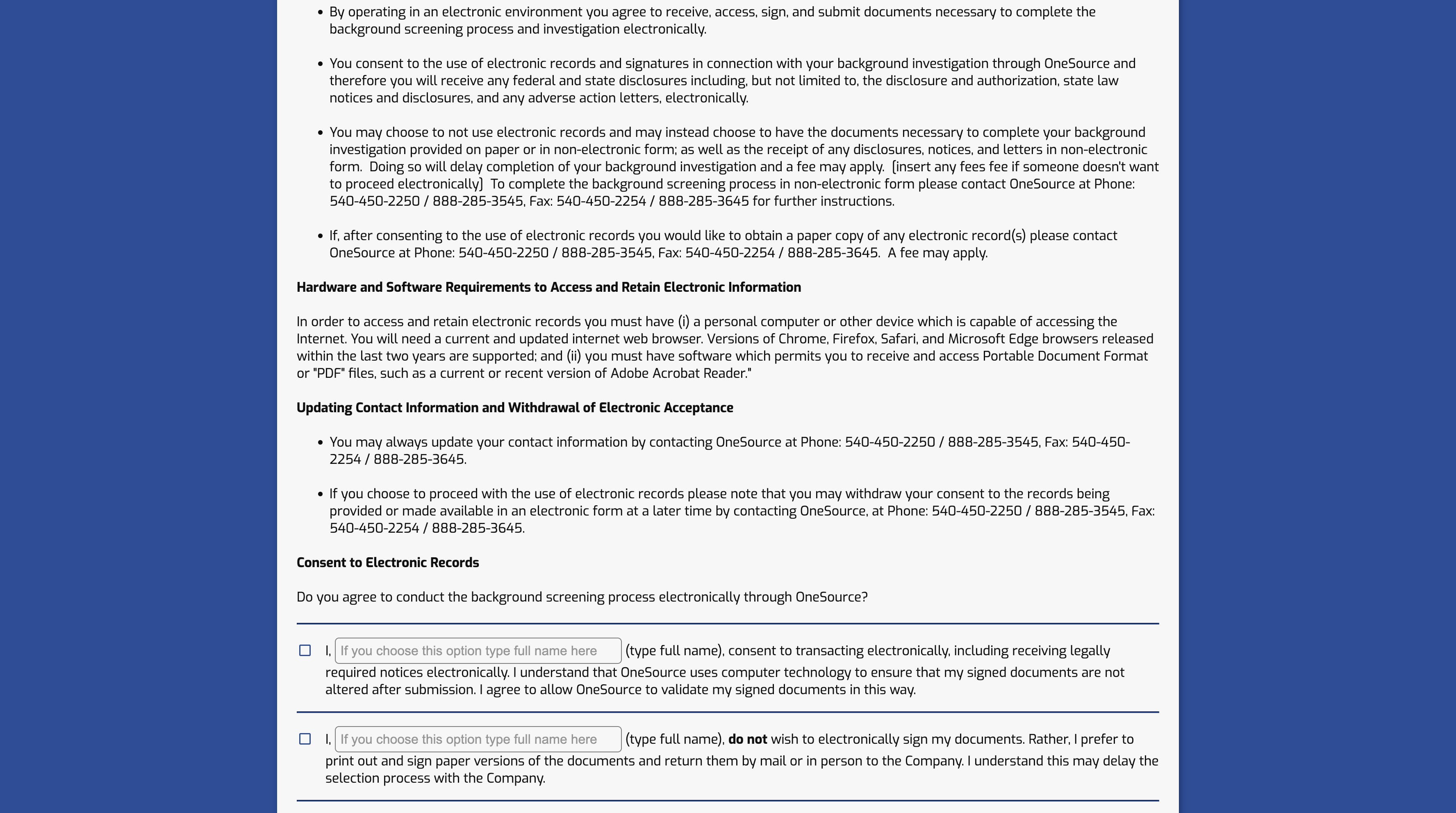
3
Click here
4
Click this icon
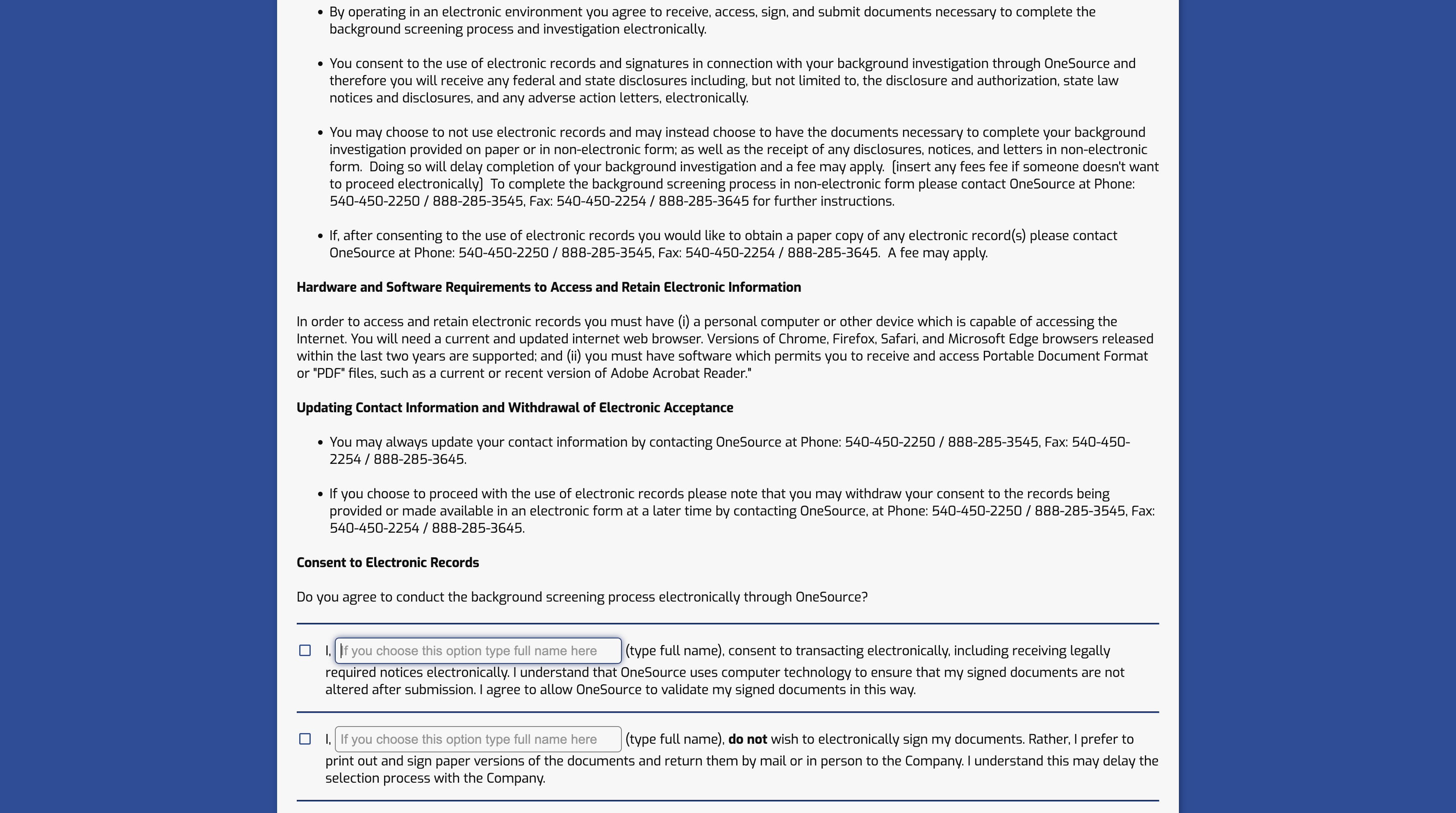
5
Click here
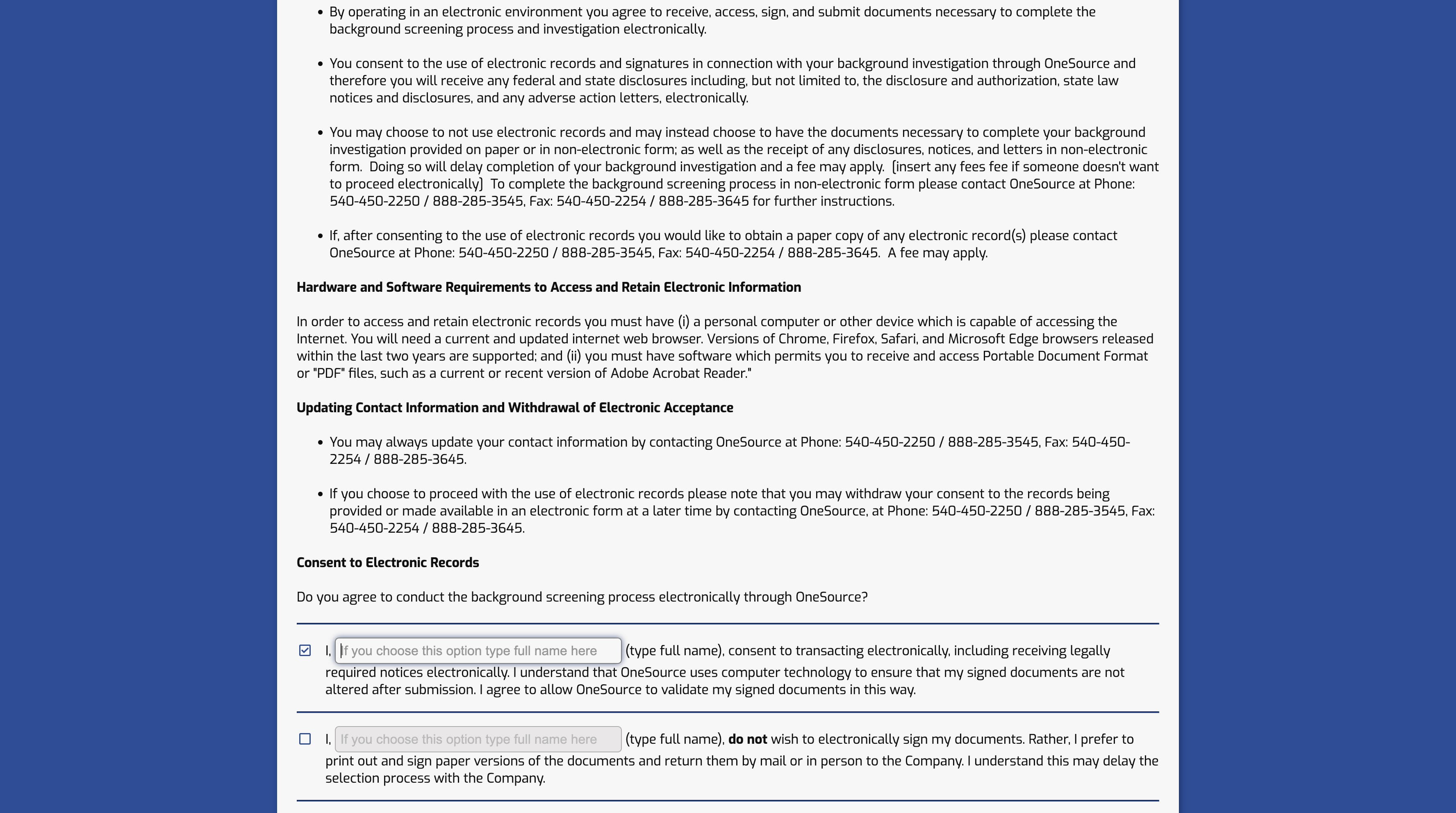
6
Click on "Continue"
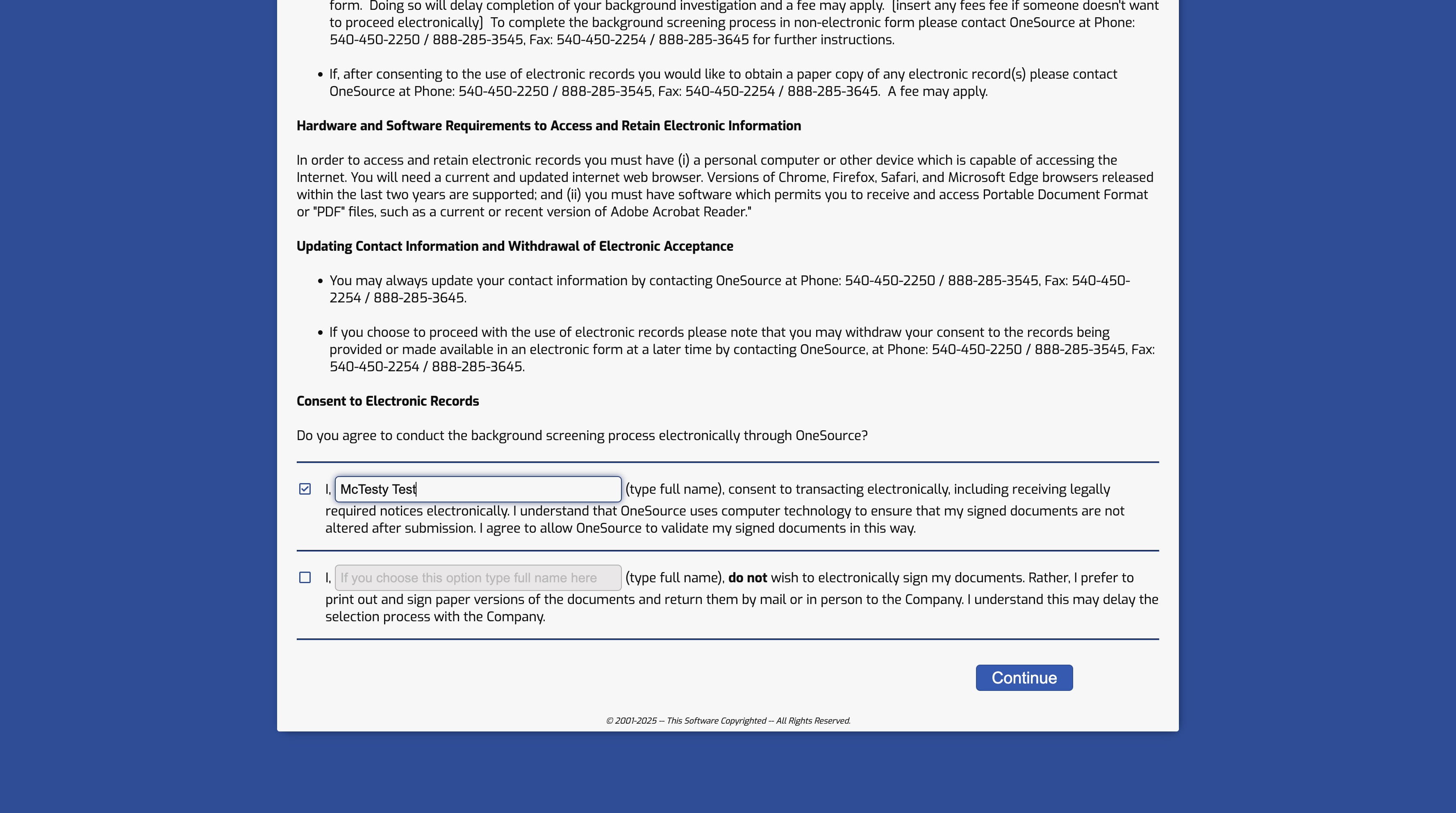
7
Click here
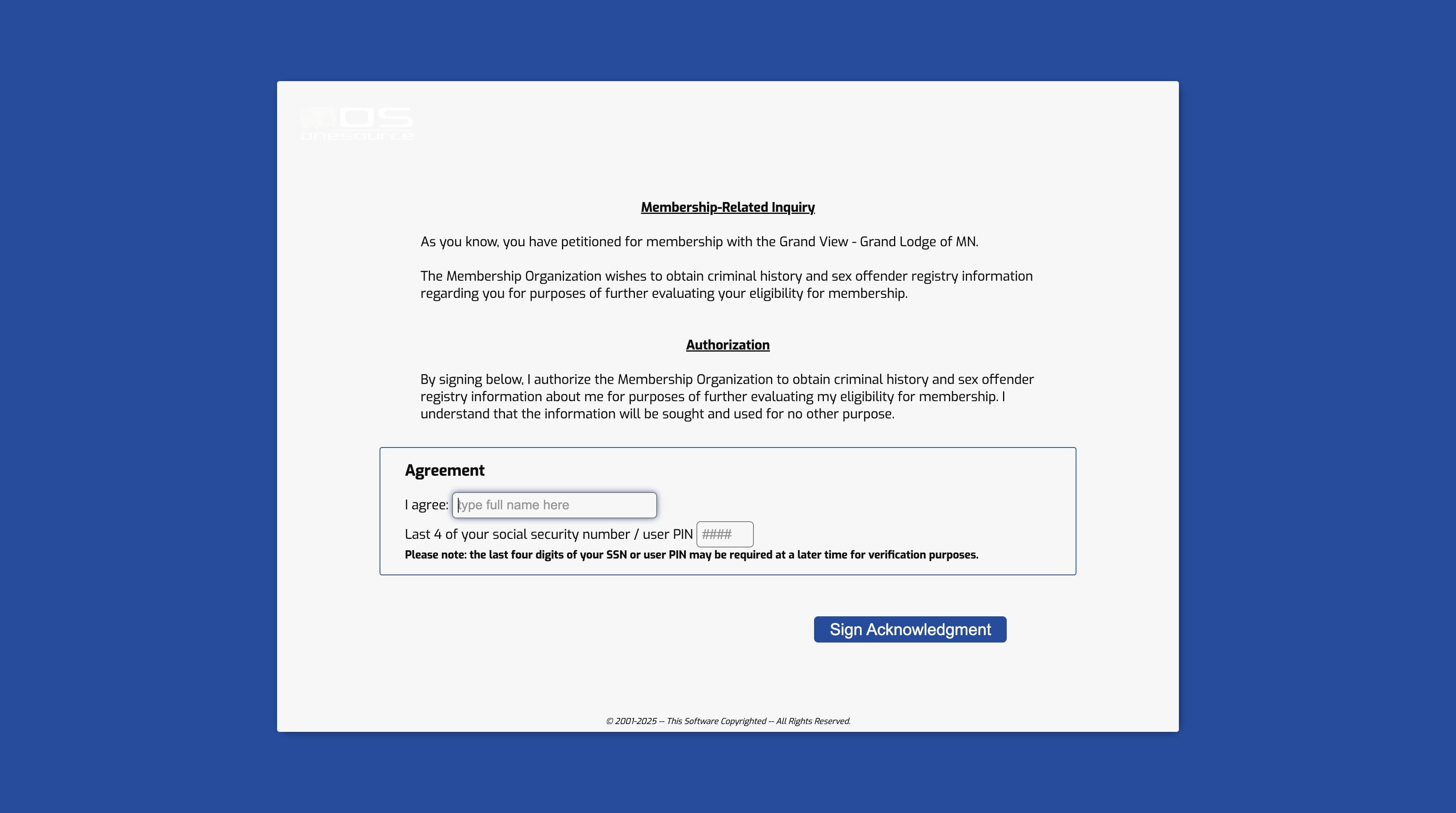
8
Click here
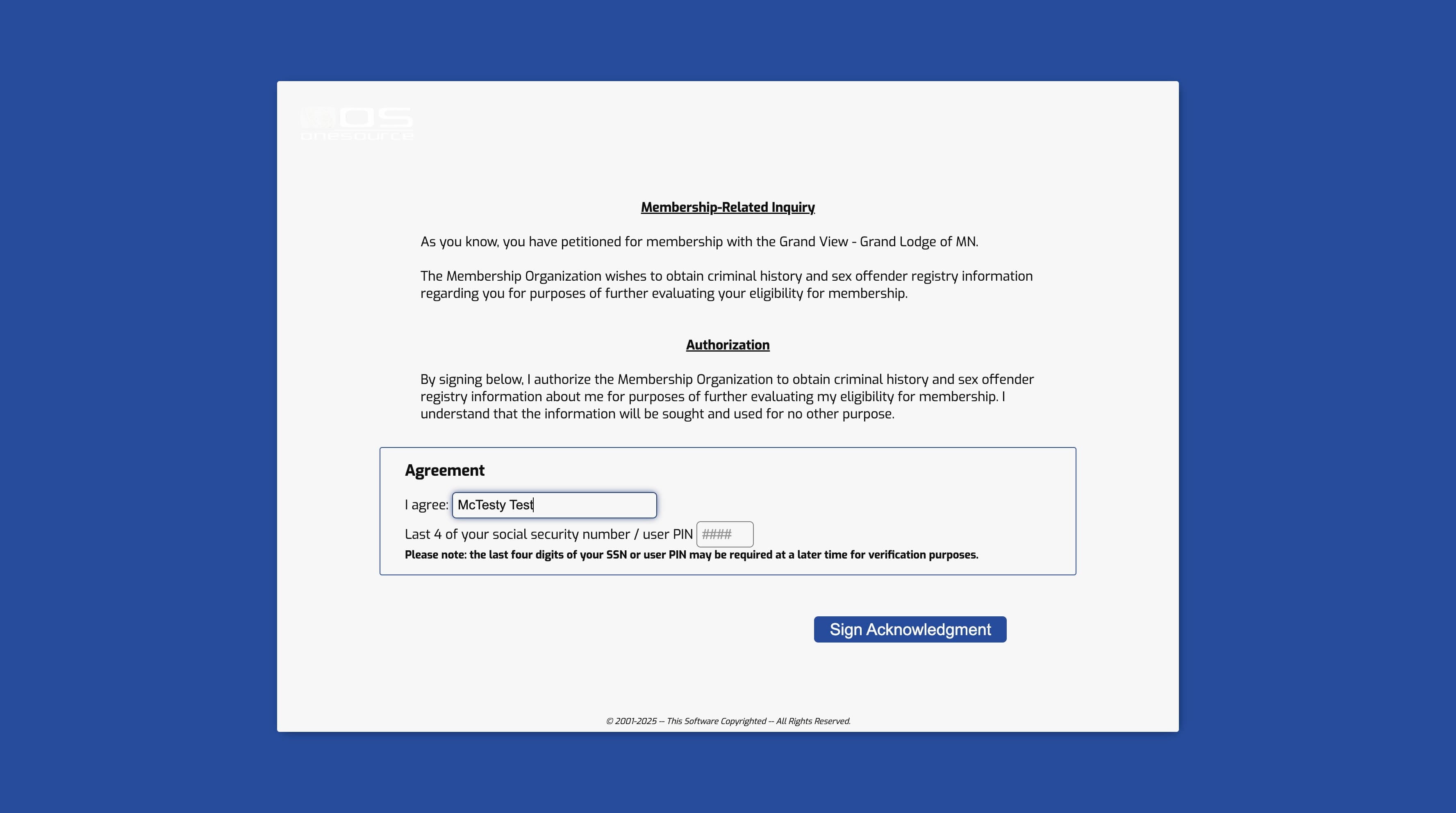
9
Press cmd + v
10
Click on "Sign Acknowledgment"
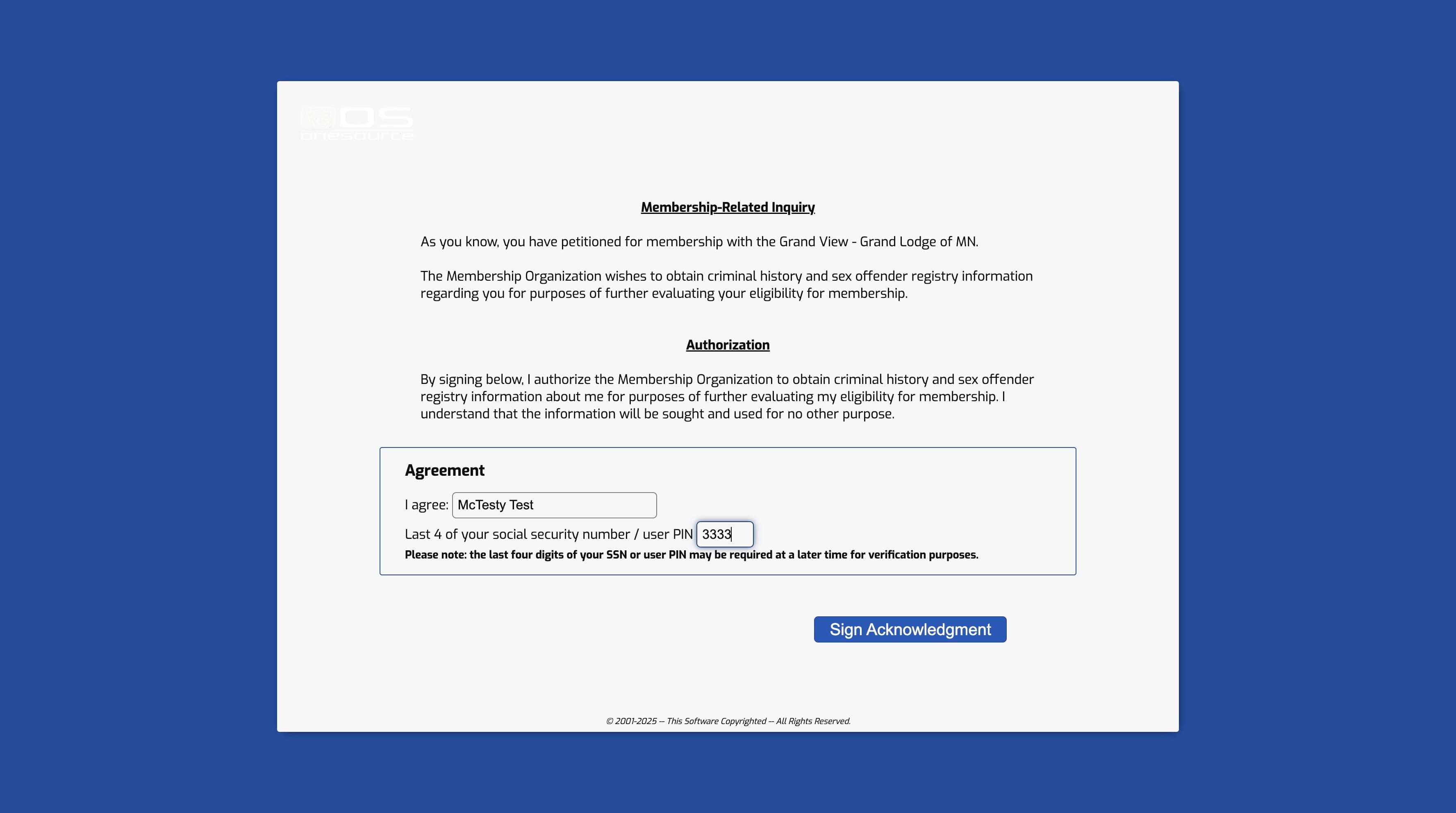
11
Click here
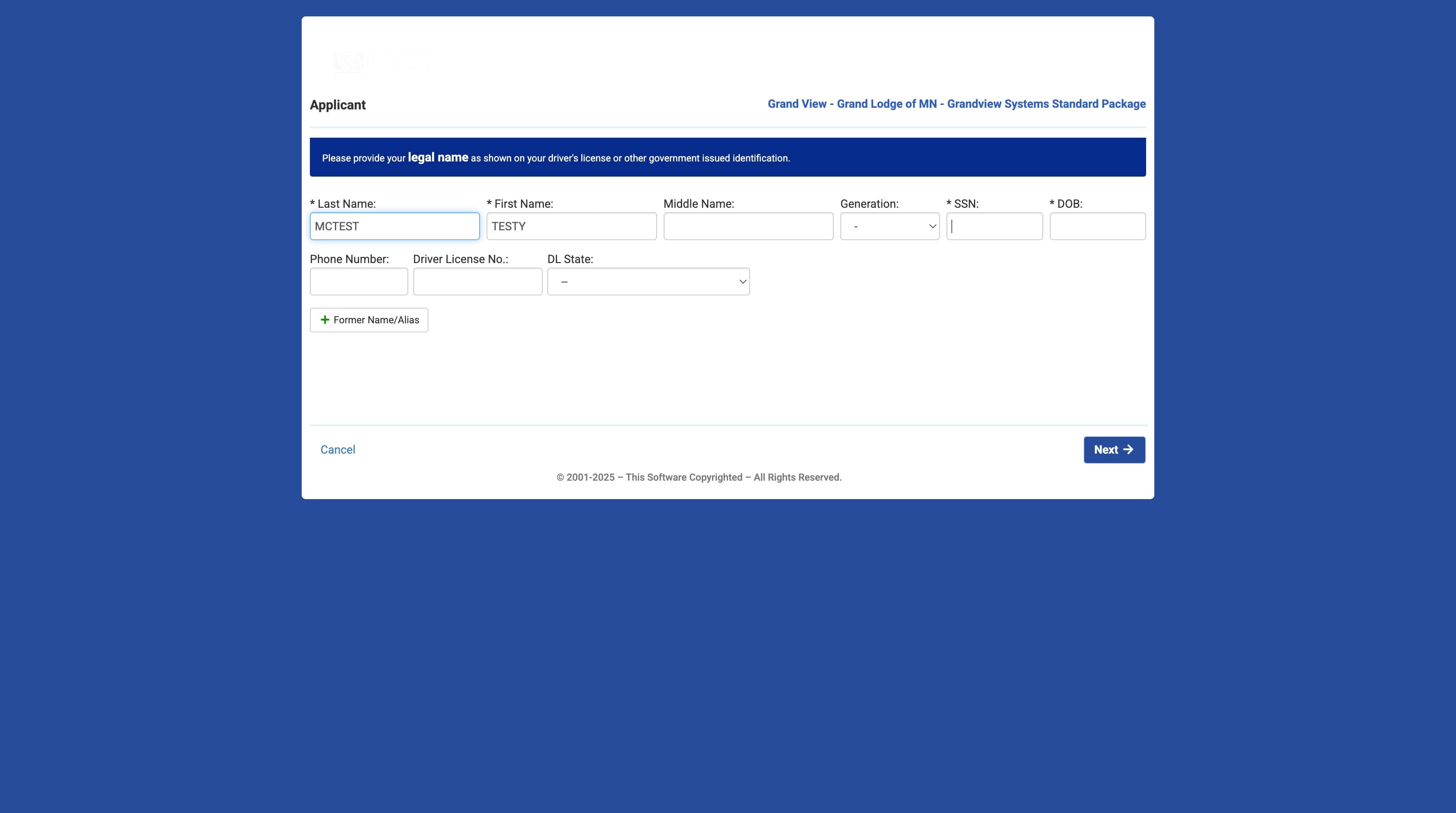
12
Click on "Next"
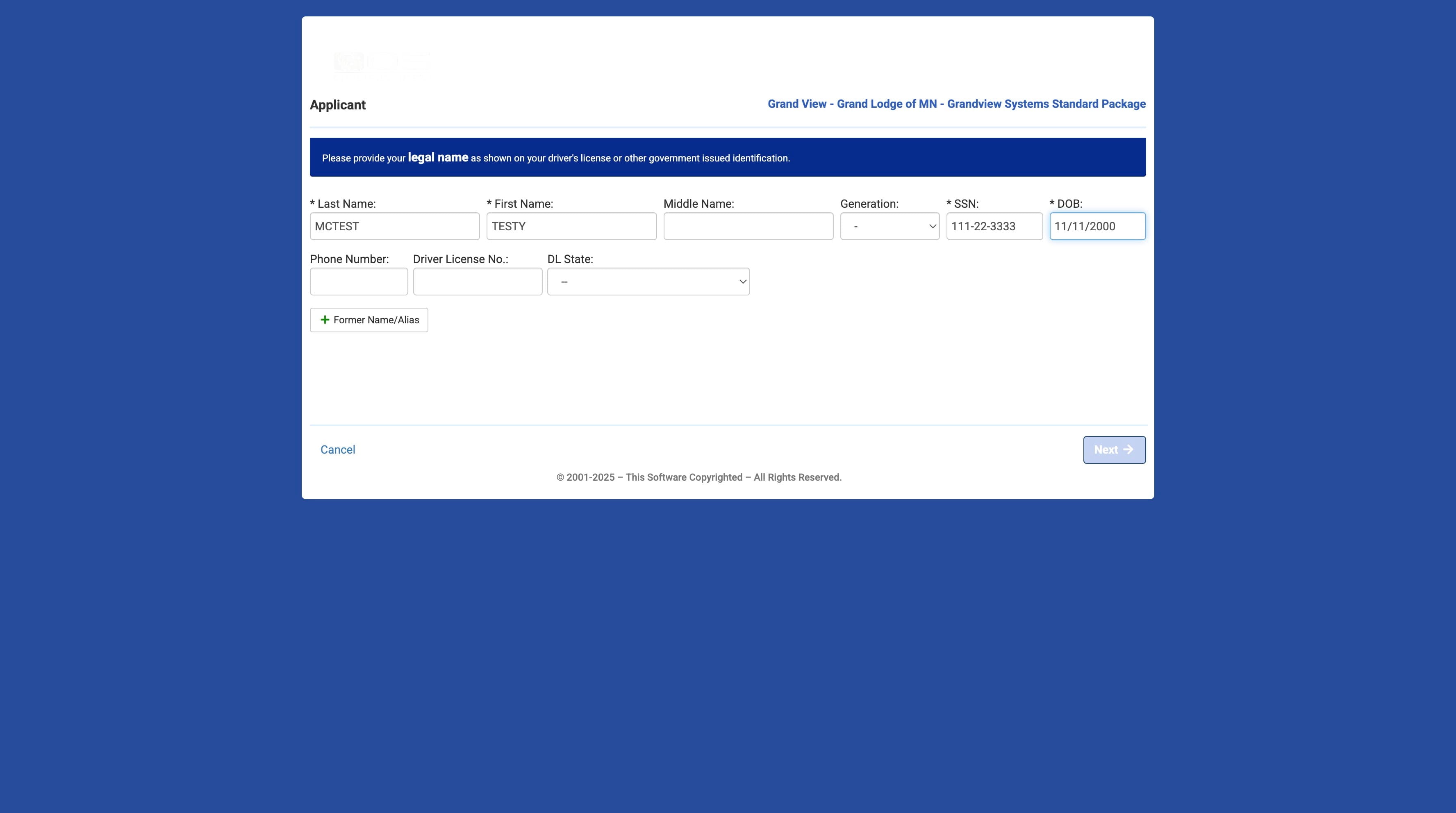
13
Click here
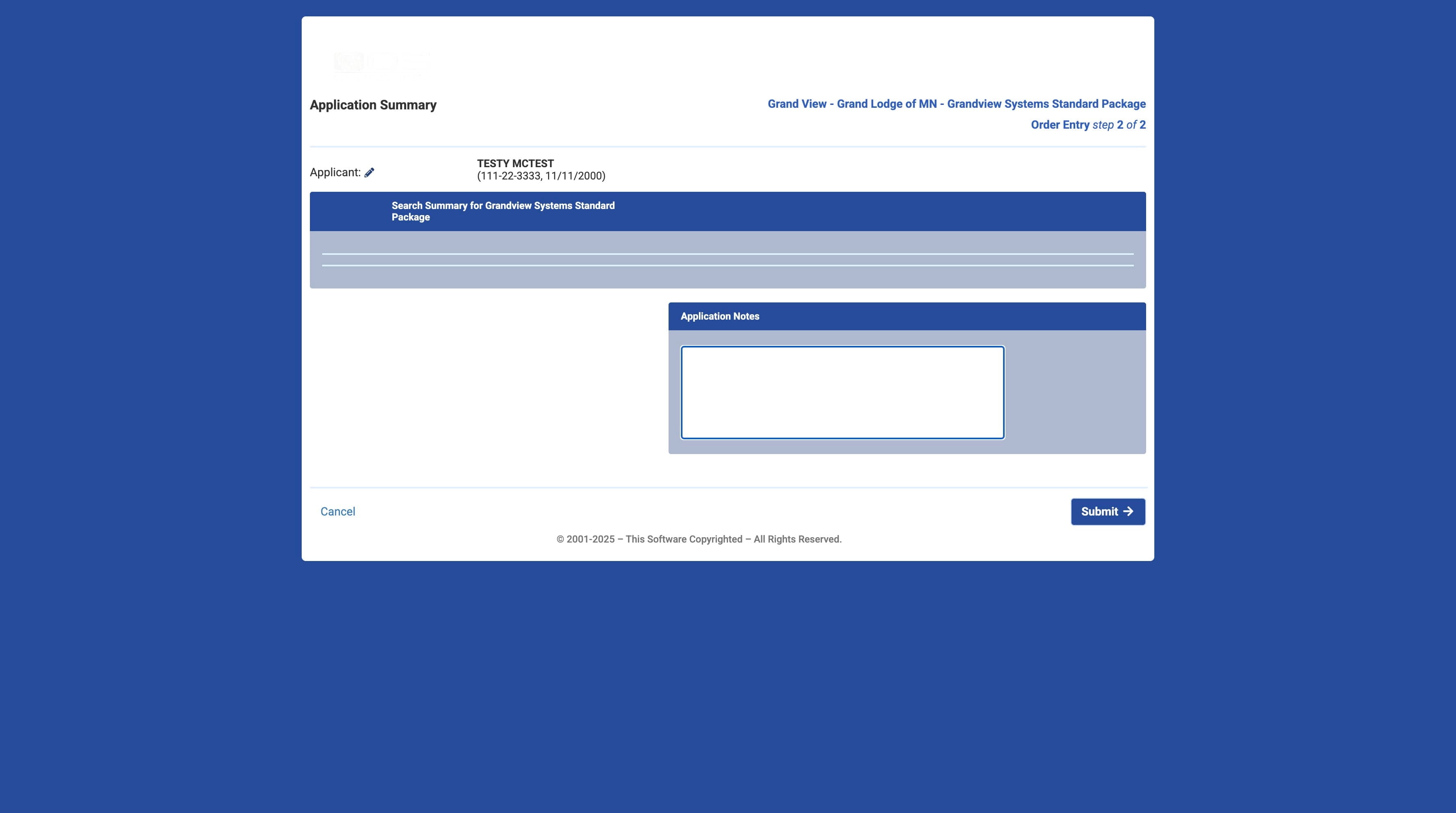
14
Click here
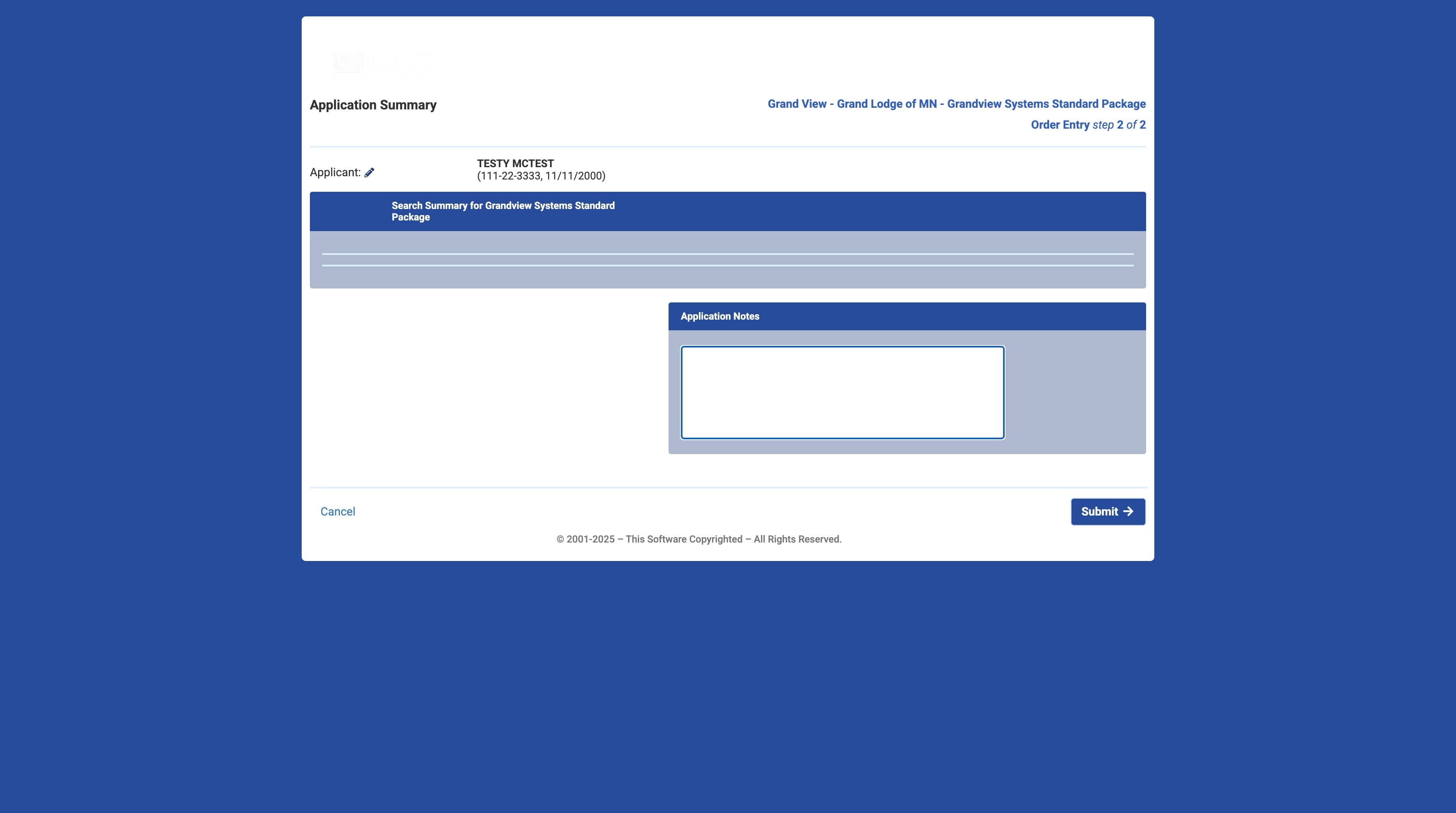
15
Click on "Submit"
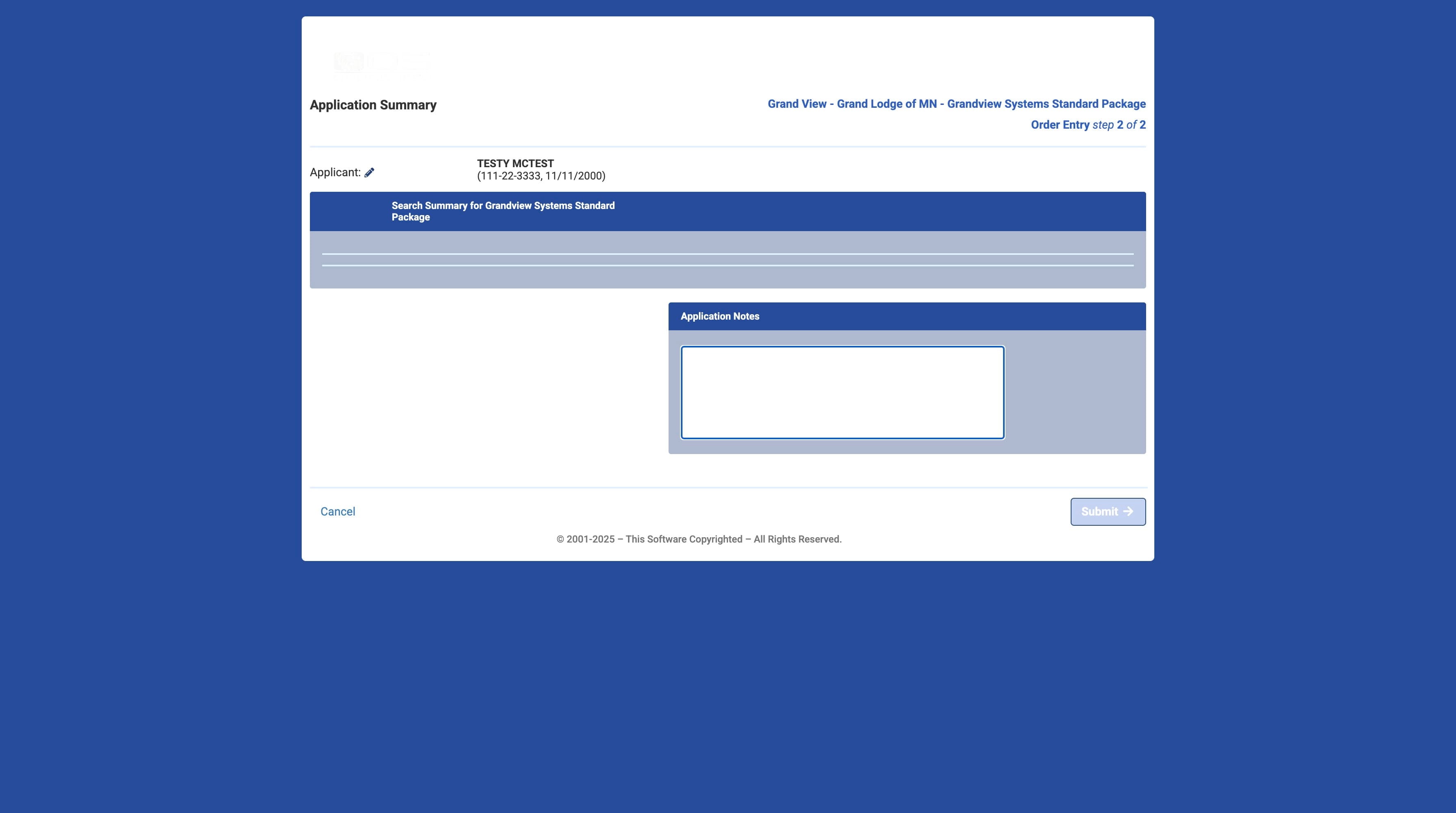
16
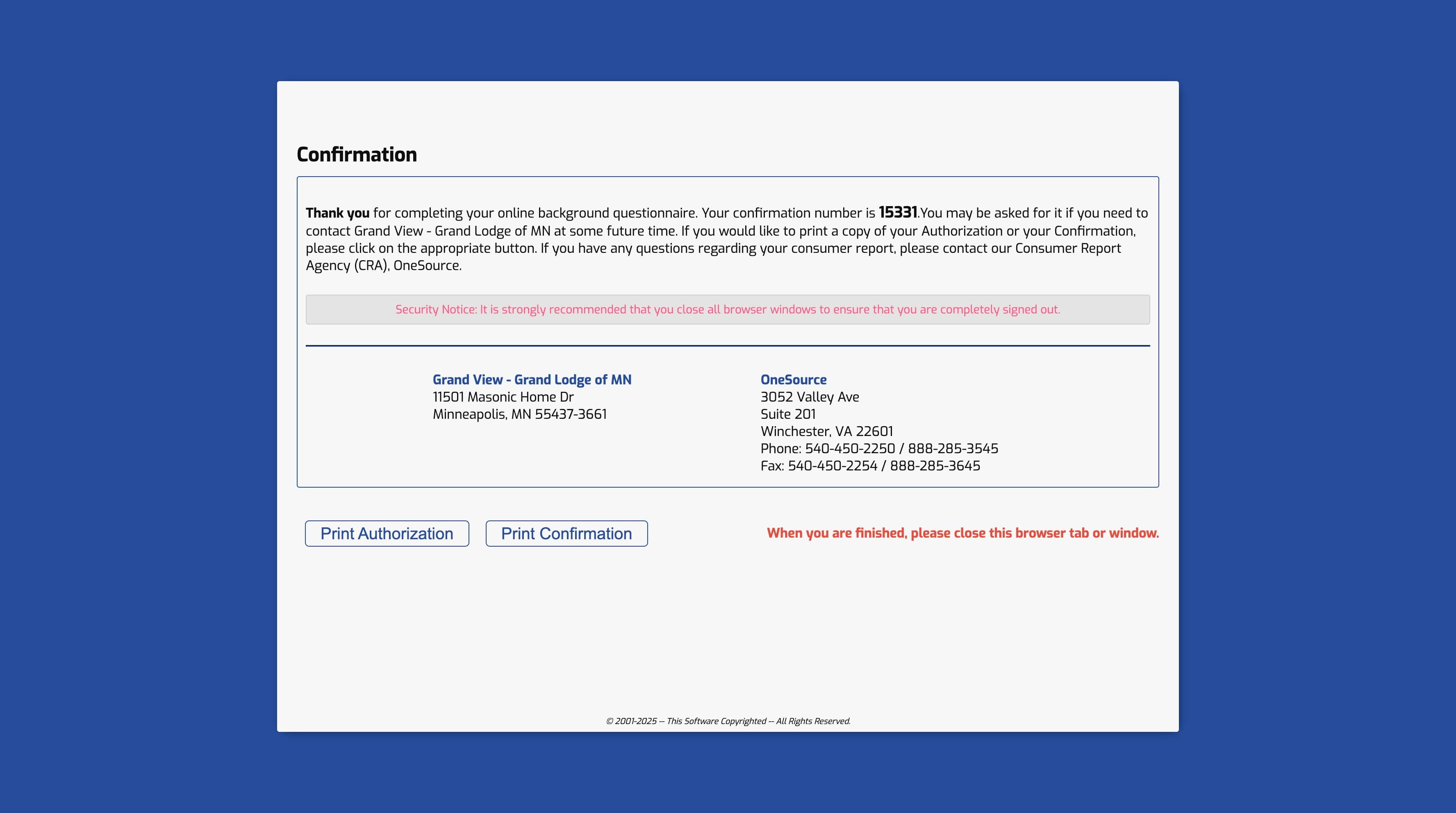
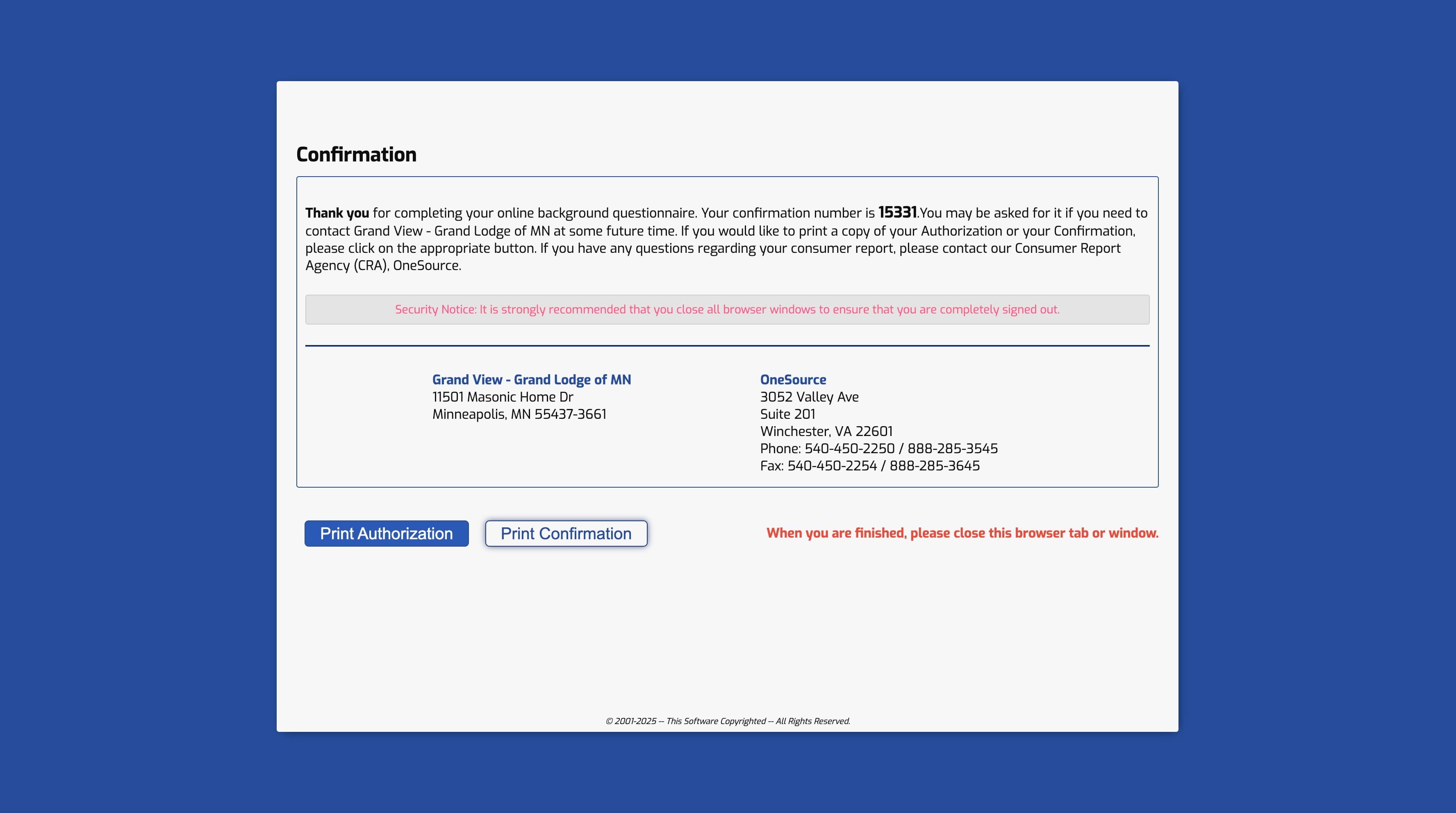
Click on "Print Confirmation"
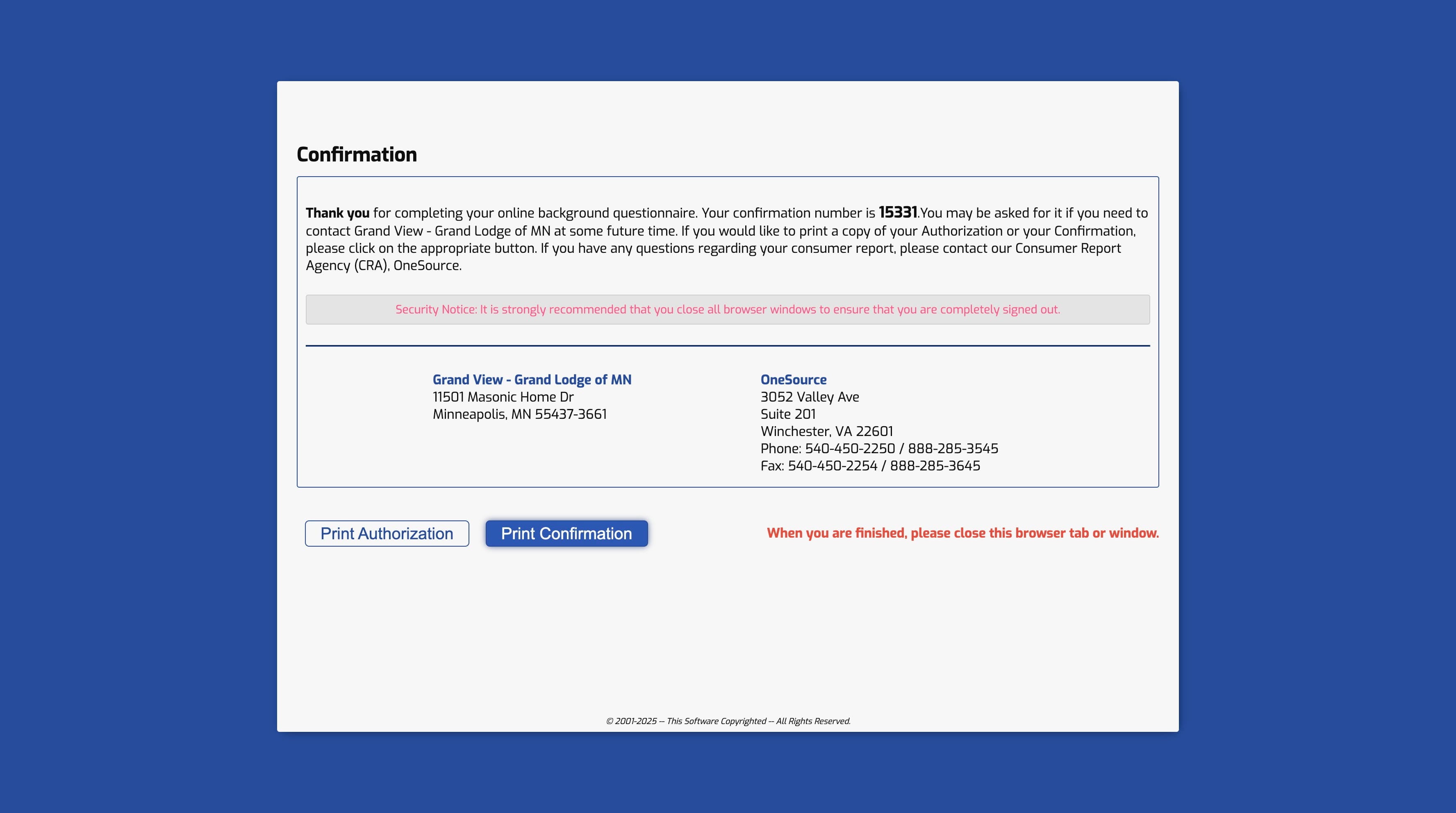
17
Click on "Print Authorization"
18
Done 🚀