Ritual Management - Lodge/Chapter
This document will outline how a Lodge or Chapter can manage Ritual events.
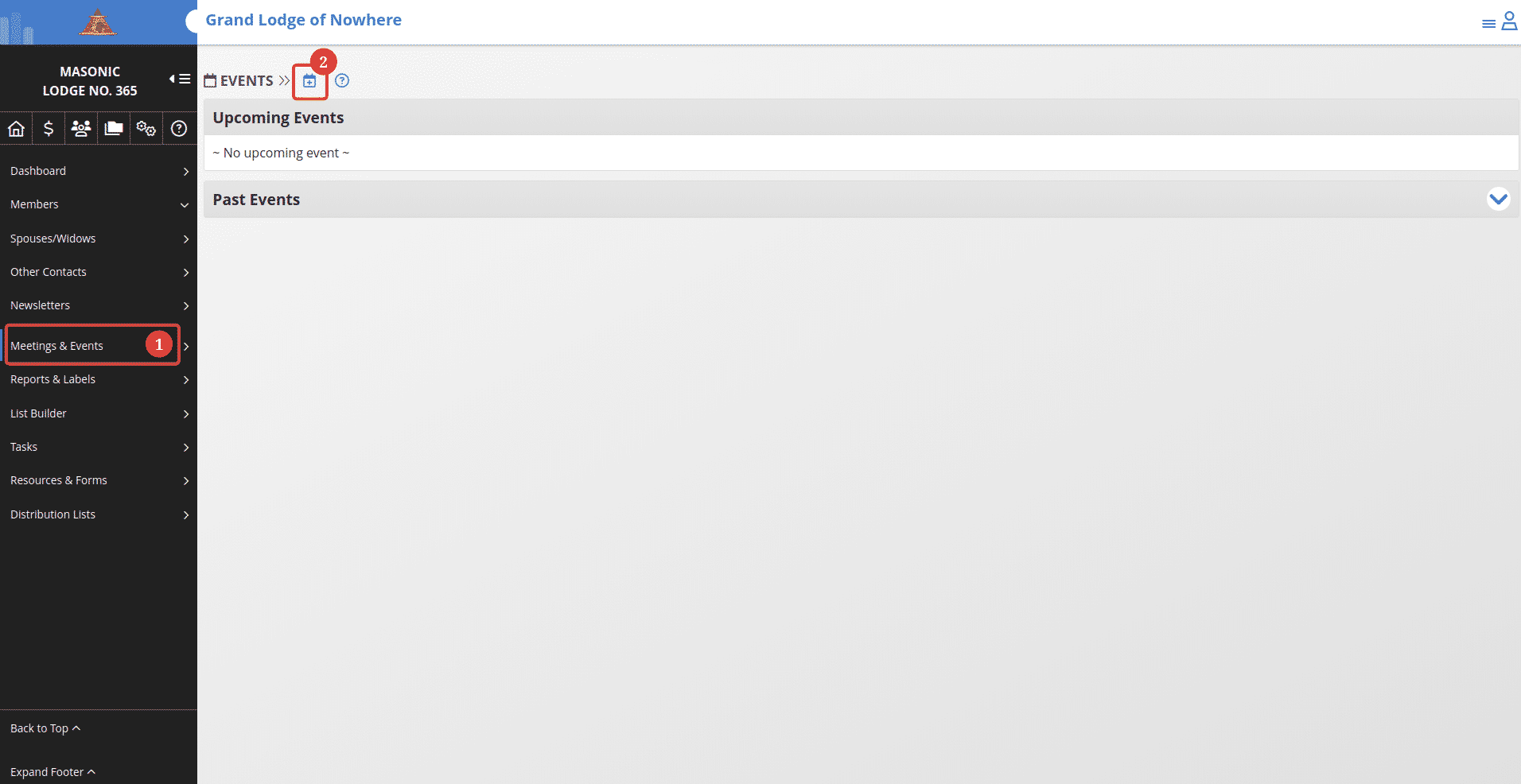
On the Lodge/Chapter dashboard: 1. Go to the Meeting & Events tab. 2. Click the new event button.
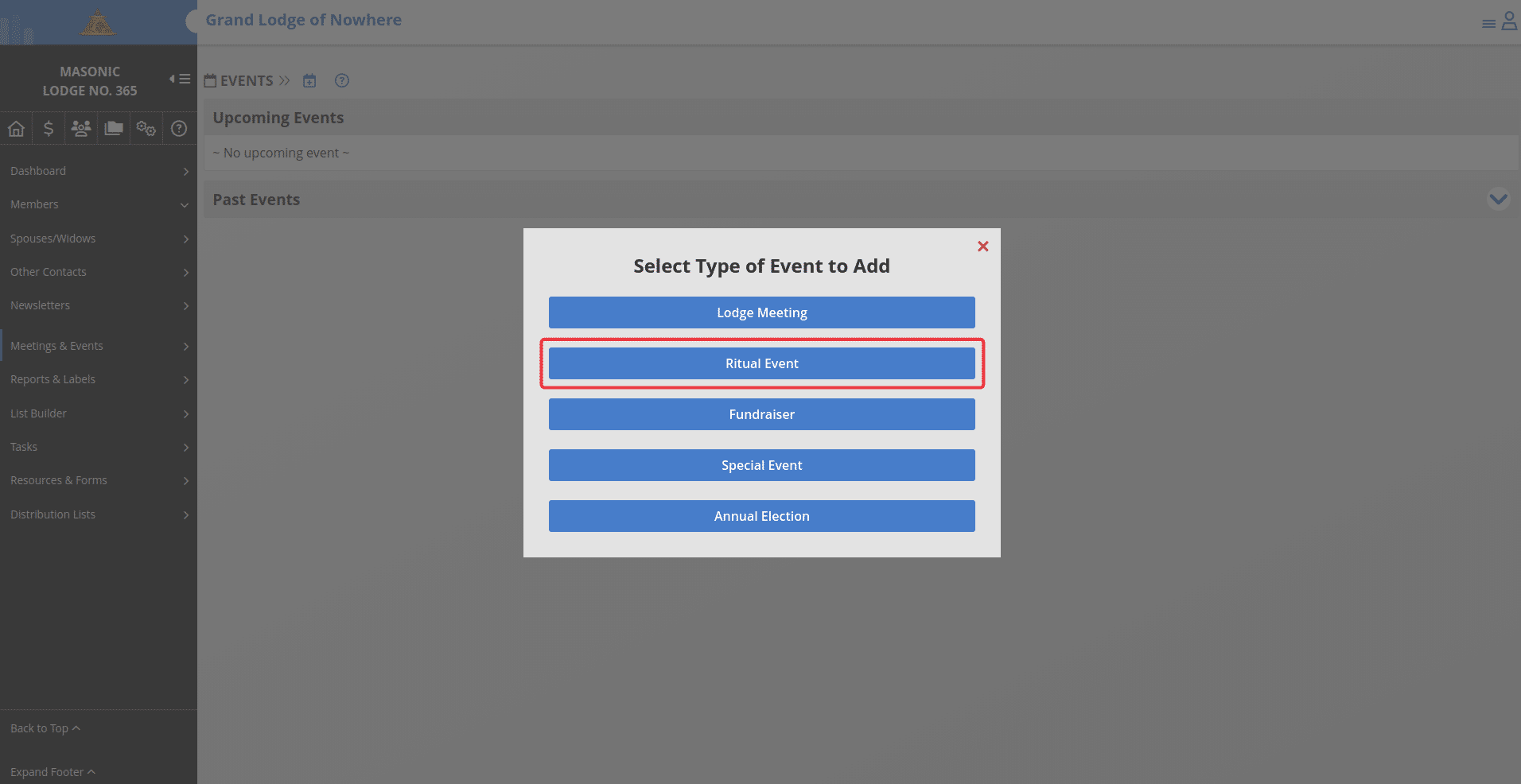
Click the "Ritual Event" button.
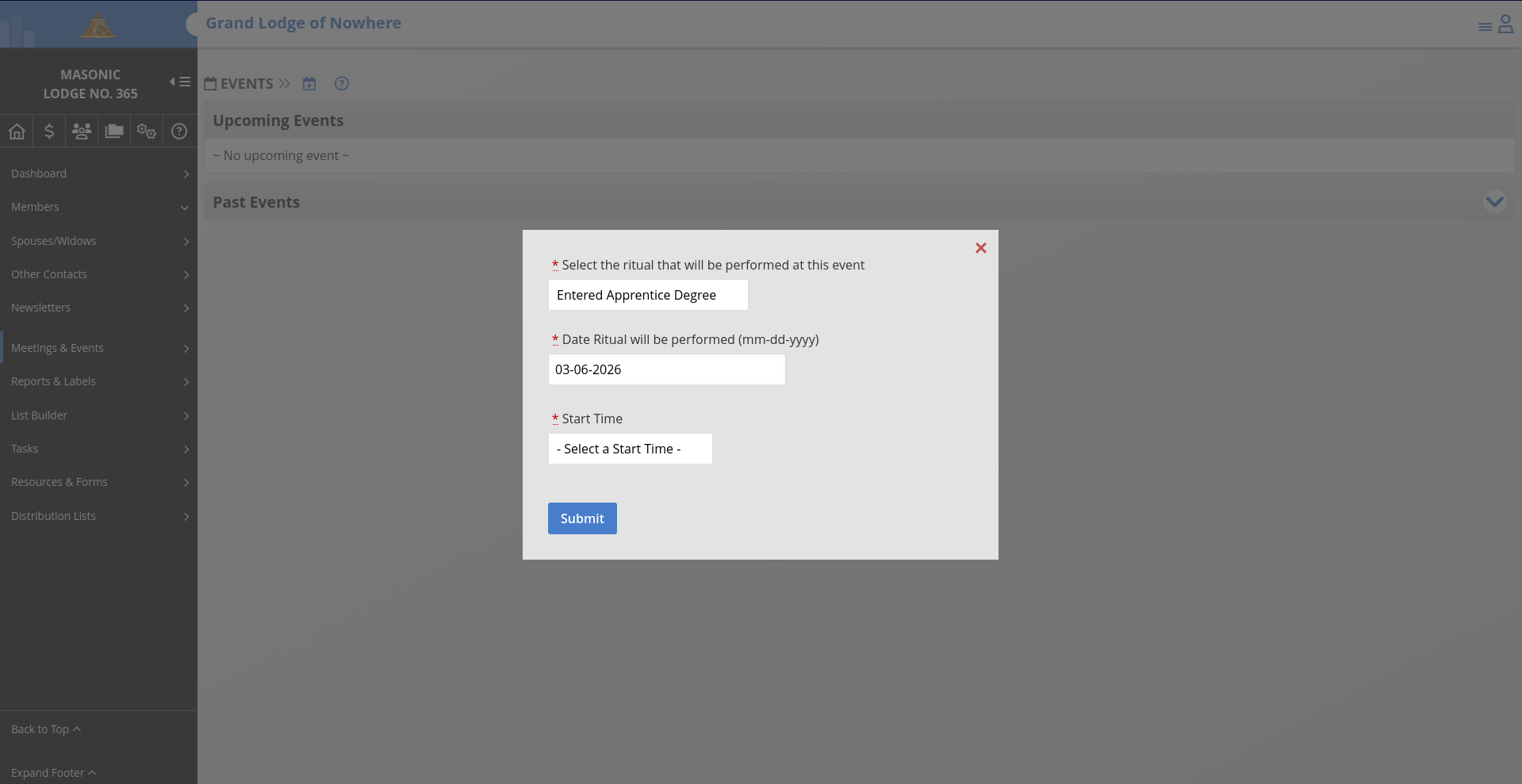
Select the ritual from the drop down and enter the date the event will happen as well as the time. When you are done, click the "Submit" button.
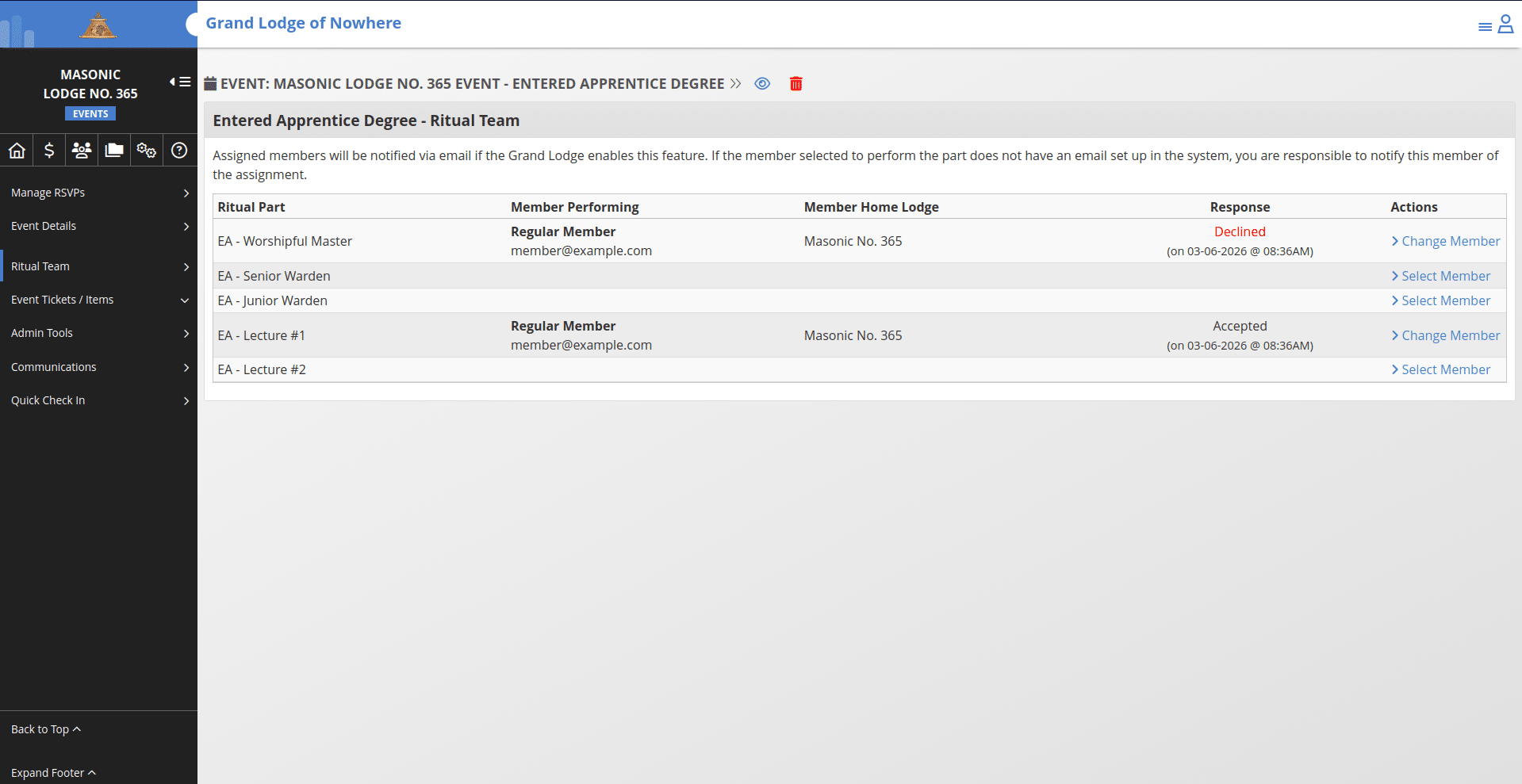
You will be taken to the newly created event. Here, you can select members to invite to perform ritual parts under the Actions section -> Select Member.
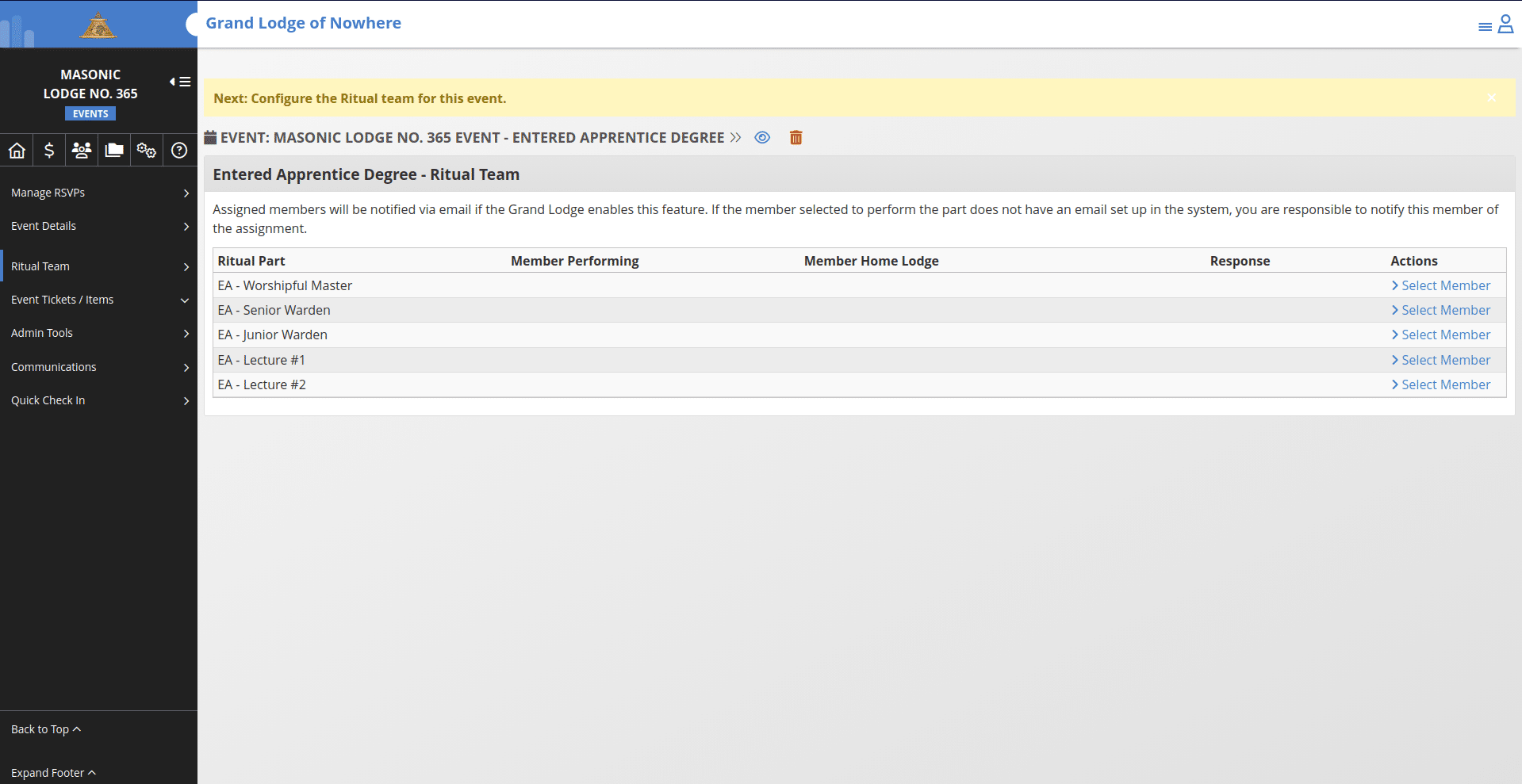
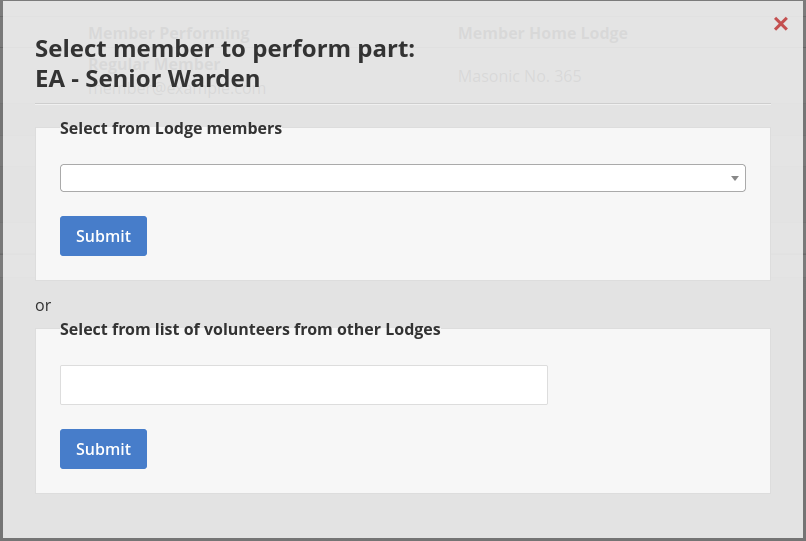
If there are members from other Lodges/Chapters that have set their distance preferences and the parts they are willing to perform, they will show up in a separate section when you click the "Select Member" button.
As you fill out the members to invite, the list will populate with their response or if they have not yet responded it will show a response of "Pending". Everything else on this event operates as a standard event in the system.
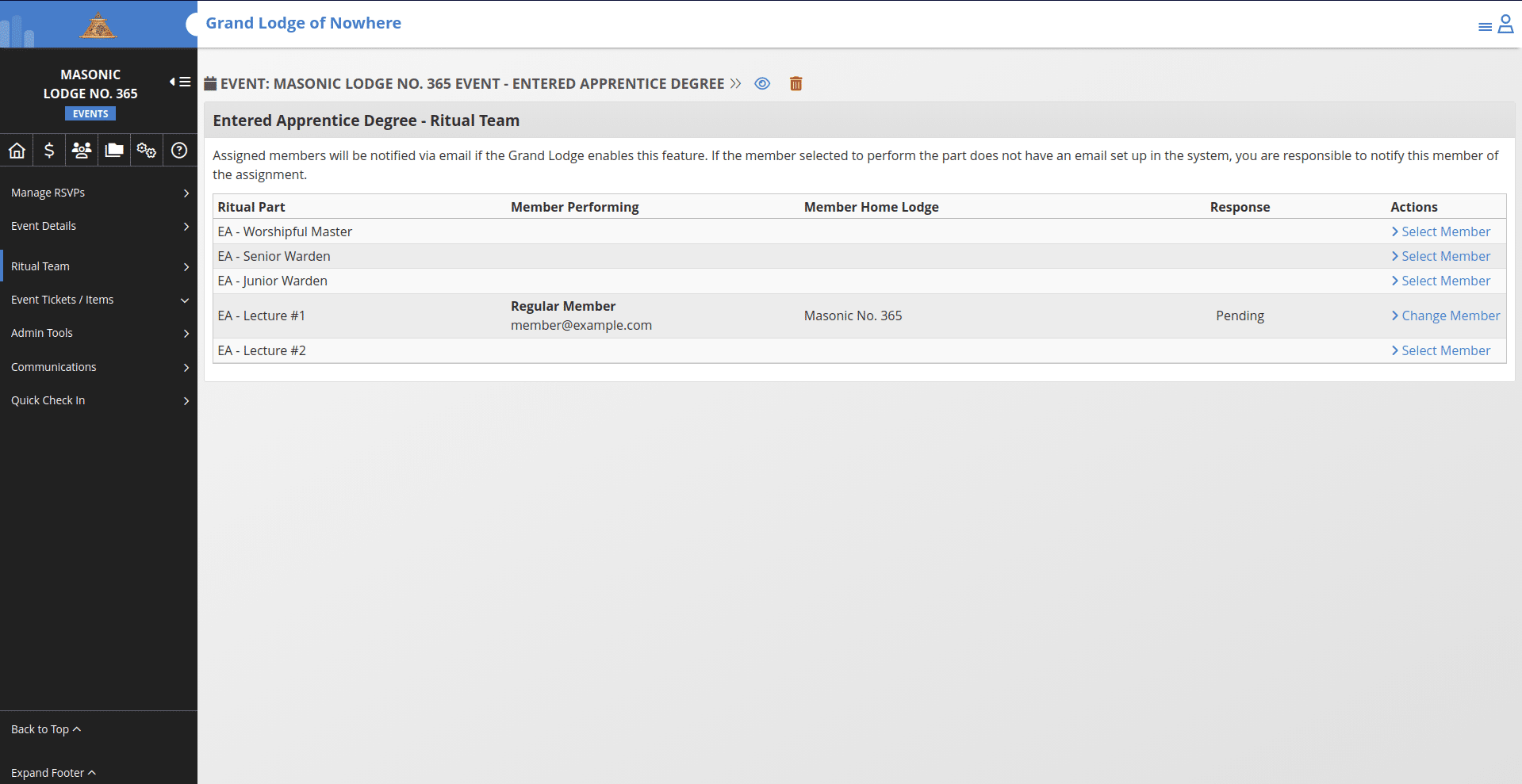
You can invite the same member to perform multiple parts and their response will be recorded separately.