

How-to: Dispensation Request - Create a request (Lodge/Chapter)
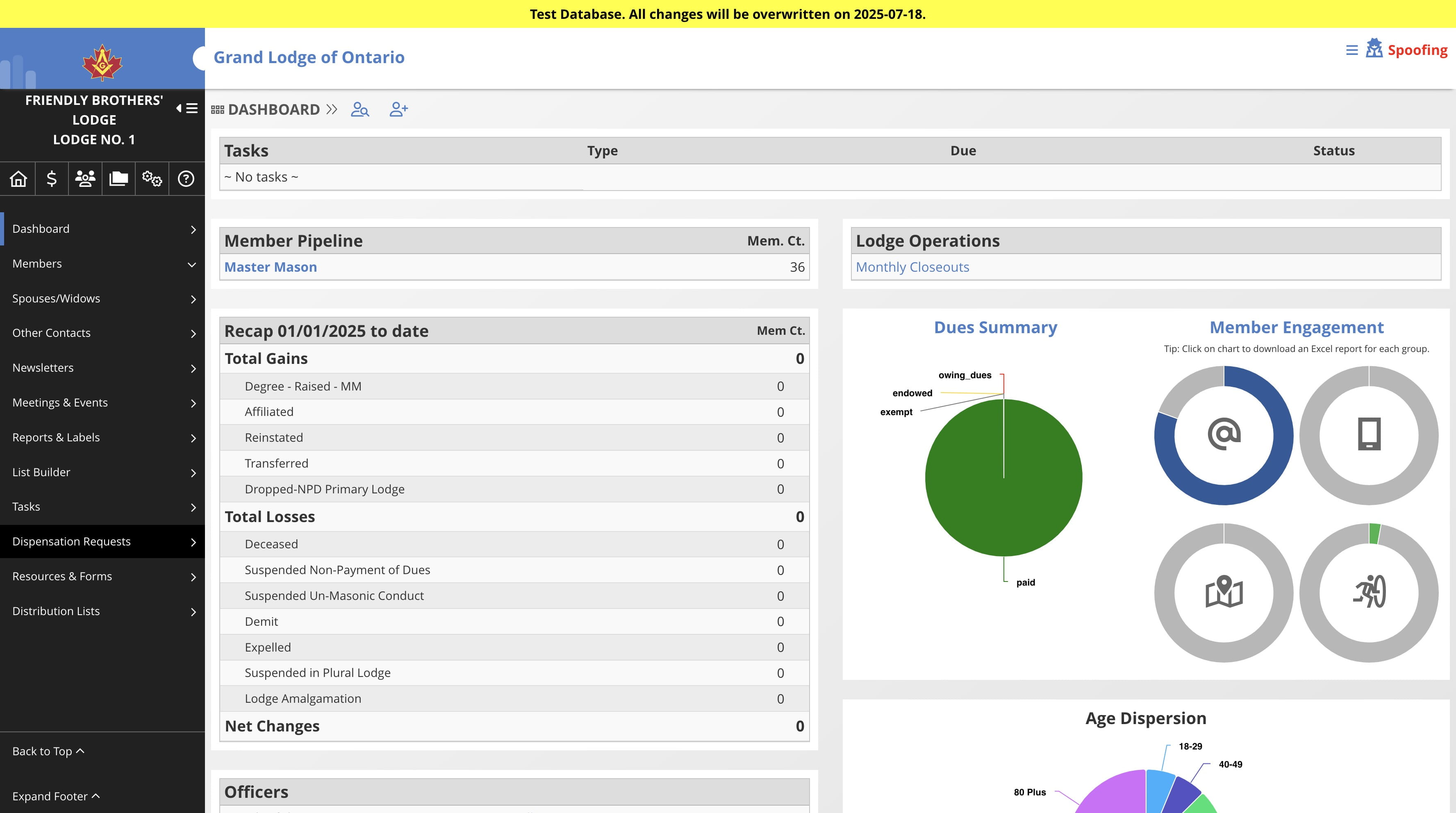
Navigate to the Lodge/Chapter dashboard
Click on "Dispensation Requests"

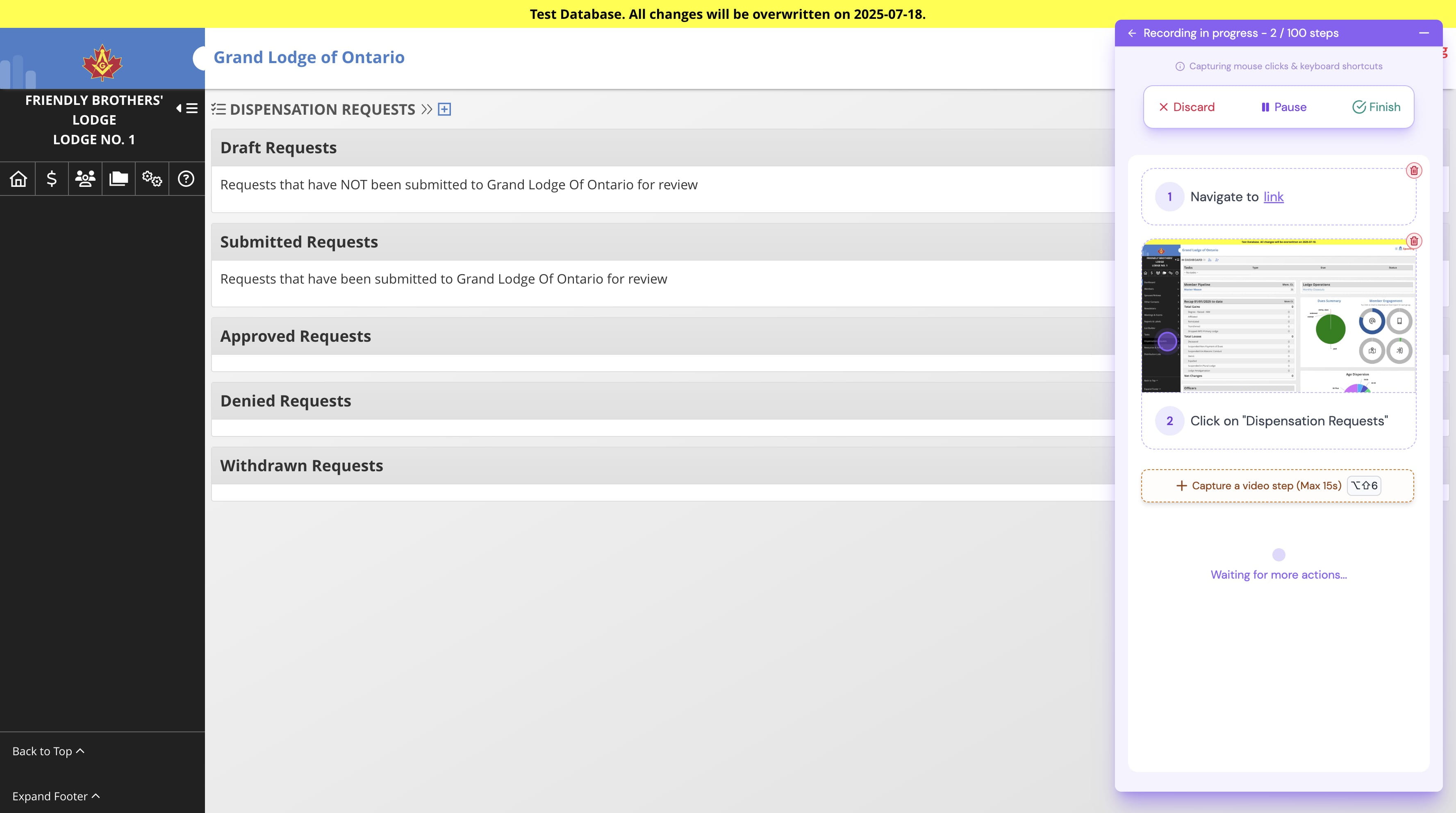
Click on the + icon to start a new request
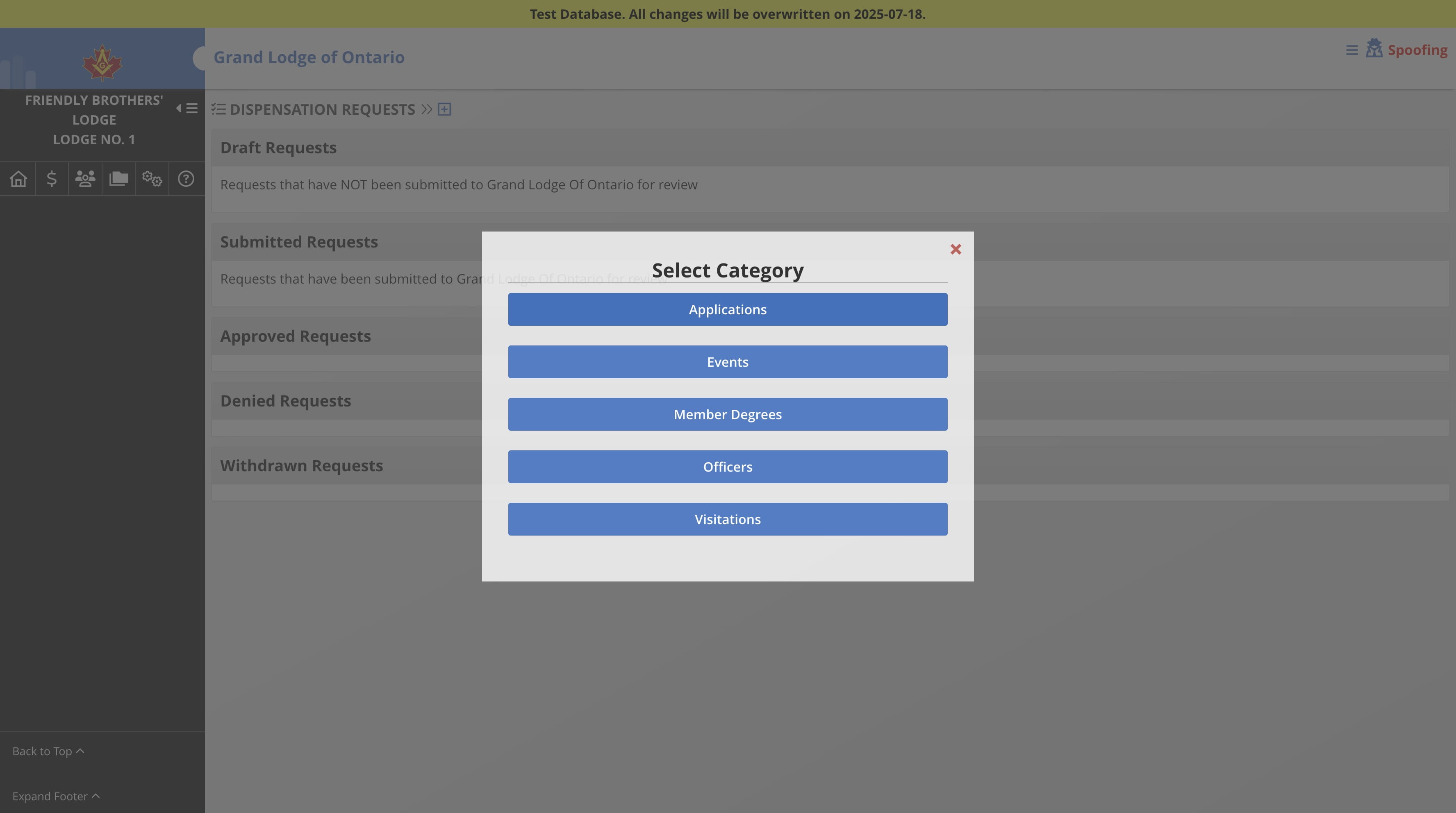
Select the category
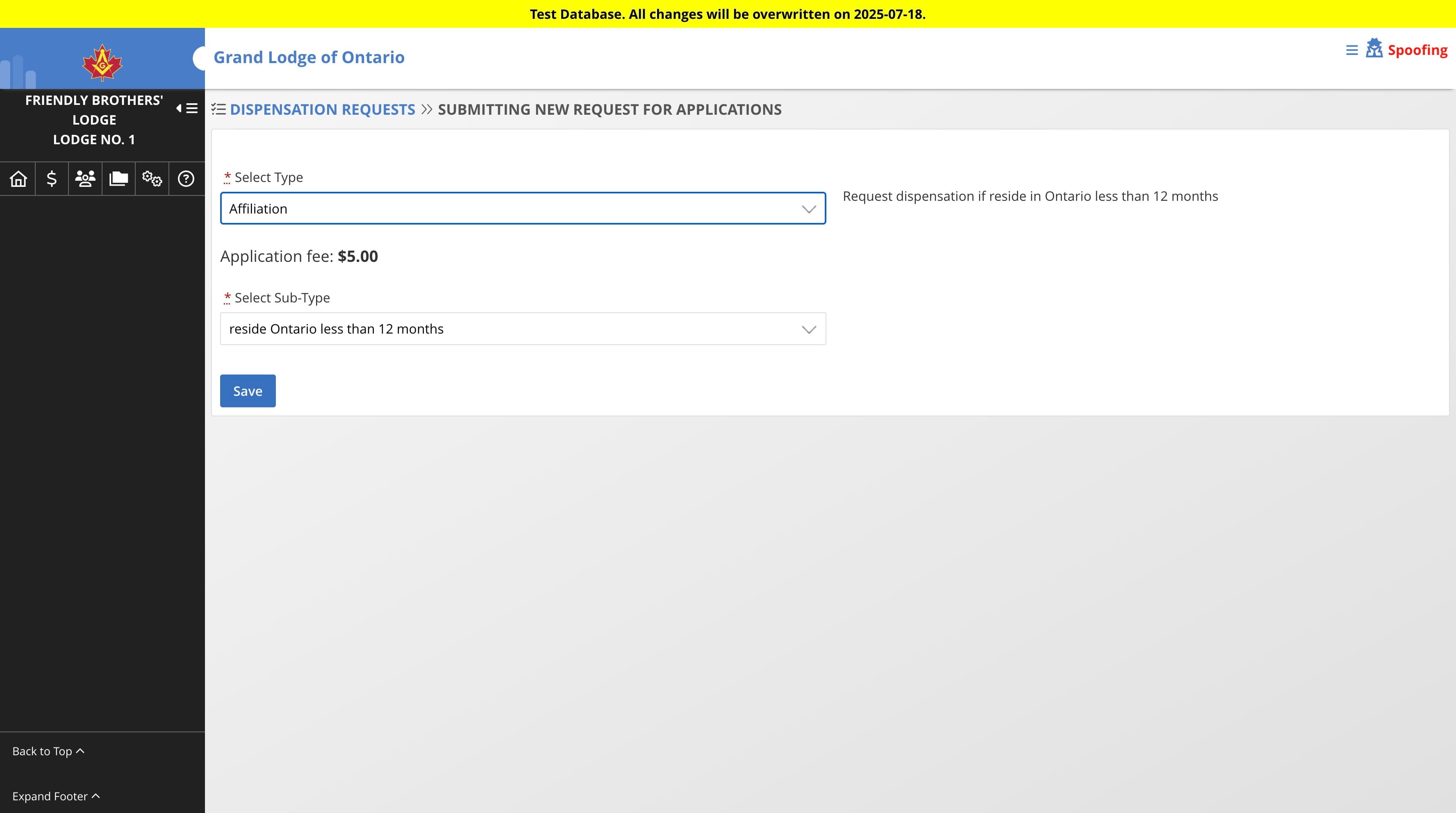
Select Type & Sub-Type then click Save
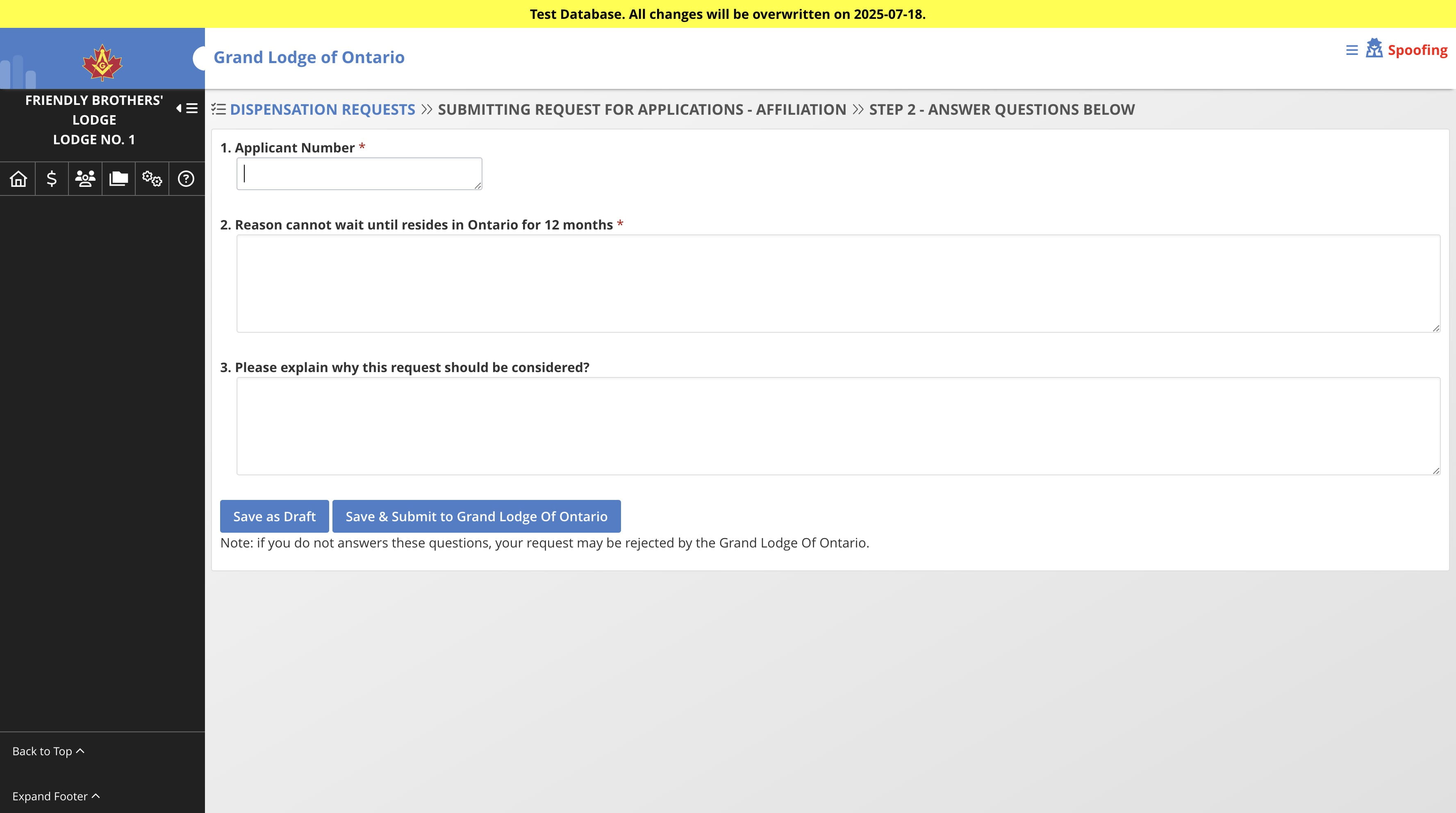
Answer the questions then Click "Save as Draft" which will save the request without submitting to the Grand Lodge, or click "Save & Submit to Grand Lodge" which will save and submit the request at the same time.
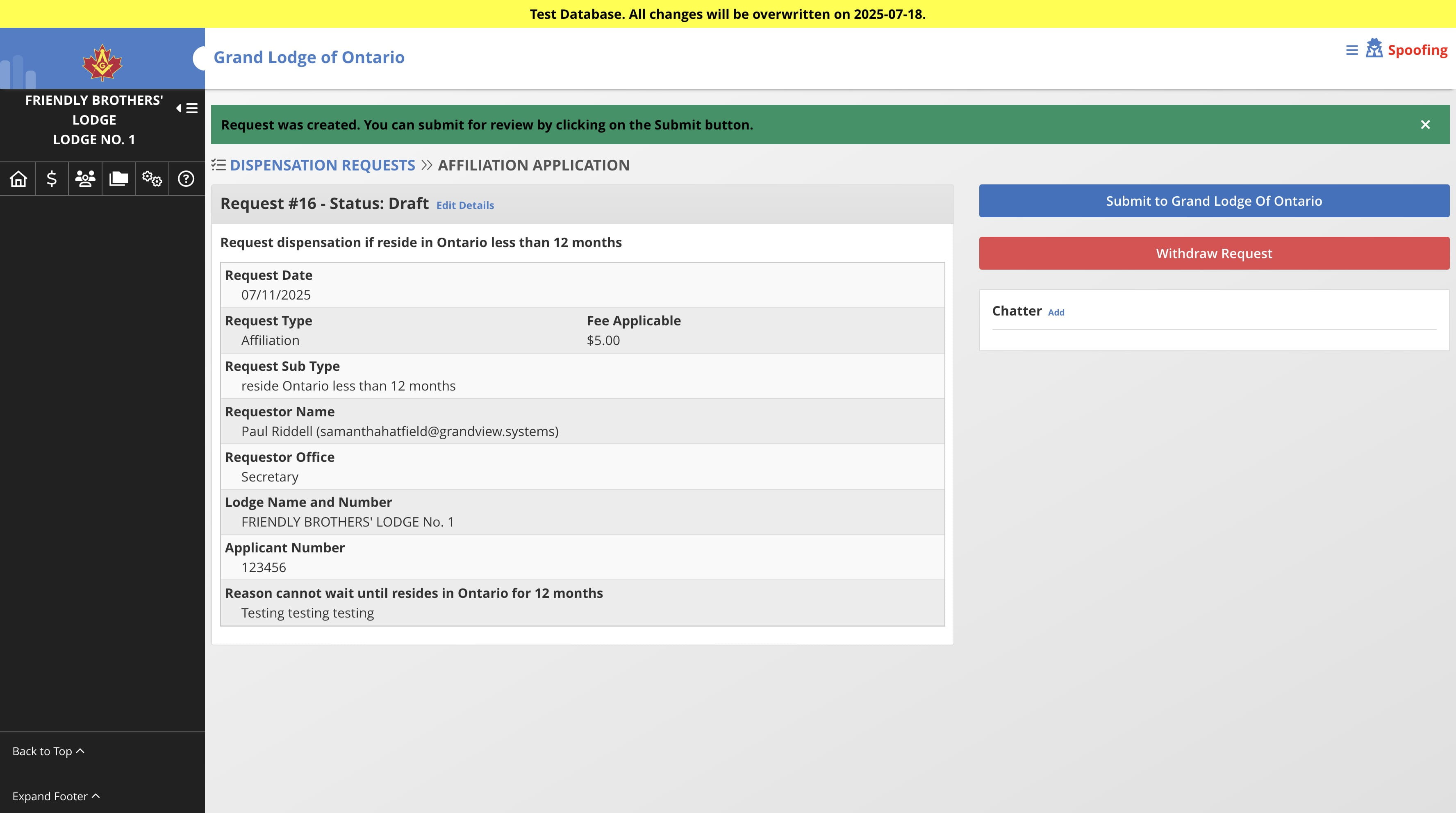
If you select "Save as Draft" in the step above, you will have the option to submit to the Grand Lodge after the request is saved by clicking on "Submit to Grand Lodge" button
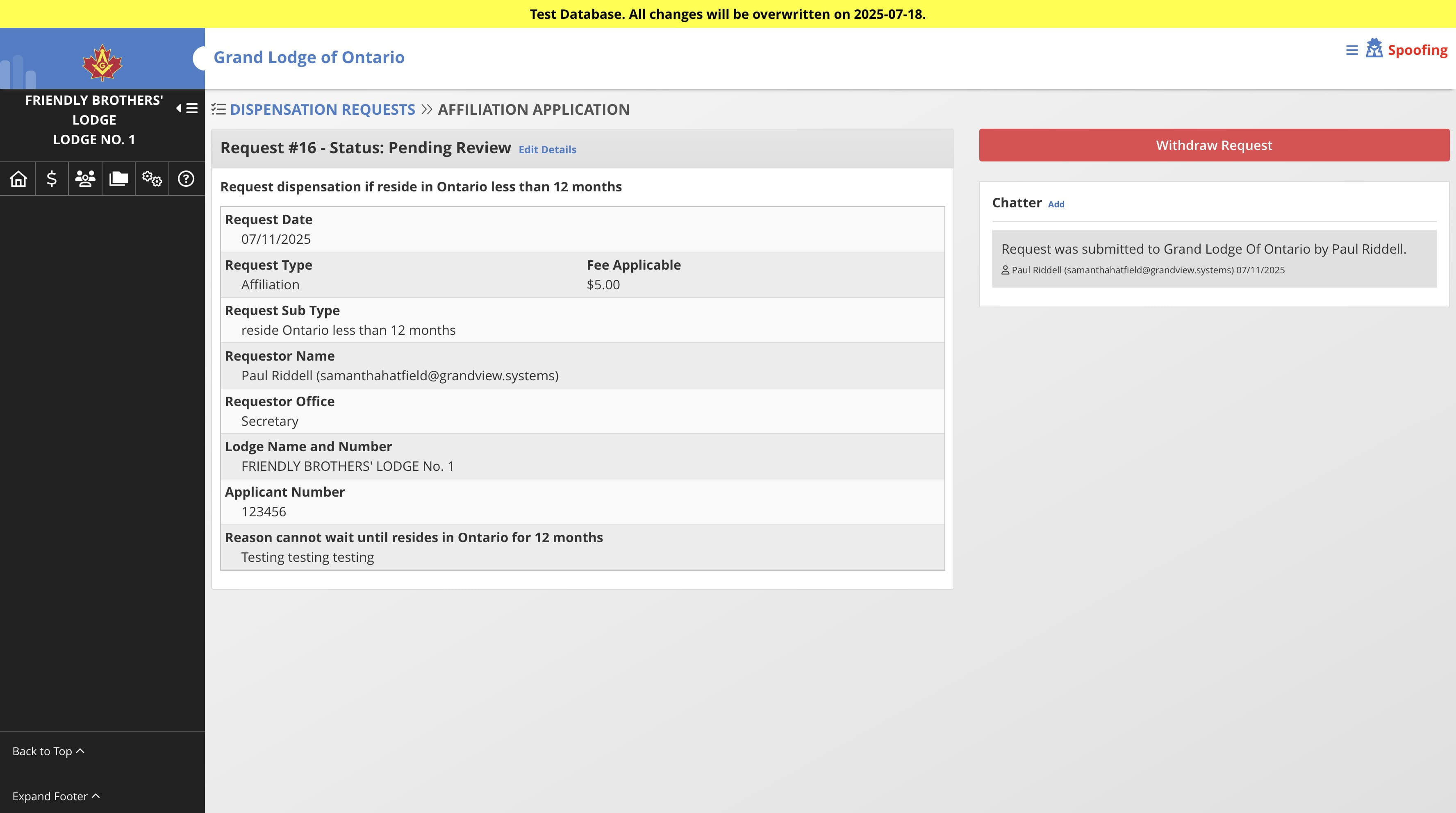
To send a message to the Grand Lodge, Click on "Add" in the Chatter section. You can also click on "Withdraw Request" if you want to withdraw the request at any time.
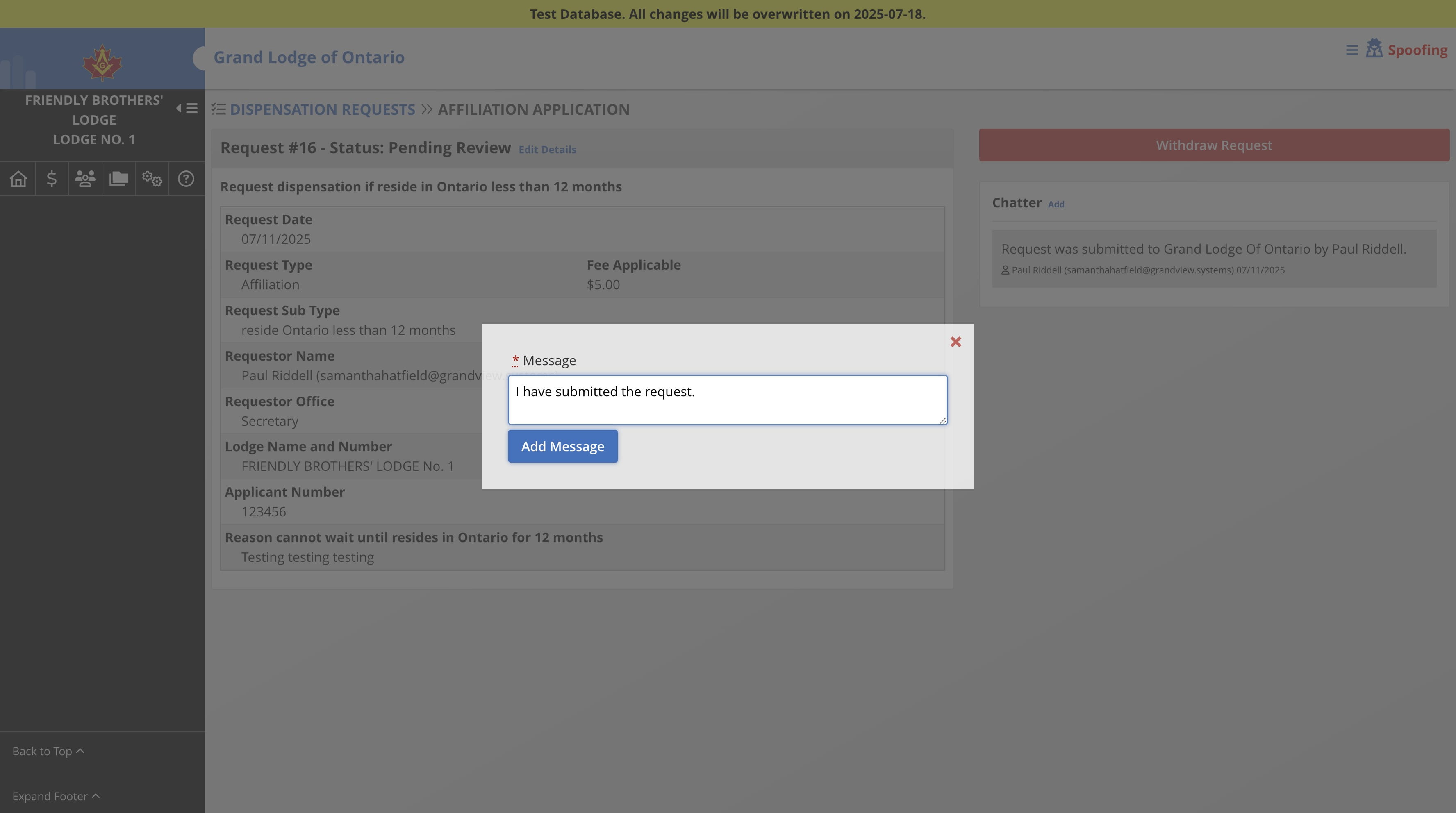
Enter the chatter message
Your request will be sent to the Grand Lodge for review. If your request can be auto-approved, you will receive a notice as such and the request will be "Auto-approved" as soon as you submitted it for review.
