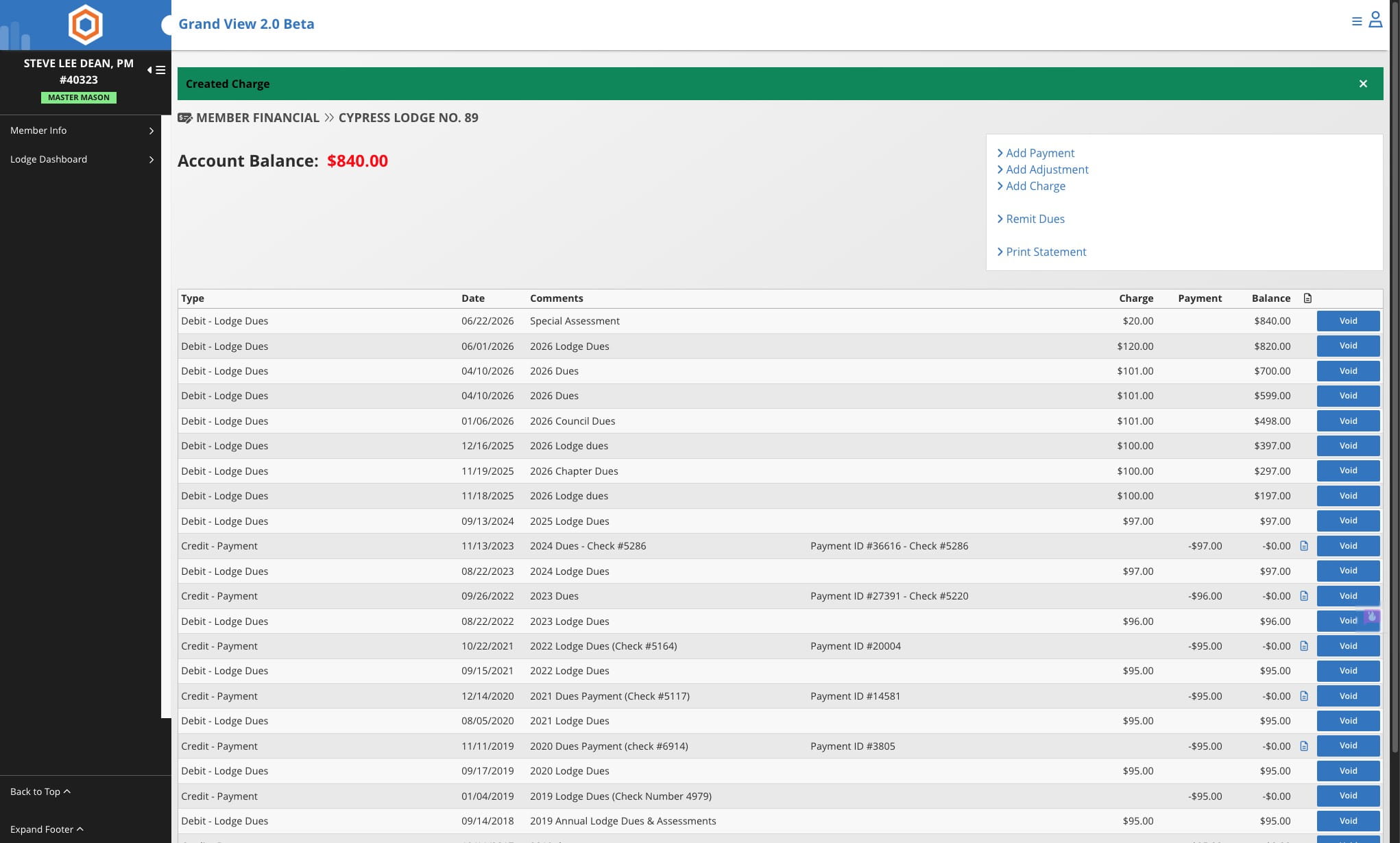
Add Charge to a Single Member
A step-by-step guide for adding a charge to a single member’s account, covering where to click, what details to enter (date, amount, optional note), and how to complete the transaction.
Jun 22, 2026●
1
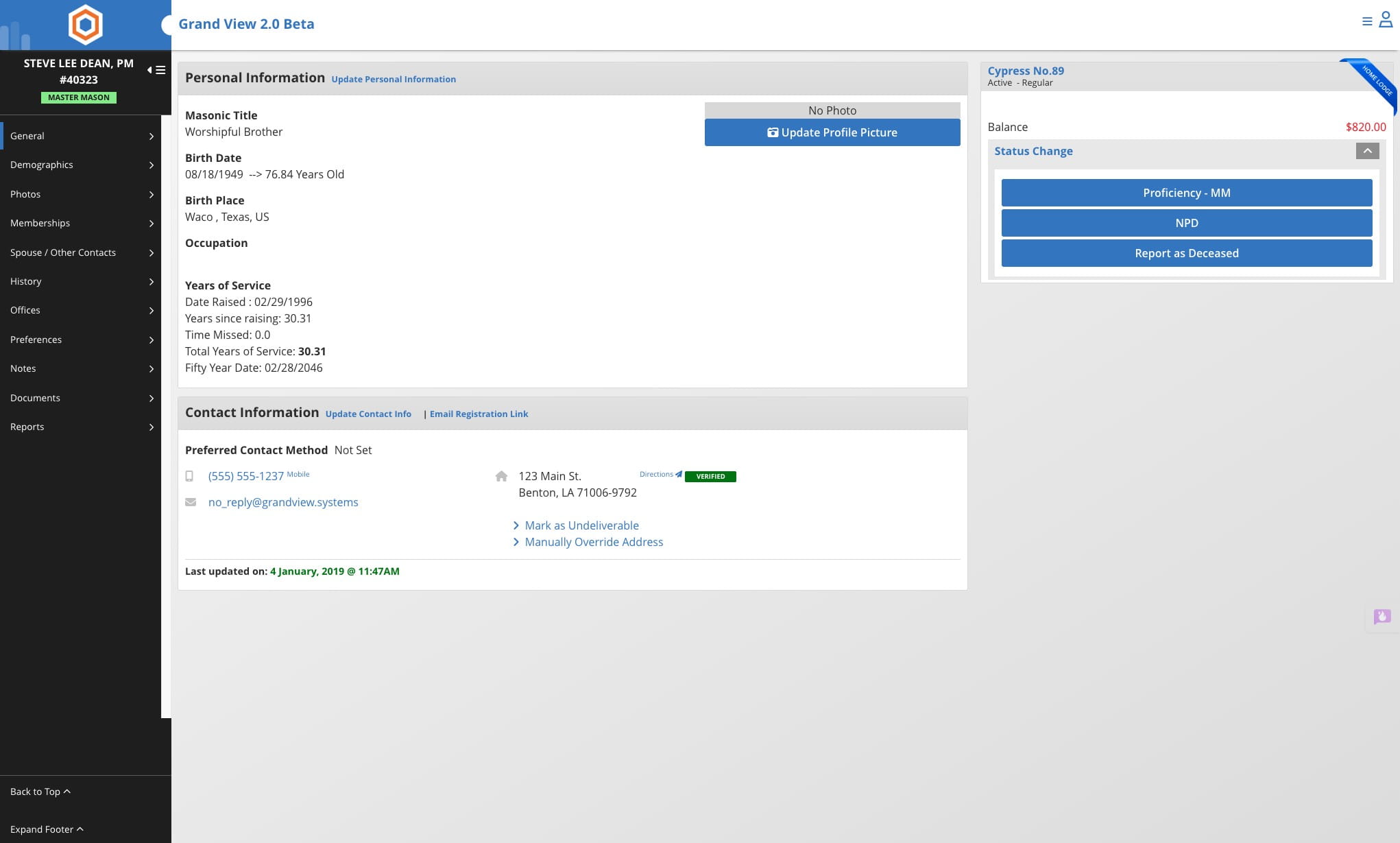
Navigate to member's record
2
Click on the account balance

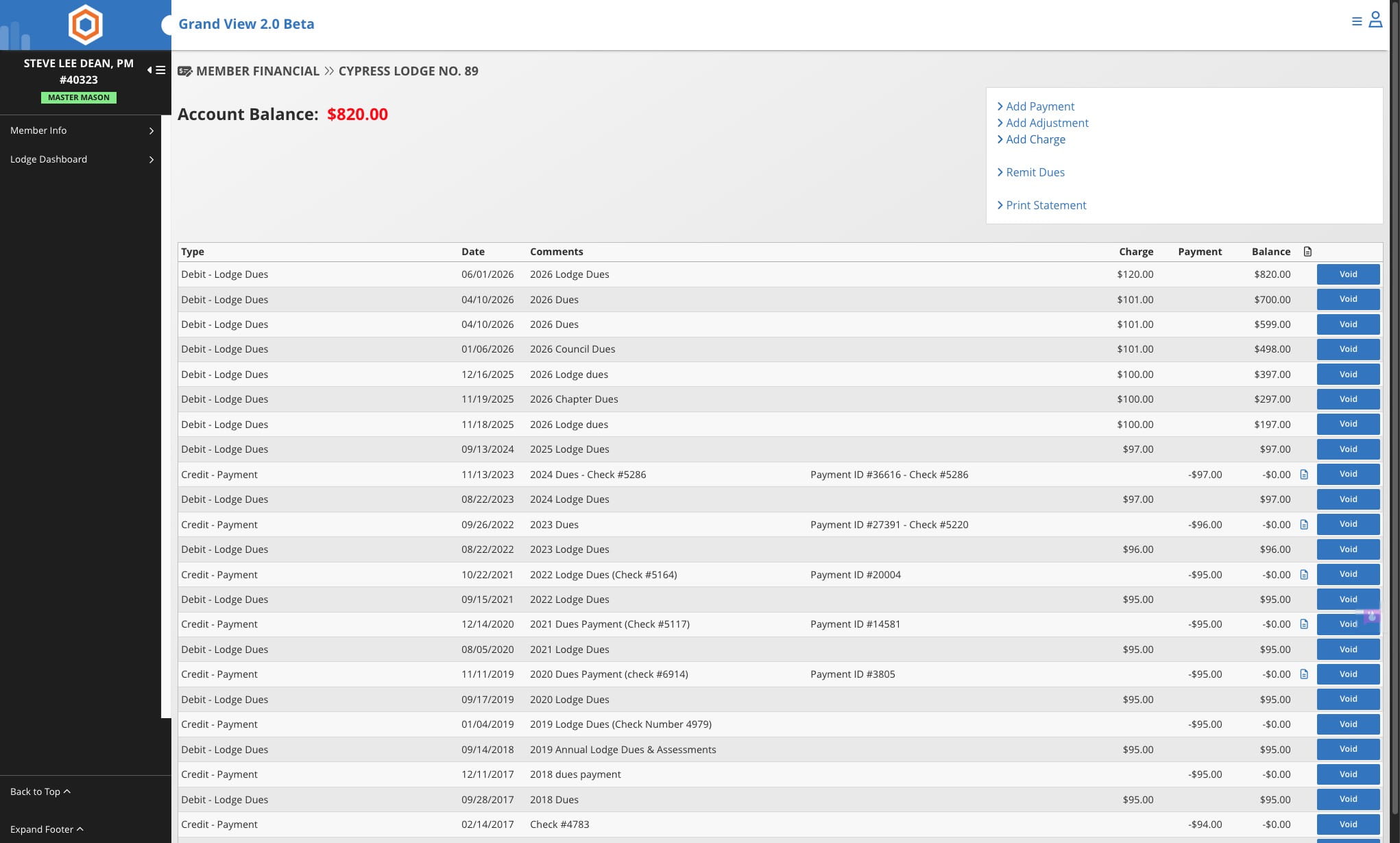
3
Click on Add Charge
4
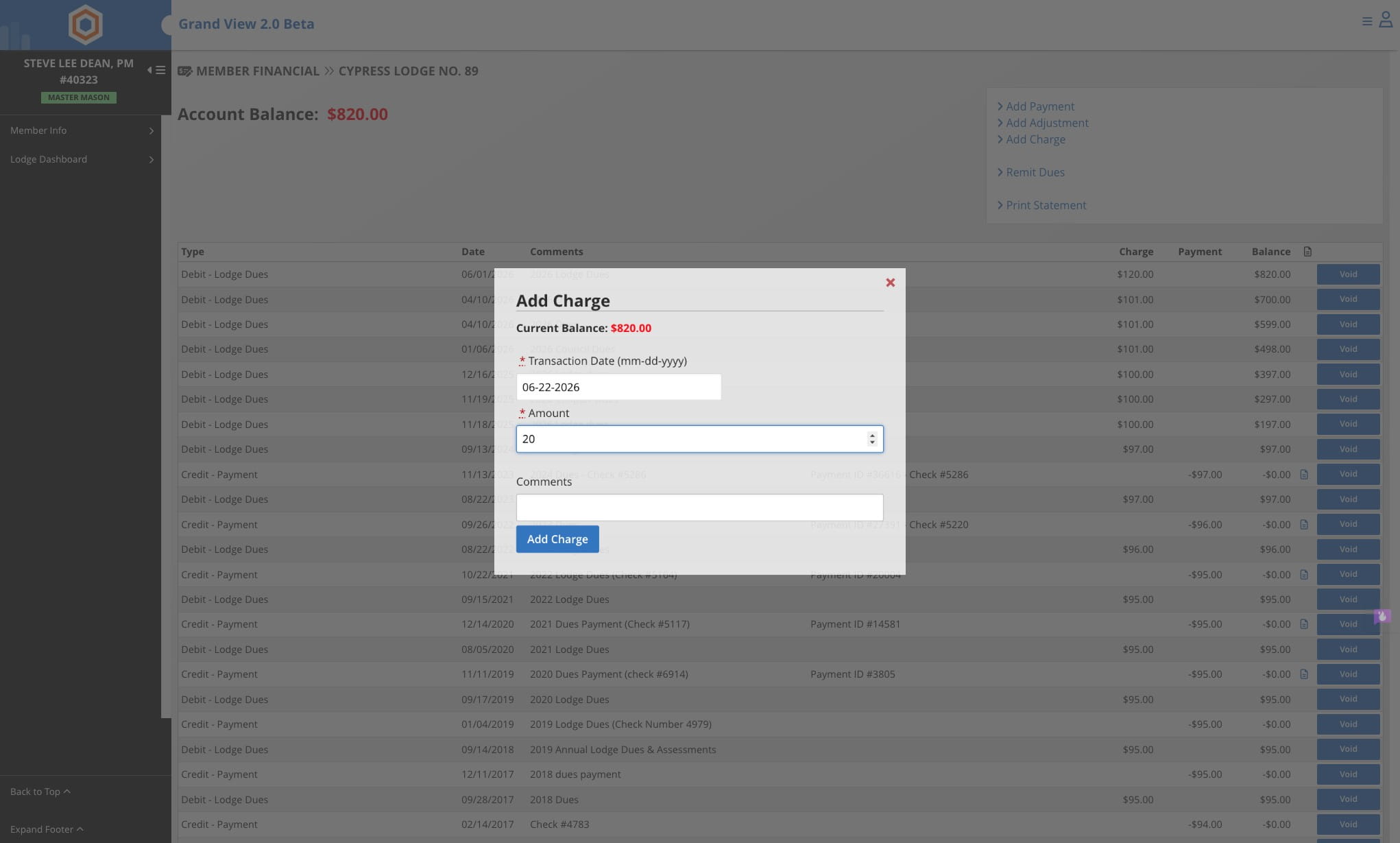
Enter the transaction date and the amount
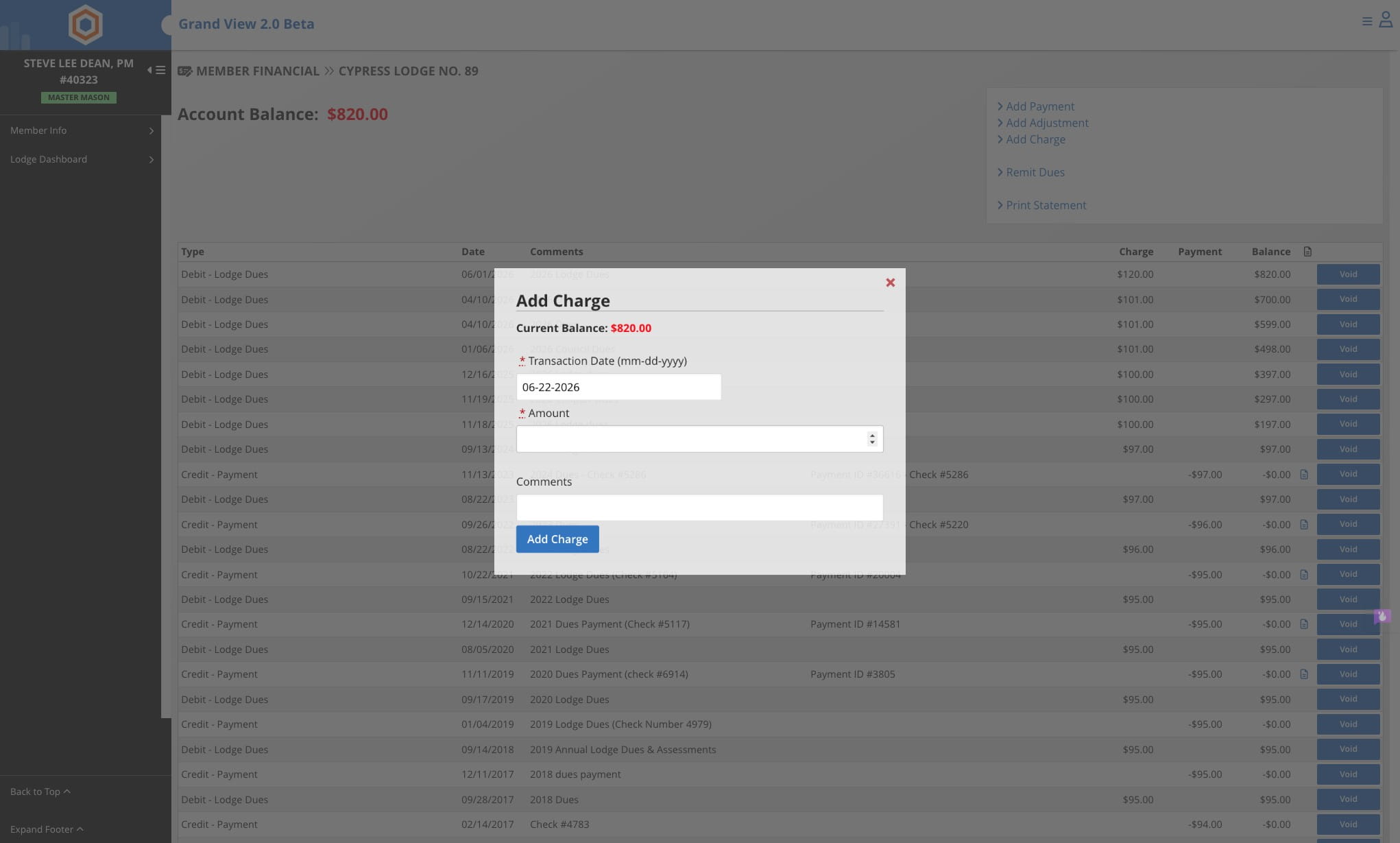
5
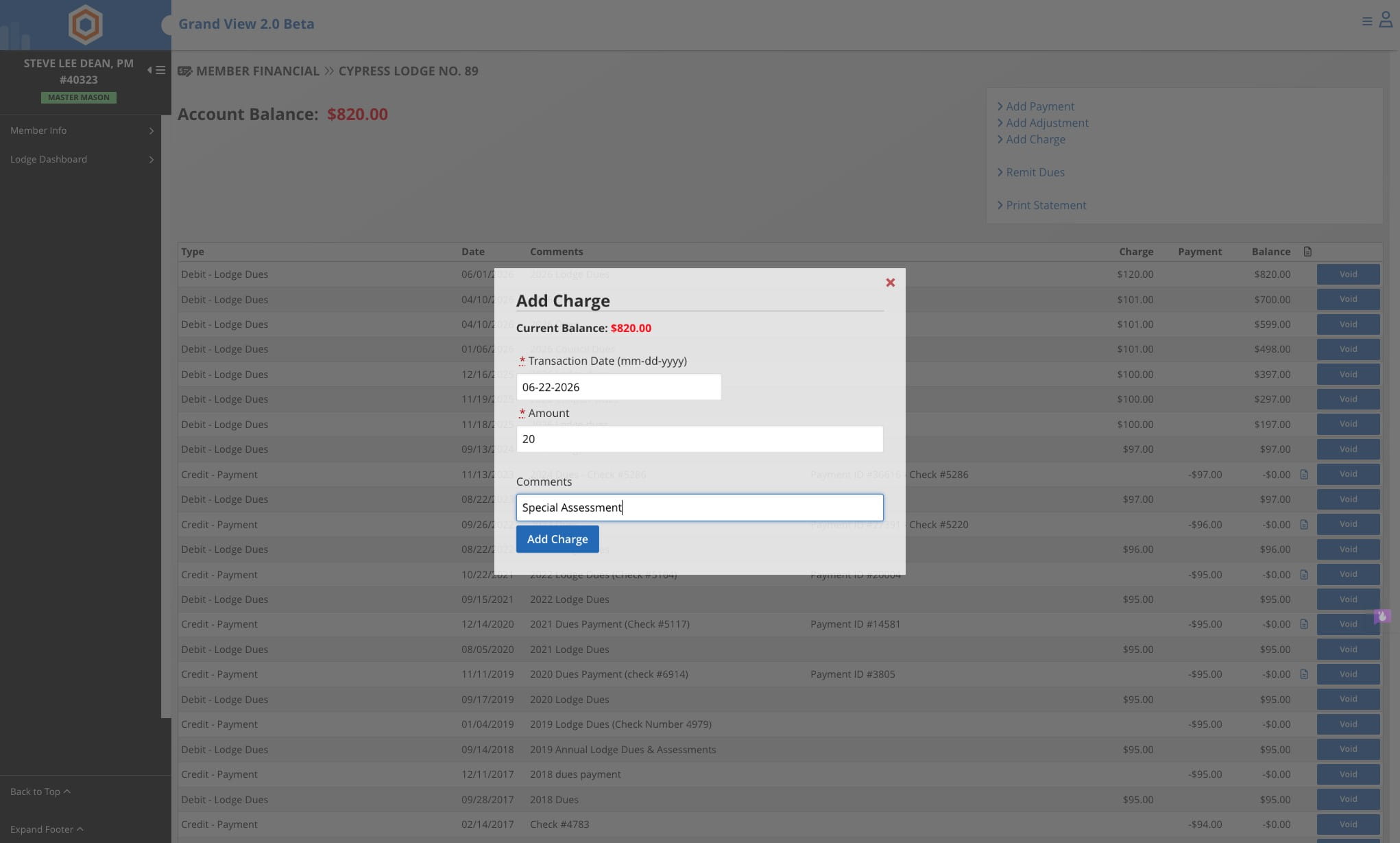
Add a note if necessary
6
Click on Add Charge
7
Done 🚀