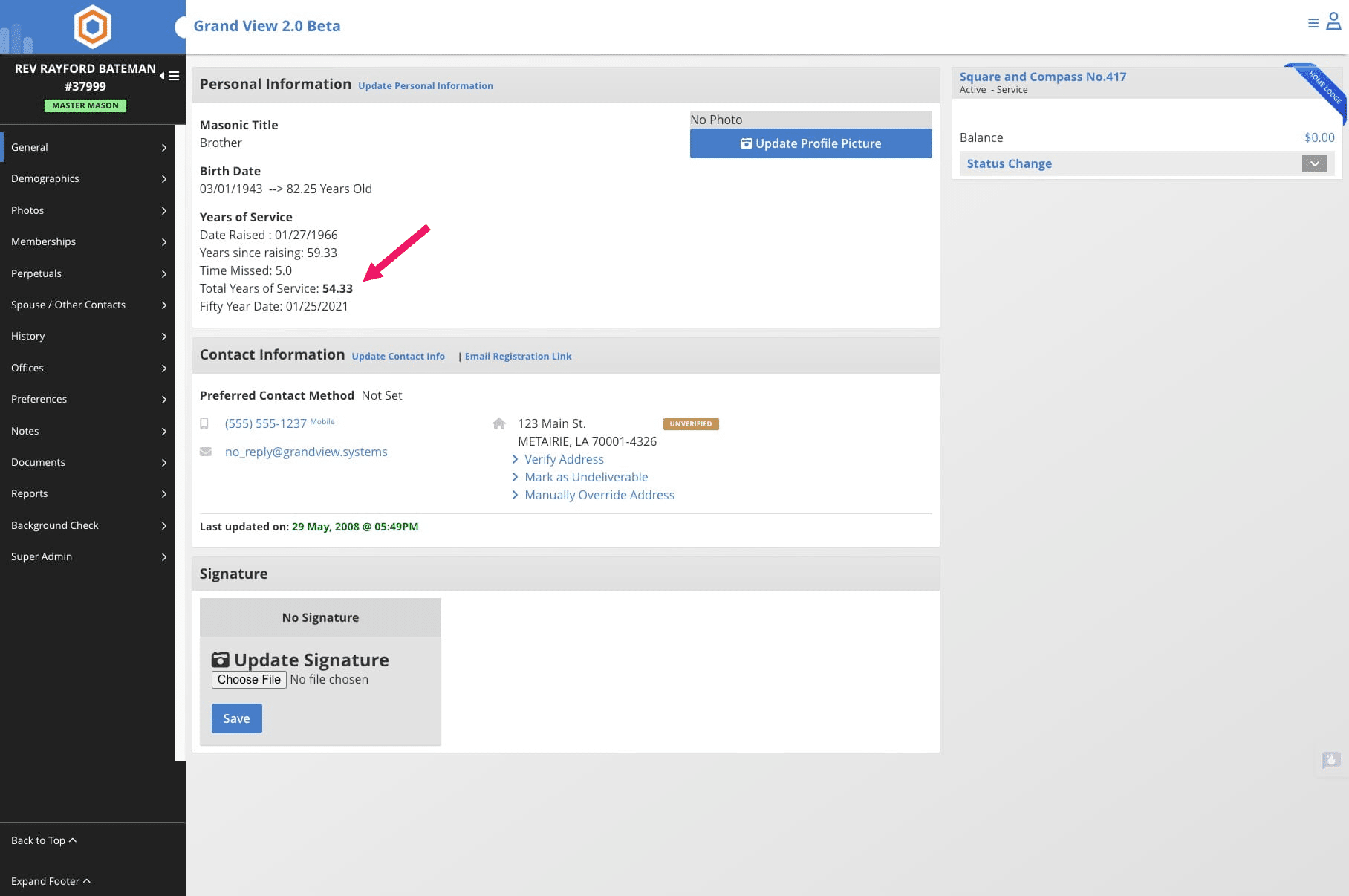
Add a Manual Service Time Adjustment
Learn how to manually adjust a member's service time by adding years of service that may have been missed or not automatically recorded in the system.
May 29, 2025●
1
Navigate to the individual member's profile
2
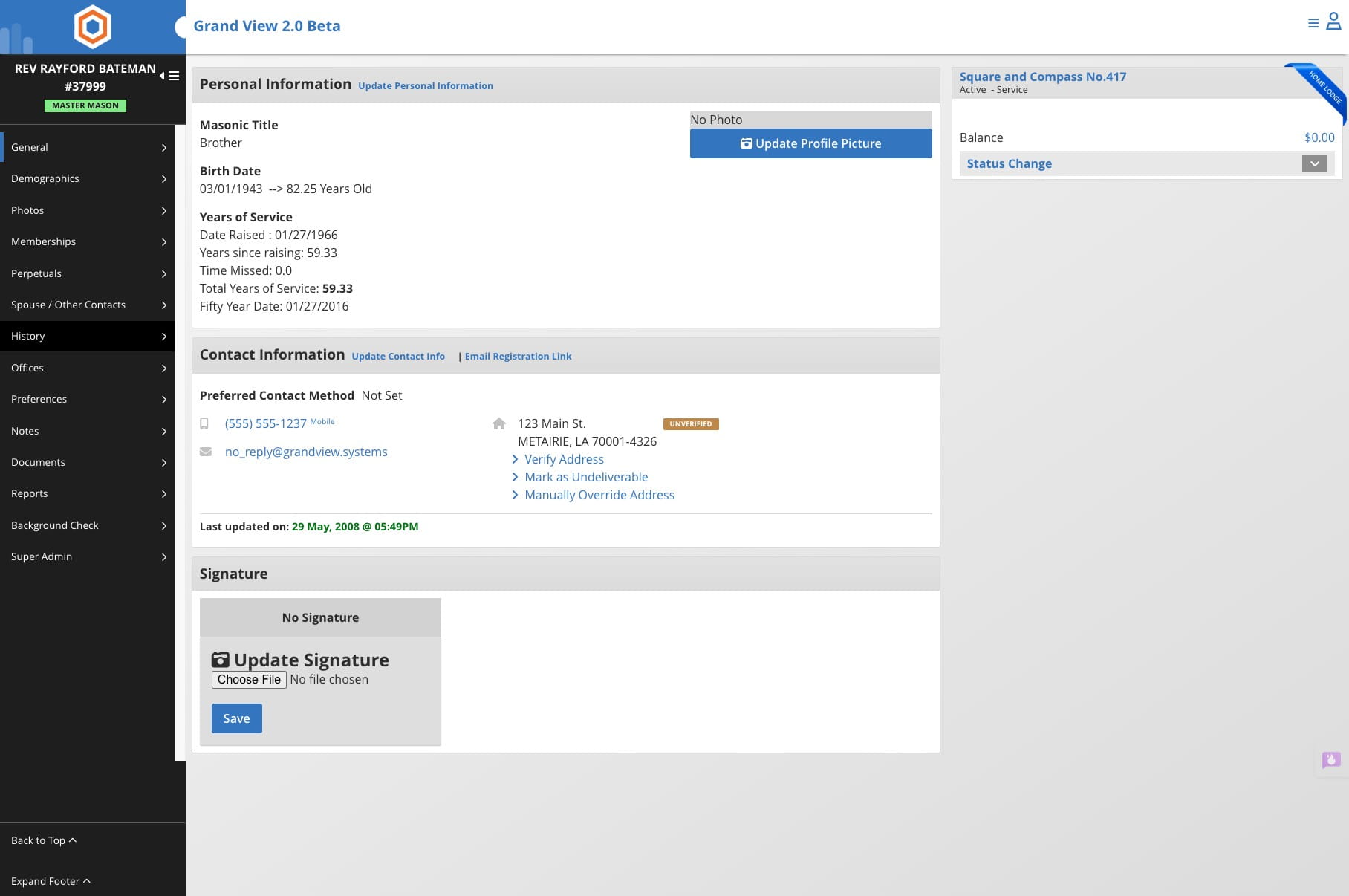
Click on "History"

3
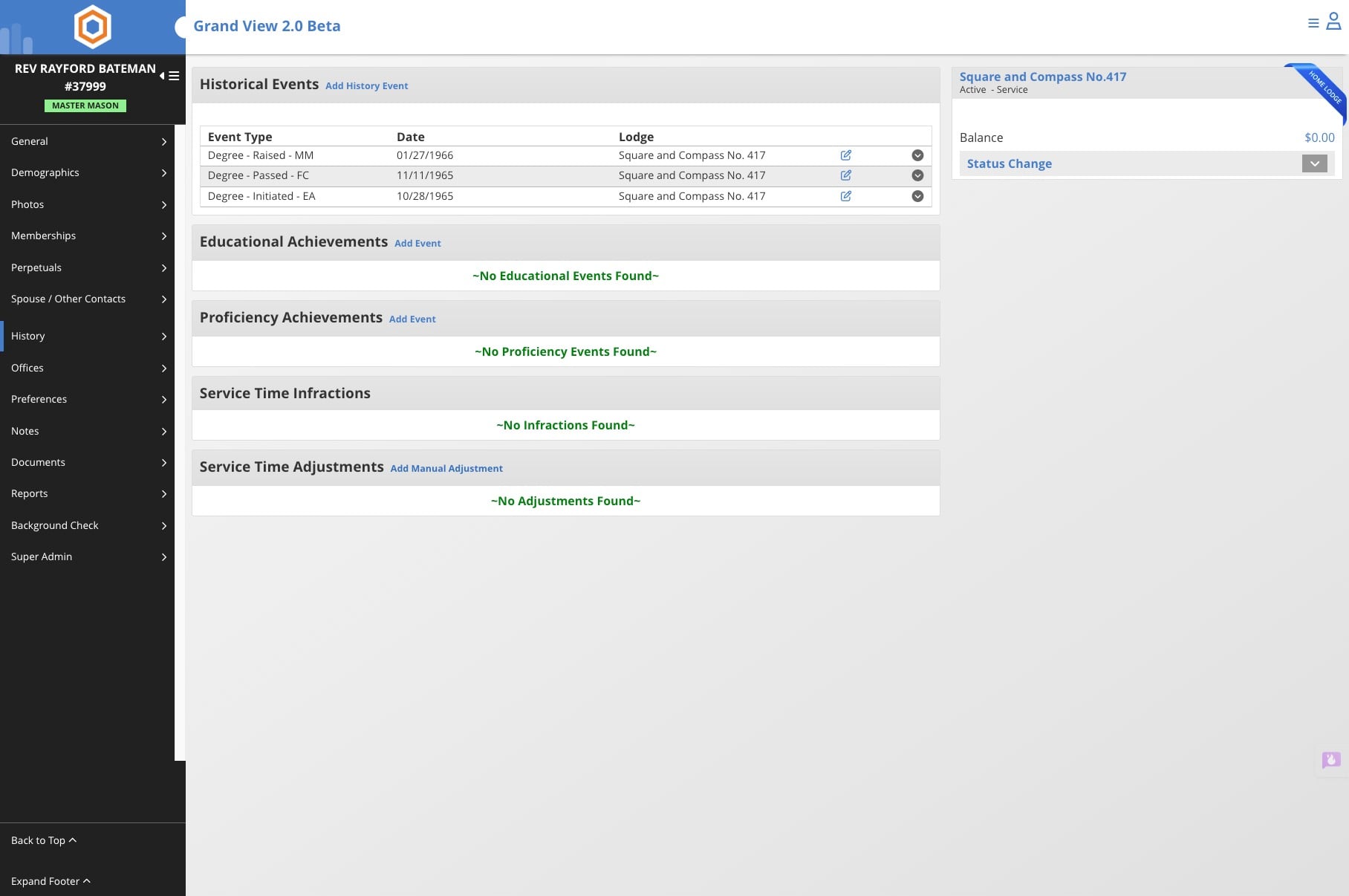
Click on "Add Manual Adjustment"
4
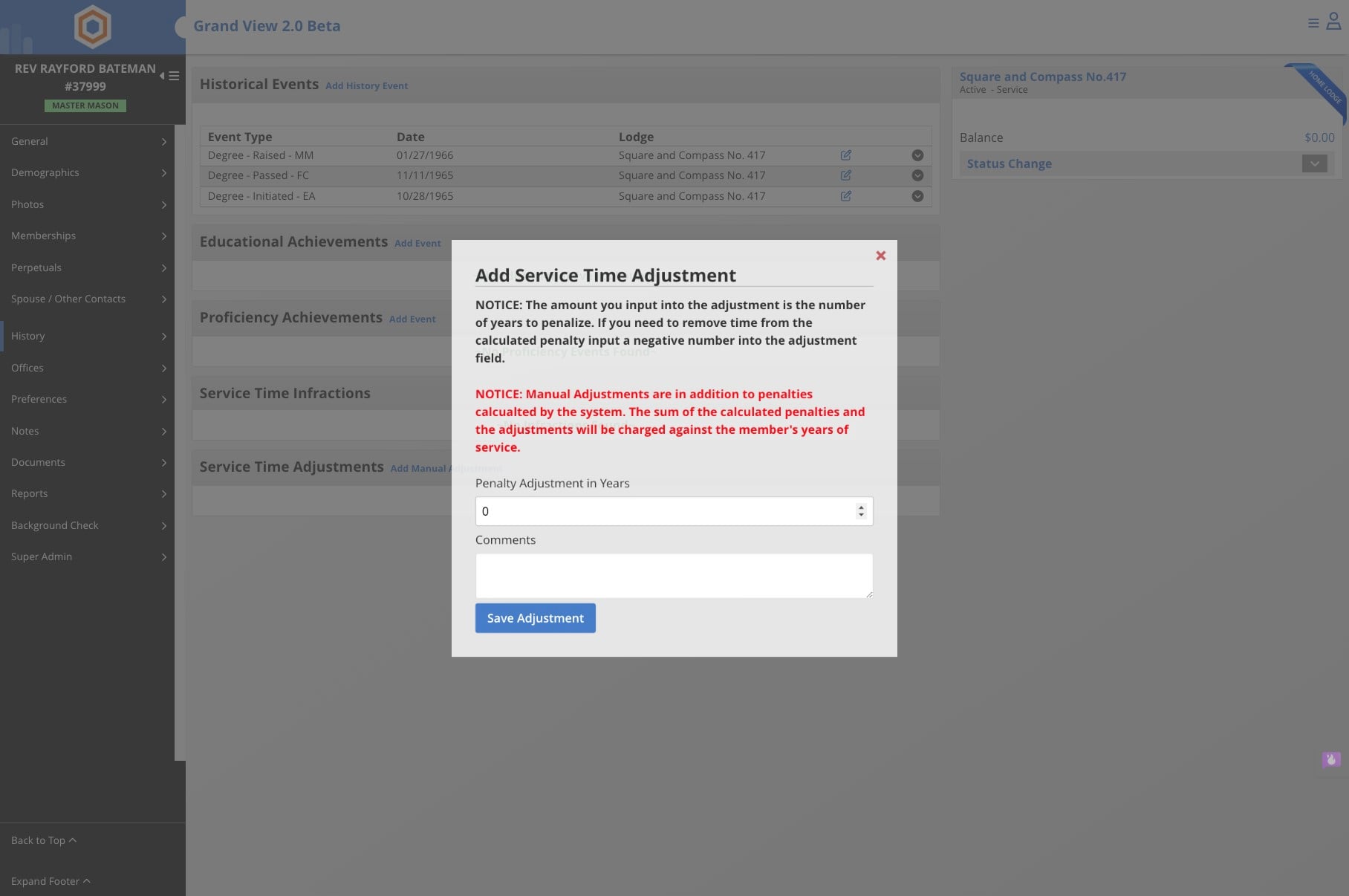
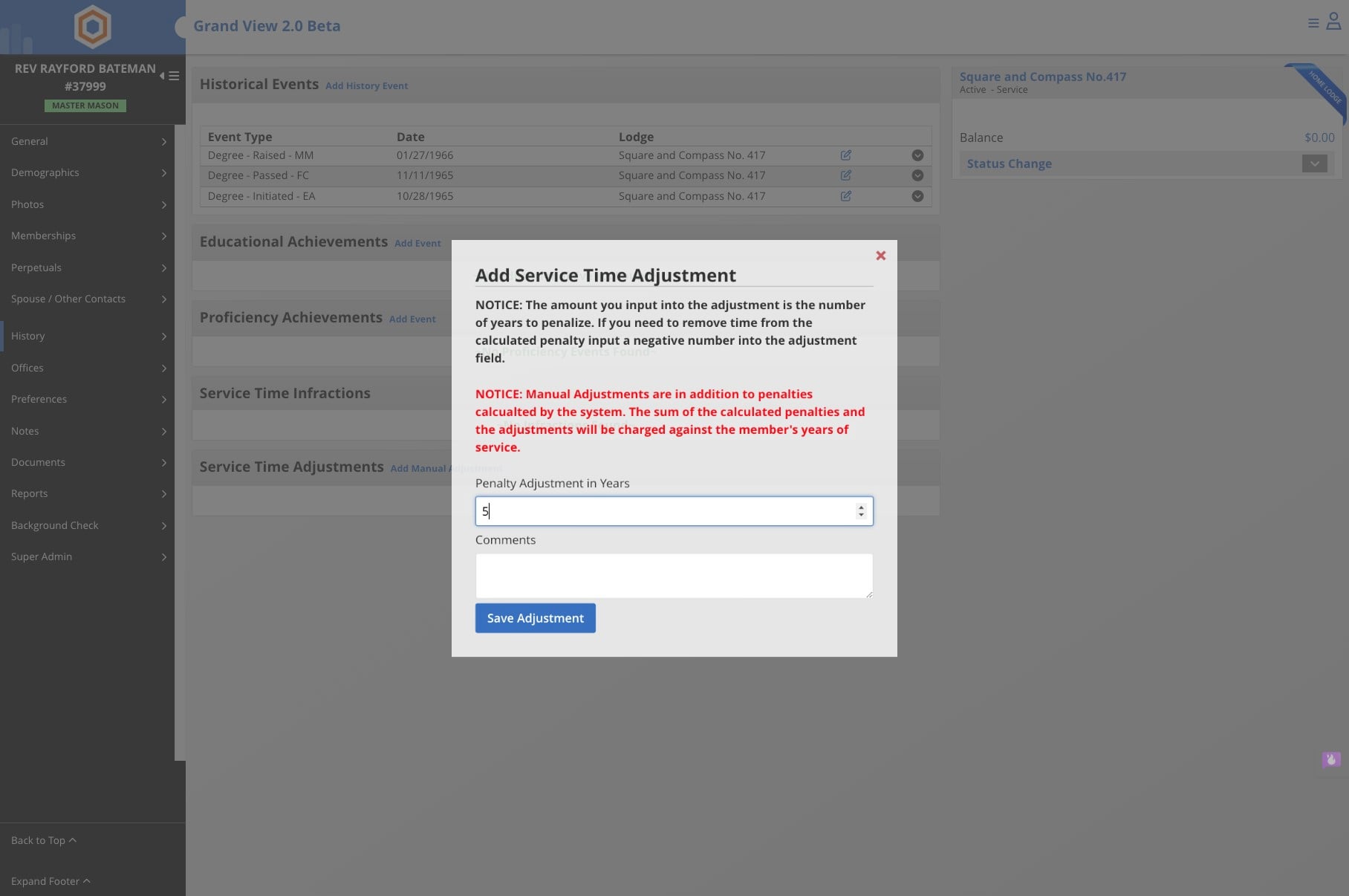
Click here and add the number of years missed. 10 years would be entered as 10
5
Click Save Adjustment
6
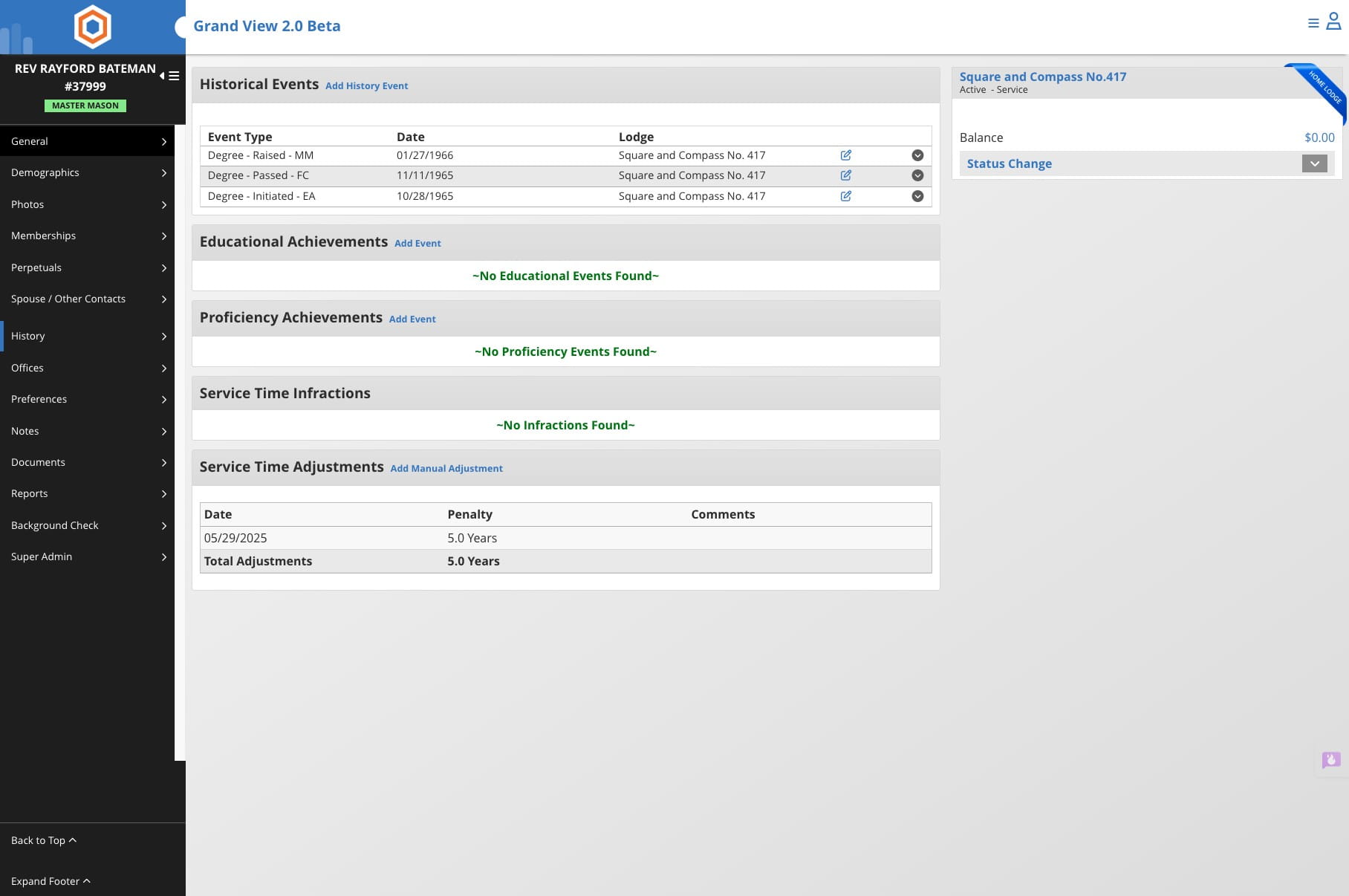
Click on "General" to go back to the main screen for the member's profile
7
Verify the Total Years of Service
Done 🚀