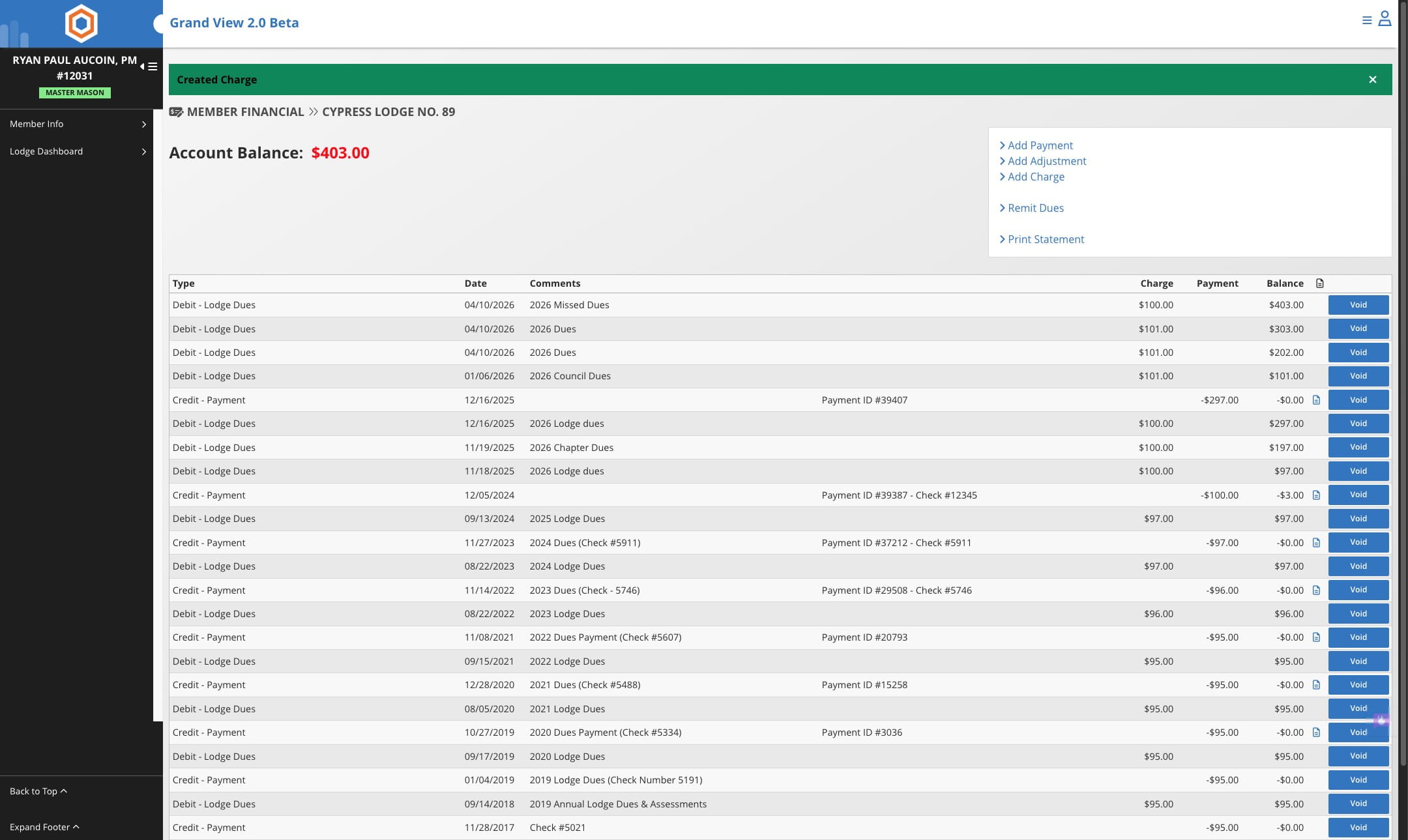
Creating a Charge for Single Member
1
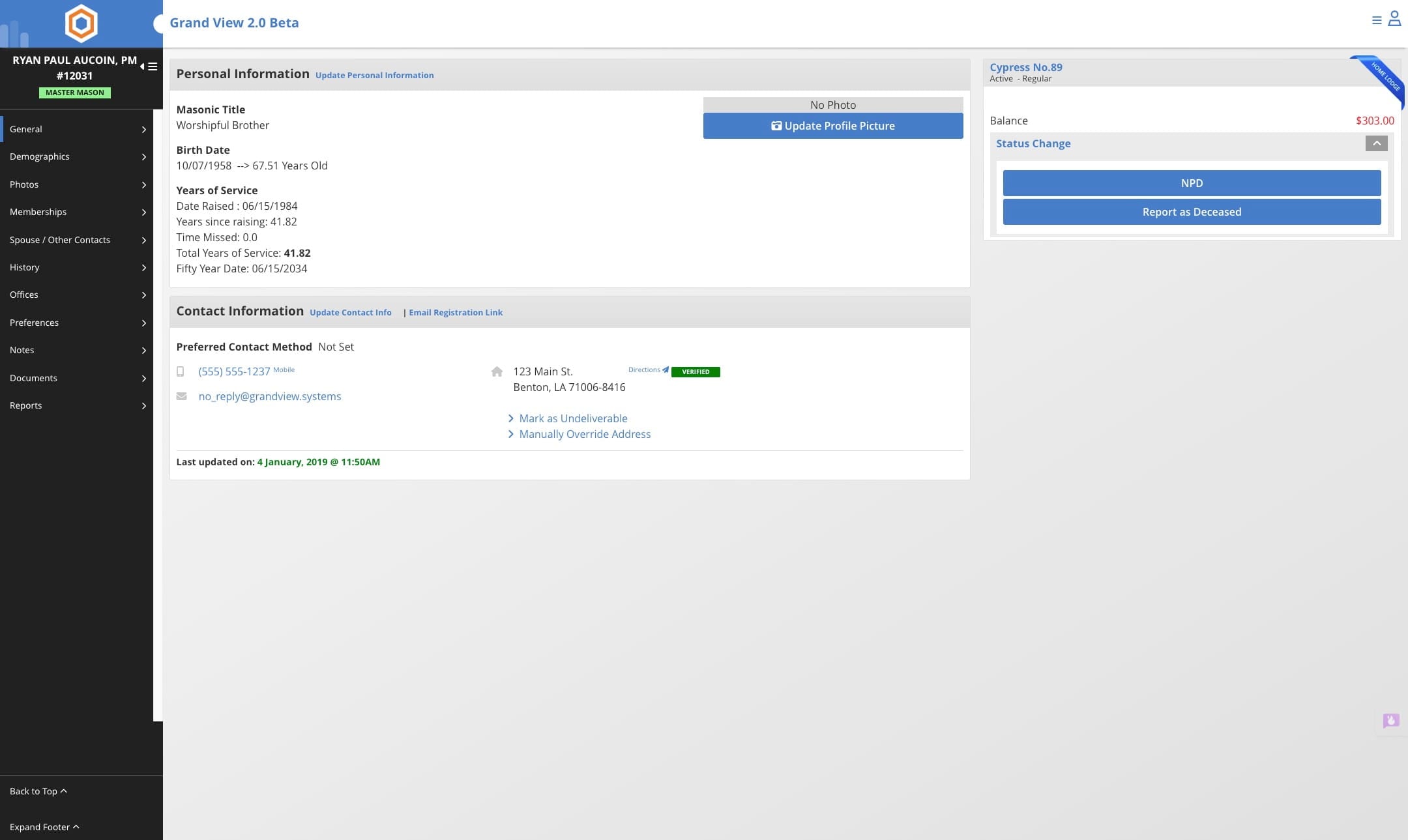
Navigate to the member's record
2
Click on the current account balance, may be $0.00 or there may be a total

3
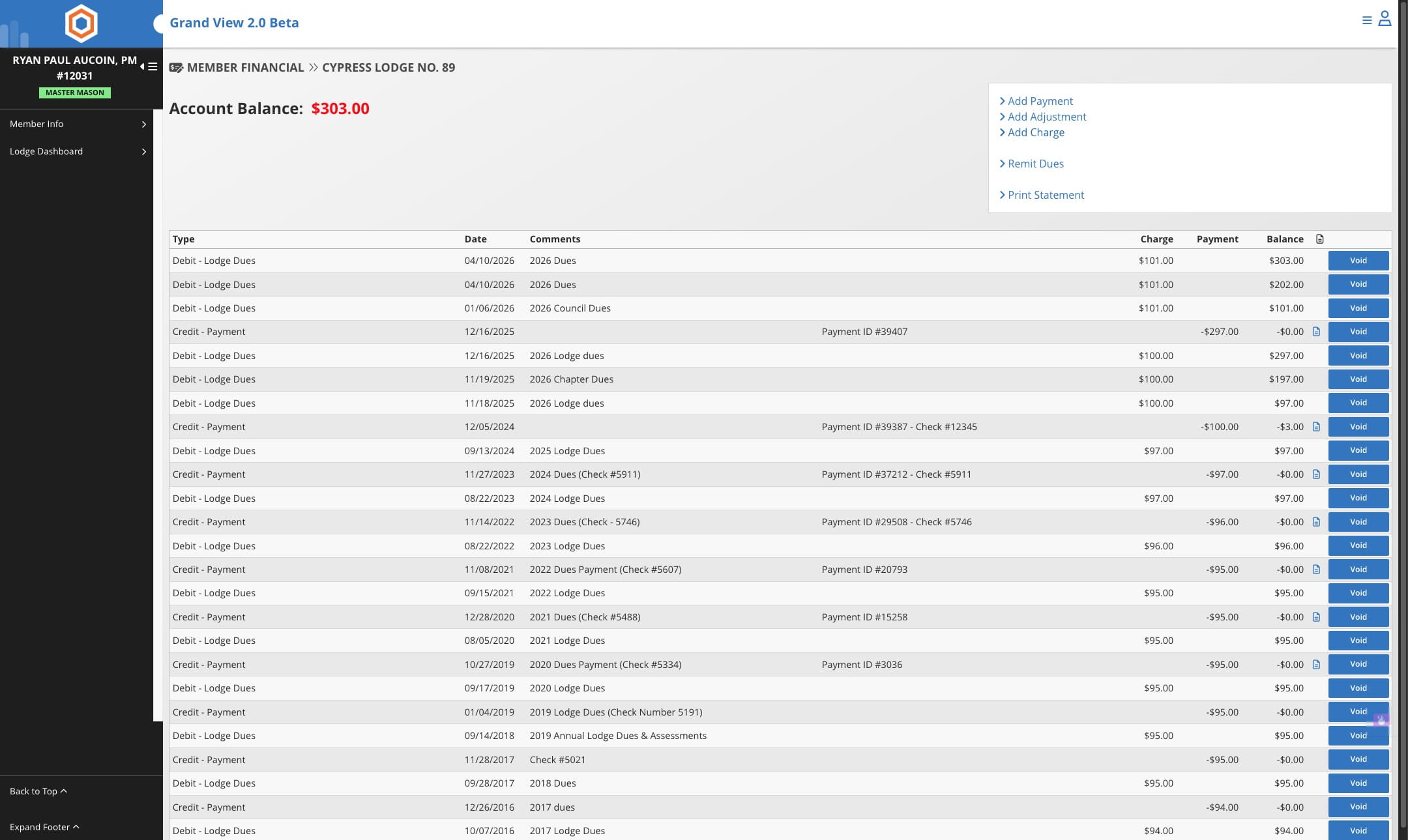
Click on "Add Charge"
4
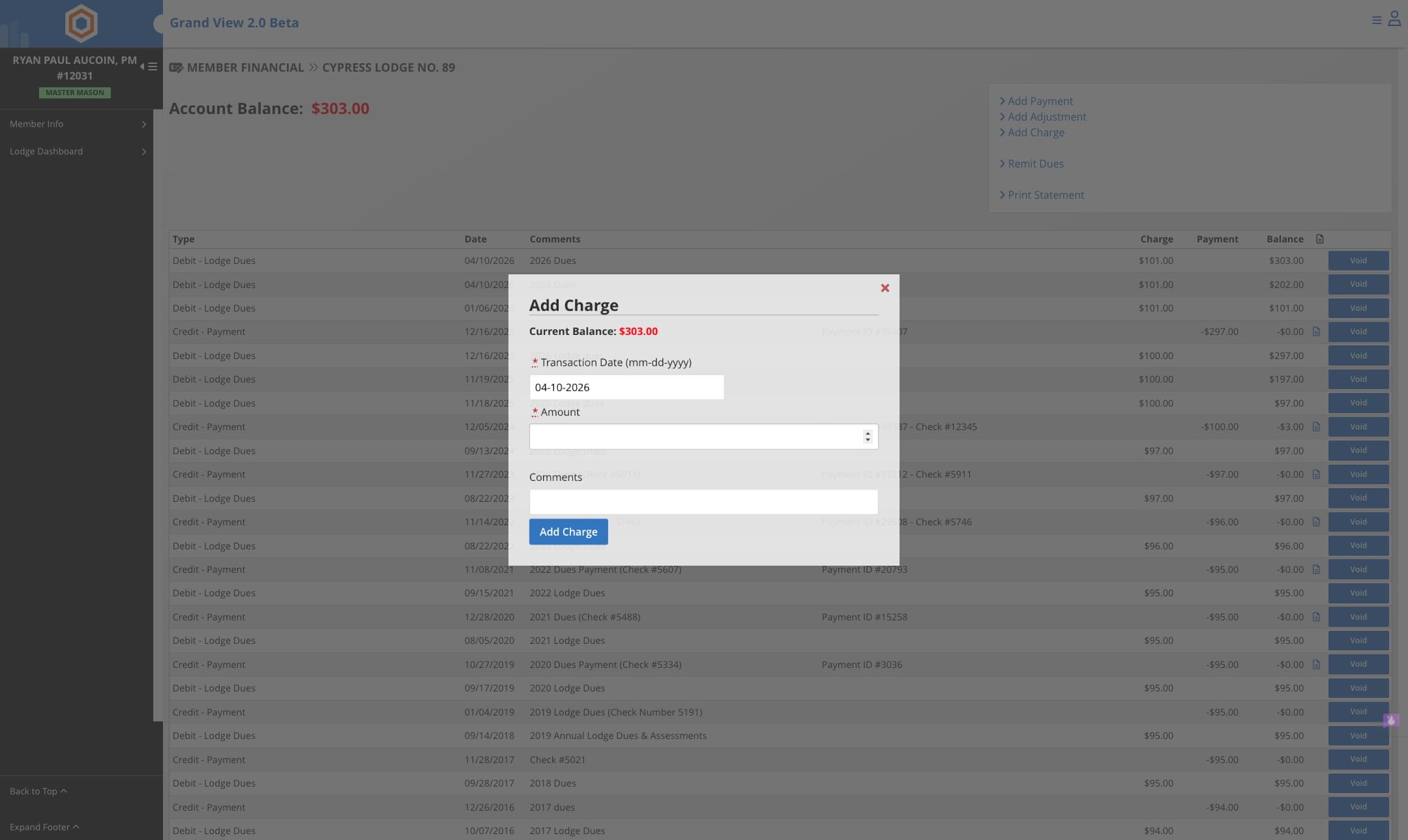
Enter the amount of the charge
5
Add any comments for the charge
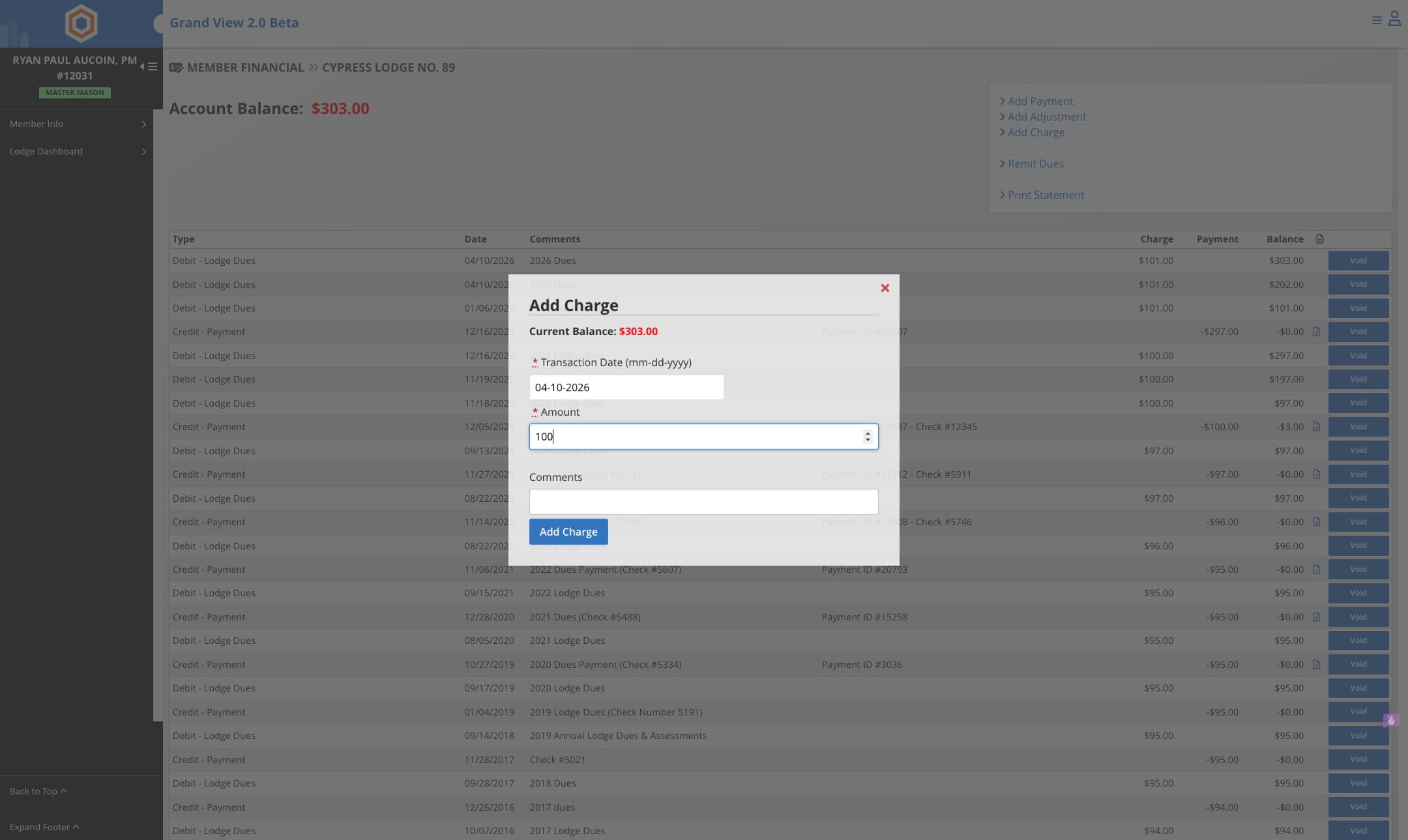
6
Click on "Add Charge" to record it to the member's account
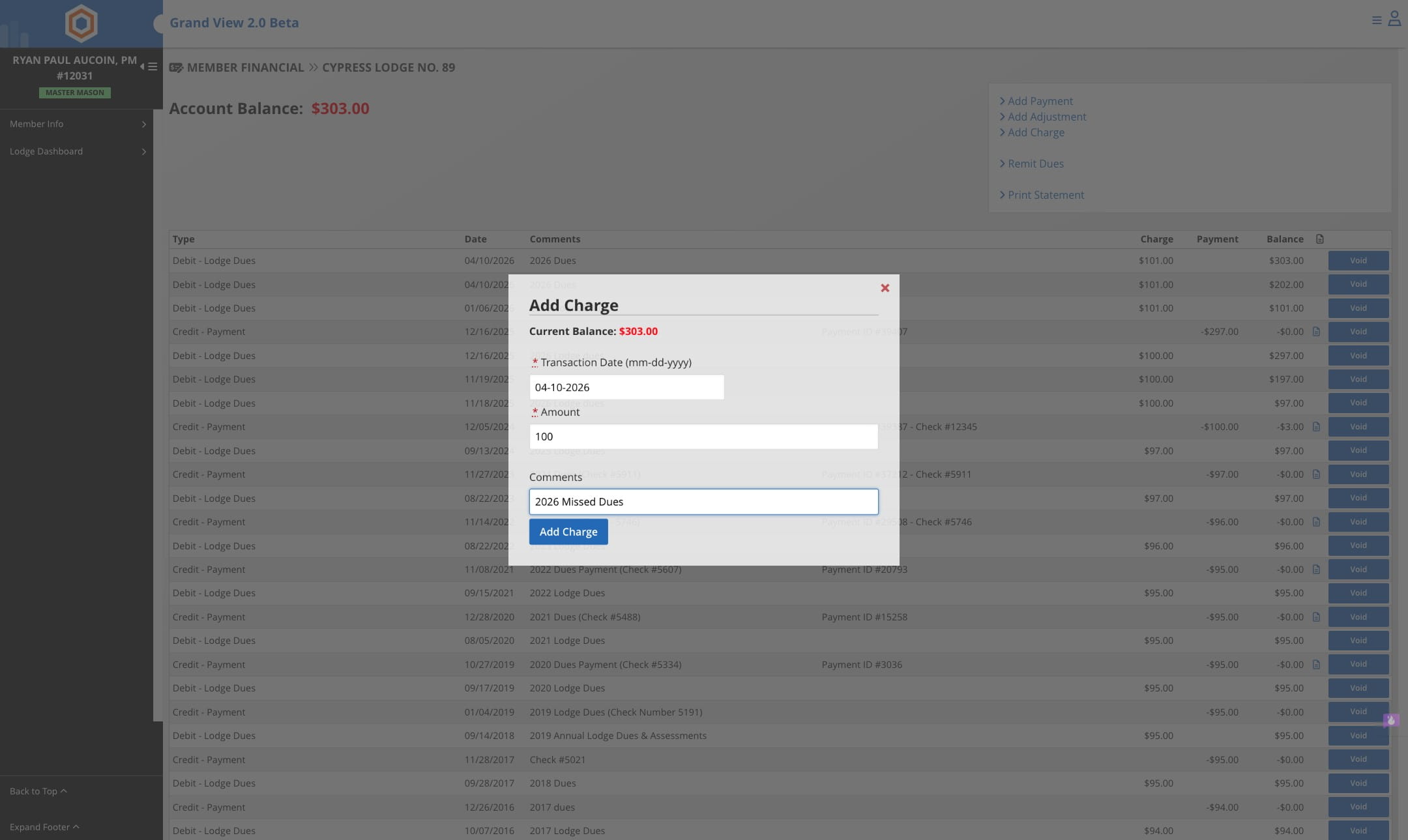
7
Done 🚀