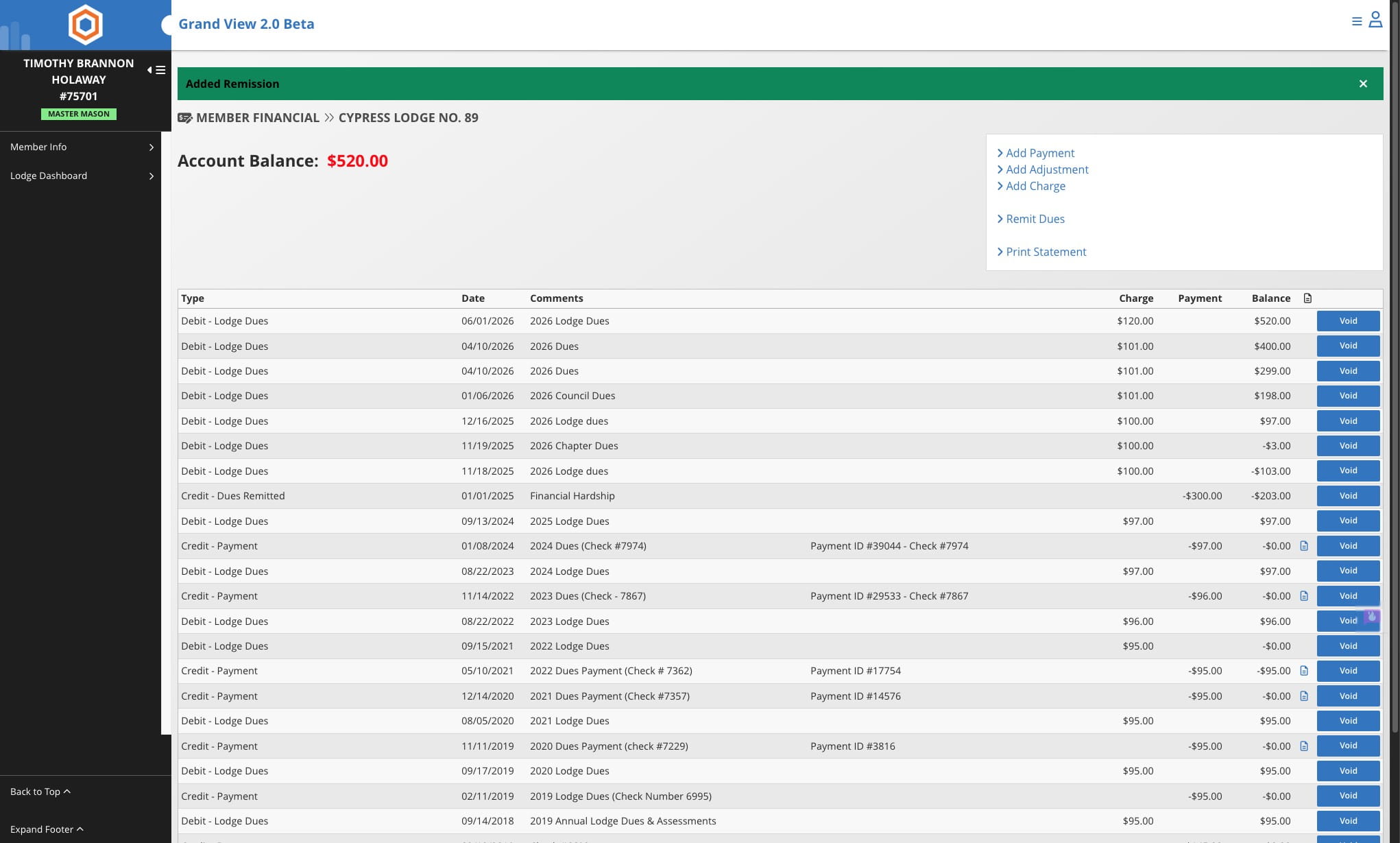
Remitting Dues
A step-by-step guide to remitting dues, from navigating to the member’s account to submitting the remission details, so you can complete the process accurately and efficiently.
Jun 22, 2026●
1
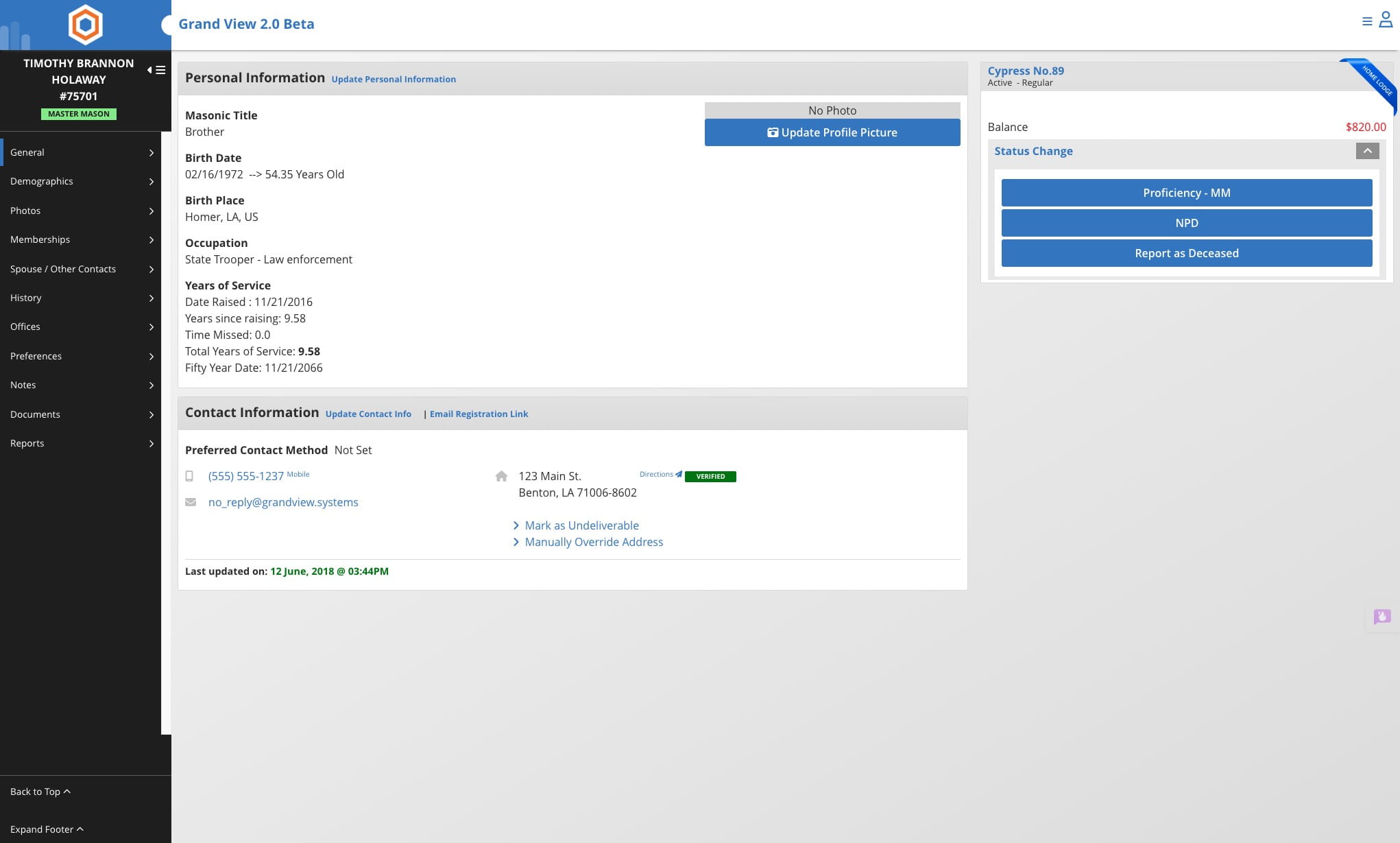
Navigate to member's record
2
Click on the account balance

3
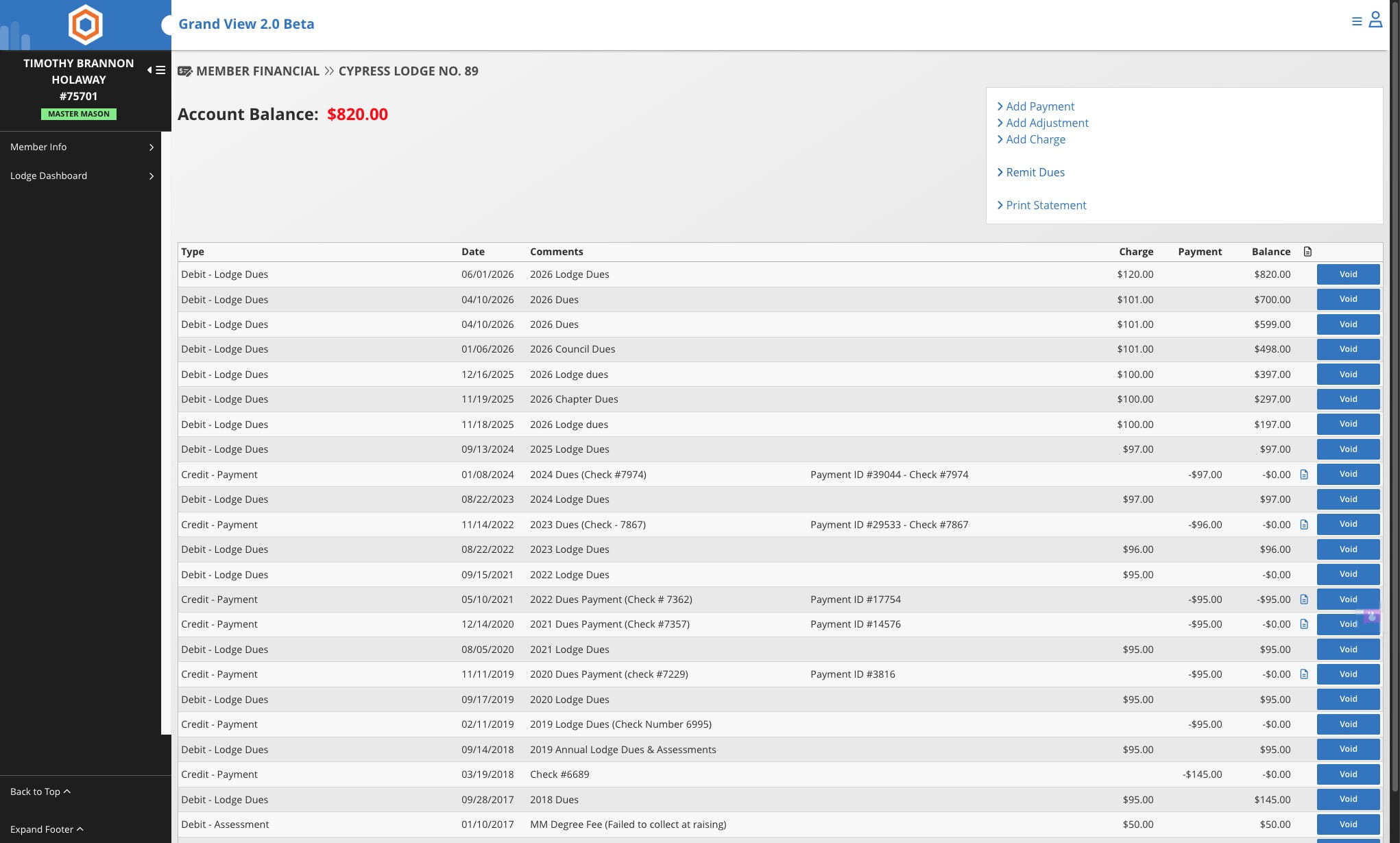
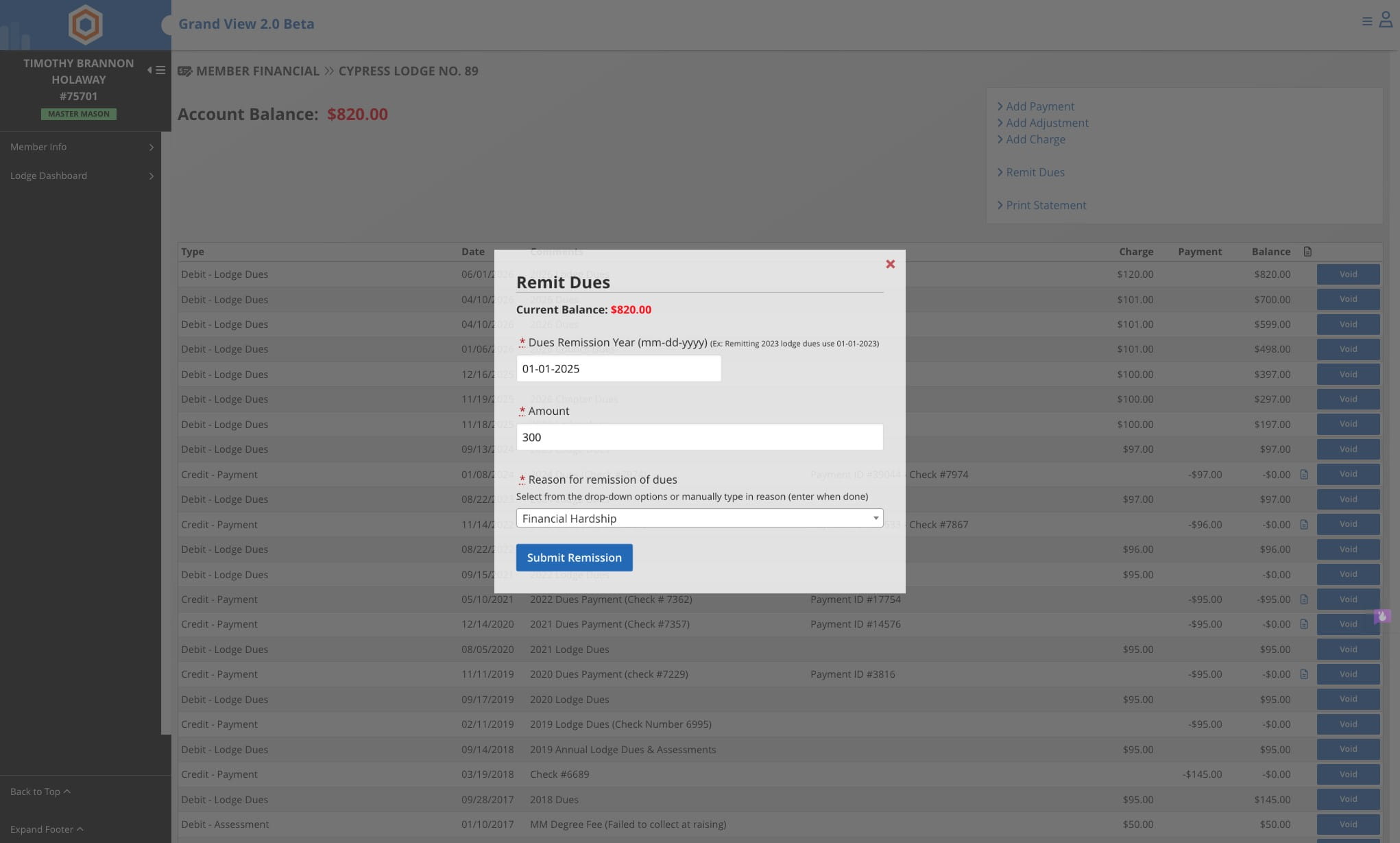
Click on Remit Dues
4
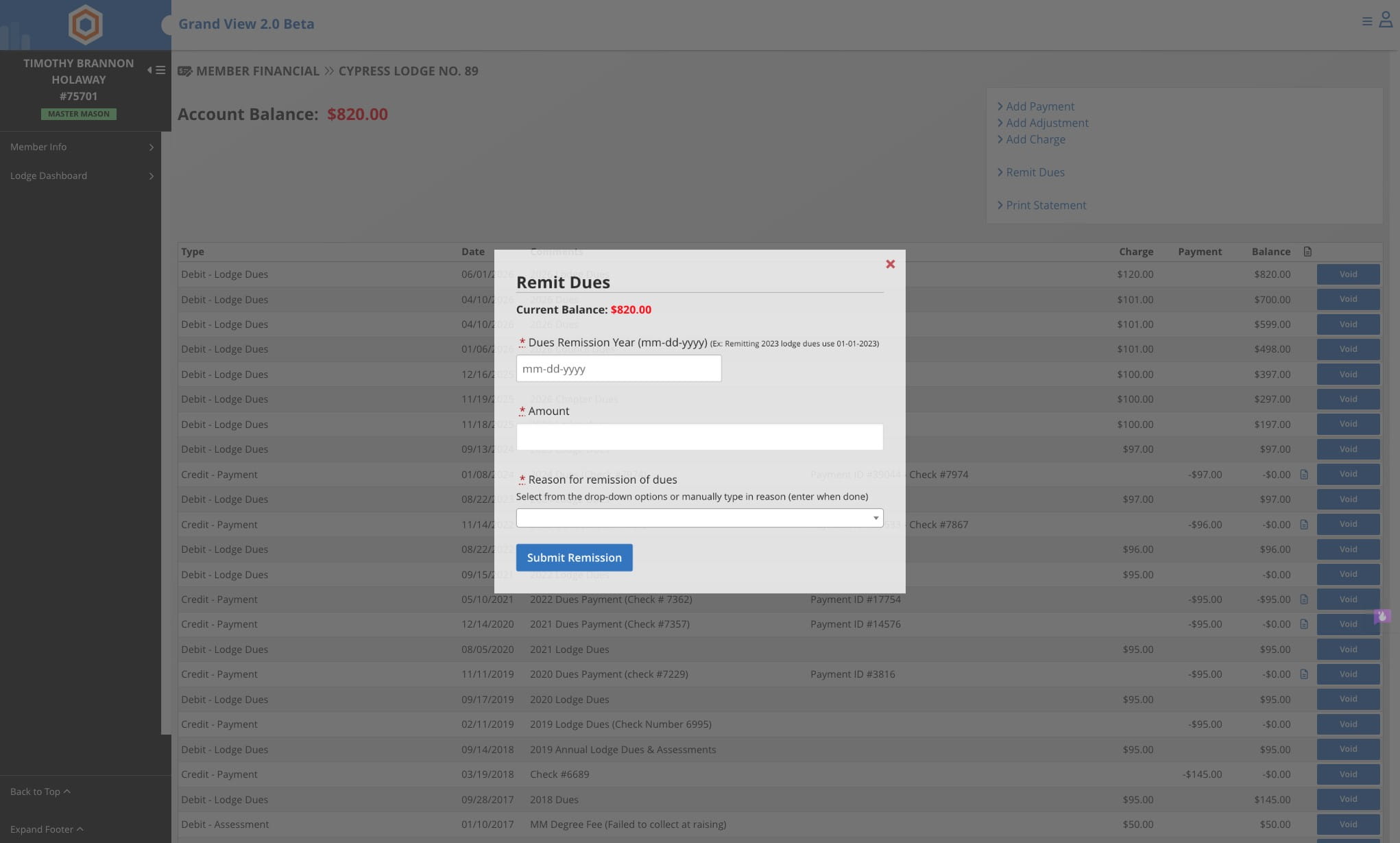
Enter the Date, Amount, and Reason for Remission of Dues
5
Click on Submit Remission
6
Done 🚀